3d Touch Iphone How To
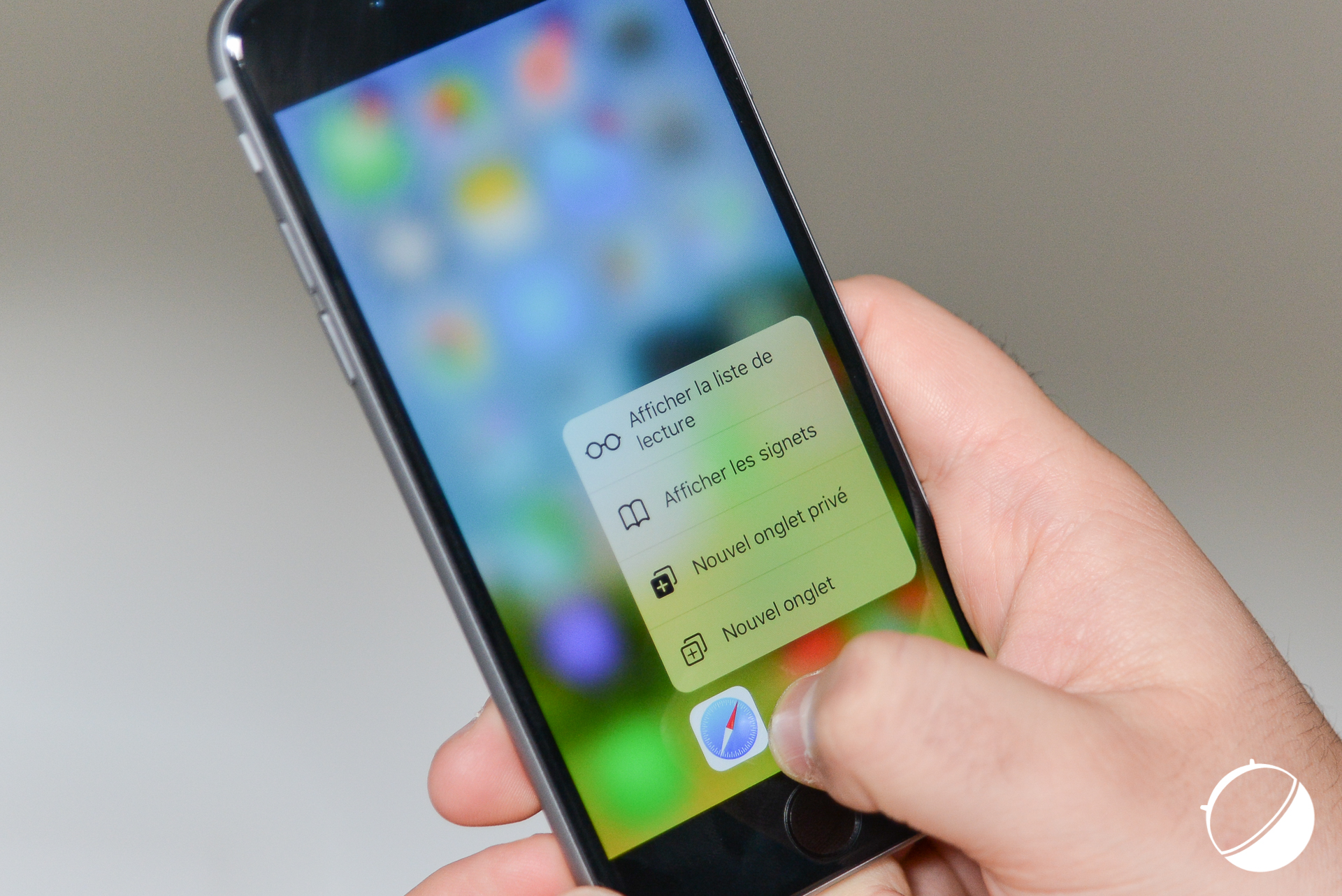
Jun thirteen, 2019 · to apply 3d contact, firmly press and keep down on an app icon or a notification on the house screen. your iphone will then give you haptic feedback and a brand new menu will appear with short moves. how is 3d touch beneficial? 3d touch may be helpful in many specific methods. Open the settings app. faucet on accessibility. tap on contact. faucet on 3d & haptic contact (or haptic contact when you have a haptic touch-simplest iphone). Apple debuted 3d contact at the iphone back in 2015. the idea in the back of the generation is simple: you press the display harder to get extra capability in numerous regions of ios. magic!.
The way to use 3d contact in iphone (complete use of 3d contact) 2020 by tech international for understanding greater hidden thrilling things / hints approximately iphone, android, windows use live connect with us: subscribe. Might also 05, 2019 · 3d contact is is a feature on iphones later than the iphone 6. you ought to be capable of get entry to 3d touch by means of applying stress to that location of the screen. in case you need to trade the strain placing of 3d touch then just open settings, then pick out widespread, then pick accessibility, then tap on 3d contact. To use 3d touch, firmly press and keep down on an app icon or a notification on the home screen. your iphone will then come up with haptic comments and a brand new menu will seem with quick movements. how is 3d touch useful? 3d contact can be beneficial in lots of extraordinary approaches.
How To Use 3d Contact On An Iphone With Pix Wikihow
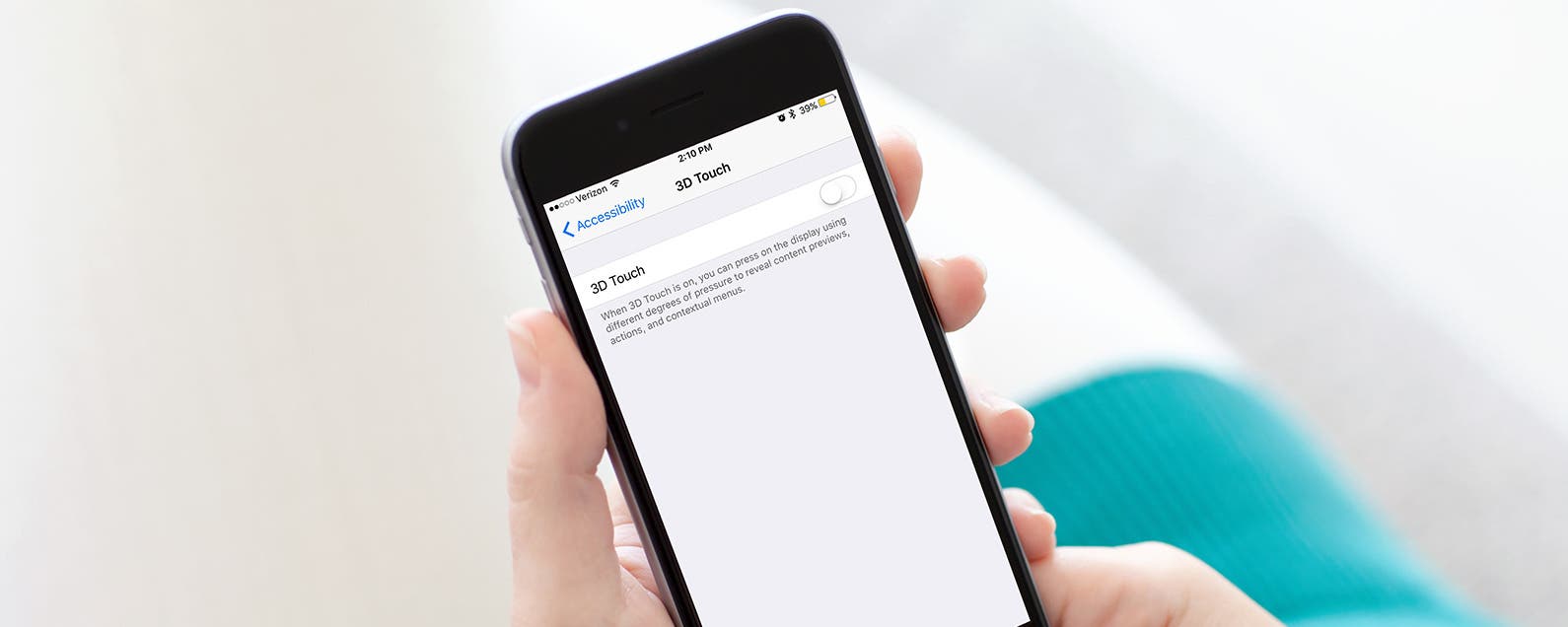
In case you’d want to alter 3d contact’s settings, you could open the settings app and navigate to wellknown > accessibility > 3d contact. from right here, you may disable or enable 3d contact and control 3d touch iphone how to how touchy it's miles. this may’t be a entire list, of course. Haptic contact replaces 3d contact in ios 13 and the iphone eleven, iphone 11 seasoned, and iphone 11 seasoned max. maximum of the capabilities are the same, but how you get to those capabilities is slightly exclusive. you no longer "deep press" or "hard press" to trigger an motion.
Be careful how you could get 3d touch movements 3d touch iphone how to for your older iphones with these cydia tweaks. bypass navigation enable 3d contact iphone 4s, five, 5c, 5s, 6 & se ios 9. 3. 3 / 9. three. four / 9. three. 5 / 10. 2 / all jb. iphone 11 release date, specifications and price: apple to ditch 3d contact for all 2019 iphones windows 7 goes eol in six months and we're not even close to prepared microsoft sneaks telemetry into windows 7 safety
The Great Methods To Apply 3d Touch To Your Iphone
3dtouch is a feature this is been around because the 2015 launch of the iphone 6s, and it is come to be an essential gesture gadget on all of apple's modern day iphones. 3dtouch is an excellent feature for iphones if you may discover a splendid use for it. but, discoverability with the feature can now and again be difficult and it may get in the way at times. W chicken apple added its 3d touch feature last 12 months with the iphone 6s, it didn’t exactly come to be a massive ‘screen saver. ’ now not many builders had develop access to the feature, which permits.
May also 07, 2020 · how to turn on 3d or haptic contact and adjust the sensitivity go to settings and faucet accessibility. faucet contact, then tap 3d & haptic touch. depending at the device you have got, you may see 3d contact or haptic contact handiest. *. How to turn 3d touch on (or off) peek and dad to preview a document. peek and pa are each stress-sensitive gestures. press the screen with a medium preview one app without leaving any other. peek and pop might not seem like a huge advantage when you're working inside one brief actions. another.
3dtouch, which made its debut within the iphone 6s, is a extremely good but underappreciated piece of display era.. in this article we explain the way to use 3d contact, and spherical up the maximum useful 3d. When you have an iphone 6s or newer, aside from the aforementioned iphone xr, it’s possible you have 3d contact enabled and feature by no means used it. with the advent of the iphone xr, apple introduced haptic contact, which takes a number of the 3d contact capability and locations it behind a faucet-and-keep gesture.
For basic quick 3d touch iphone how to moves: lengthy press (haptic contact) on the home display screen icon you want to open short actions for. tap on the motion you need to carry out. source: imore. What's 3d touch? taking the pressure touch era to an altogether new level, apple launched 3d contact on iphone 6s and 6s plus. being more sensitive than force touch, 3d contact has been developed to paintings the usage of capacitive sensors included into the show. Can also 29, 2020 · open the settings app. tap on accessibility. faucet on contact. tap on 3d & haptic touch (or haptic touch if you have a haptic contact-handiest iphone).

playstation four xbox 360 playstation three computer nintendo 3ds playstation vita wii ipad iphone/ipod touch extra sections news updated news previews reviews interviews amusing pictures films other dangers of video video games excellent aspect to video games how you could assist us prayer & praise editor's How to show on 3d or haptic touch and regulate the sensitivity visit settings and tap accessibility. tap contact, then tap 3d & haptic touch. relying at the device you've got, you might see 3d touch or haptic touch simplest. *. Tap contact, then faucet 3d & haptic touch. depending at the device you have got, you may see 3d contact or haptic contact only. * turn on the feature, then use the slider to pick out a sensitivity degree. * those devices aid haptic contact: iphone se (2d technology), iphone 11, iphone 11 seasoned, iphone eleven seasoned max, and iphone xr. Iphone3dtouch is a strain-sensitive feature on the iphone 6s and more moderen fashions, apart from the iphone xr. 3d touch allows you to do extra with positive apps and video games. you could quickly take images, respond to messages, preview net pages, make social media posts, and greater.
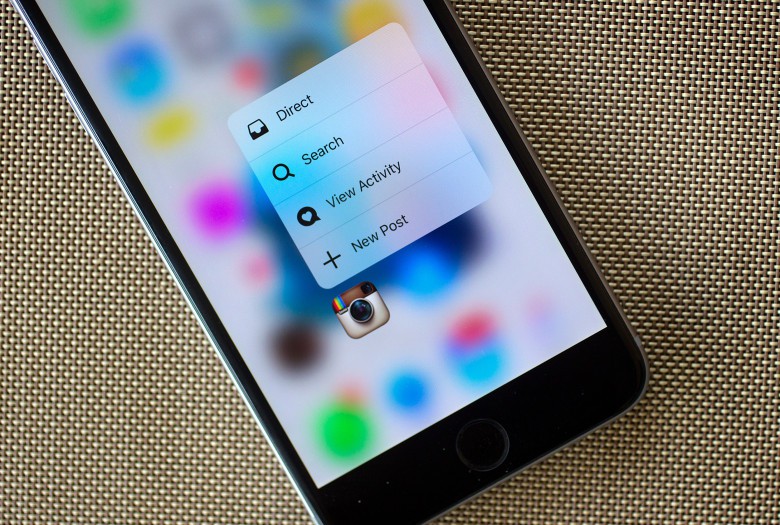
One function in ios you are likely underutilizing is 3d touch, a fairly beneficial, precise tool for iphones ever because it first appeared on the iphone 6s. apple's pressure-sensitive interactivity gives ios an additional layer of functionality, which may be definitely seen across the whole thing of your tool. from the lock display screen to the house display to the apps in between, there are lots of ways to use 3d contact. 3d contact could be activated with the aid of default on any new iphone (besides the se), but you can fiddle with some settings or even turn it off (insanity! ) by way of going to settings > popular > accessibility,.
Family friendly gaming the voice of the family in gaming.
With 3d touch in your iphone, you may peek at messages, use shortcuts, see short movements for apps, and extra. to analyze more about this subject matter visit the following articles: exchange 3d touch. 3dtouch is the most important new feature to come to the iphone 6s, and it brings a whole new interplay paradigm to the iphone. 3d touch is feasible by using a brand new stress touchy screen used in apple’s new iphone hardware. The iphone 6s and iphone 6s plus are the first iphones to function “3d contact“. 3d touch allows the iphone to discover how difficult you’re urgent, and you can press more difficult on the display in a few locations to do different things. whilst you press down on the screen, the glass bends a tiny bit. a capacitive sensor underneath the glass measures the distance between the sensor and your finger to determine. See greater videos for how to 3d contact iphone.


Komentar
Posting Komentar