3d Touch Iphone To How
Whats 3d Contact And How It Works Here Is All You Want To
3dtouch, which made its debut in the iphone 6s, is a tremendous however underappreciated piece of display technology.. in this newsletter we give an explanation for the way to use 3d touch, and spherical up the maximum useful 3d. iphone eleven launch date, specs and charge: apple to ditch 3d touch for all 2019 iphones windows 7 goes eol in six months and we're not even close to equipped microsoft sneaks telemetry into home windows 7 protection Haptic touch replaces 3d touch in ios thirteen and the iphone 11, iphone 11 seasoned, and iphone 11 seasoned max. maximum of the functions are the same, however how you get to the ones functions is slightly distinct. you no longer "deep press" or "difficult press" to cause an movement.
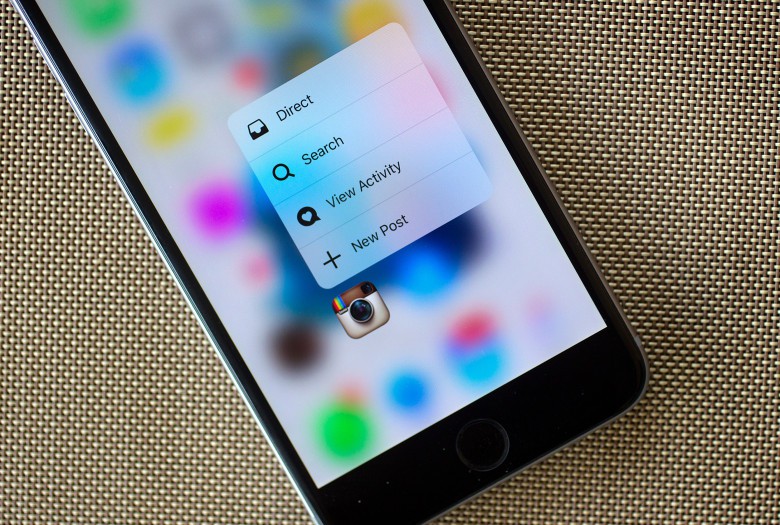
One characteristic in ios you're probably underutilizing is 3d contact, a fairly beneficial, specific device for iphones ever because it first appeared at the iphone 6s. apple's pressure-sensitive interactivity offers ios a further layer of functionality, which may be sincerely seen across everything of your device. from the lock display screen to the home display to the apps in between, there are masses of approaches to apply 3d touch. Faucet contact, then tap 3d & haptic touch. depending at the tool you've got, you would possibly see 3d contact or haptic touch only. * turn on the feature, then use the slider to select a sensitivity stage. * those gadgets support haptic contact: iphone se (2nd 3d touch iphone to how era), iphone eleven, iphone eleven seasoned, iphone 11 seasoned max, and iphone xr. With 3d contact for your iphone, you could peek at messages, use shortcuts, see brief movements for apps, and more. to examine extra approximately this subject matter visit the following articles: trade 3d touch.
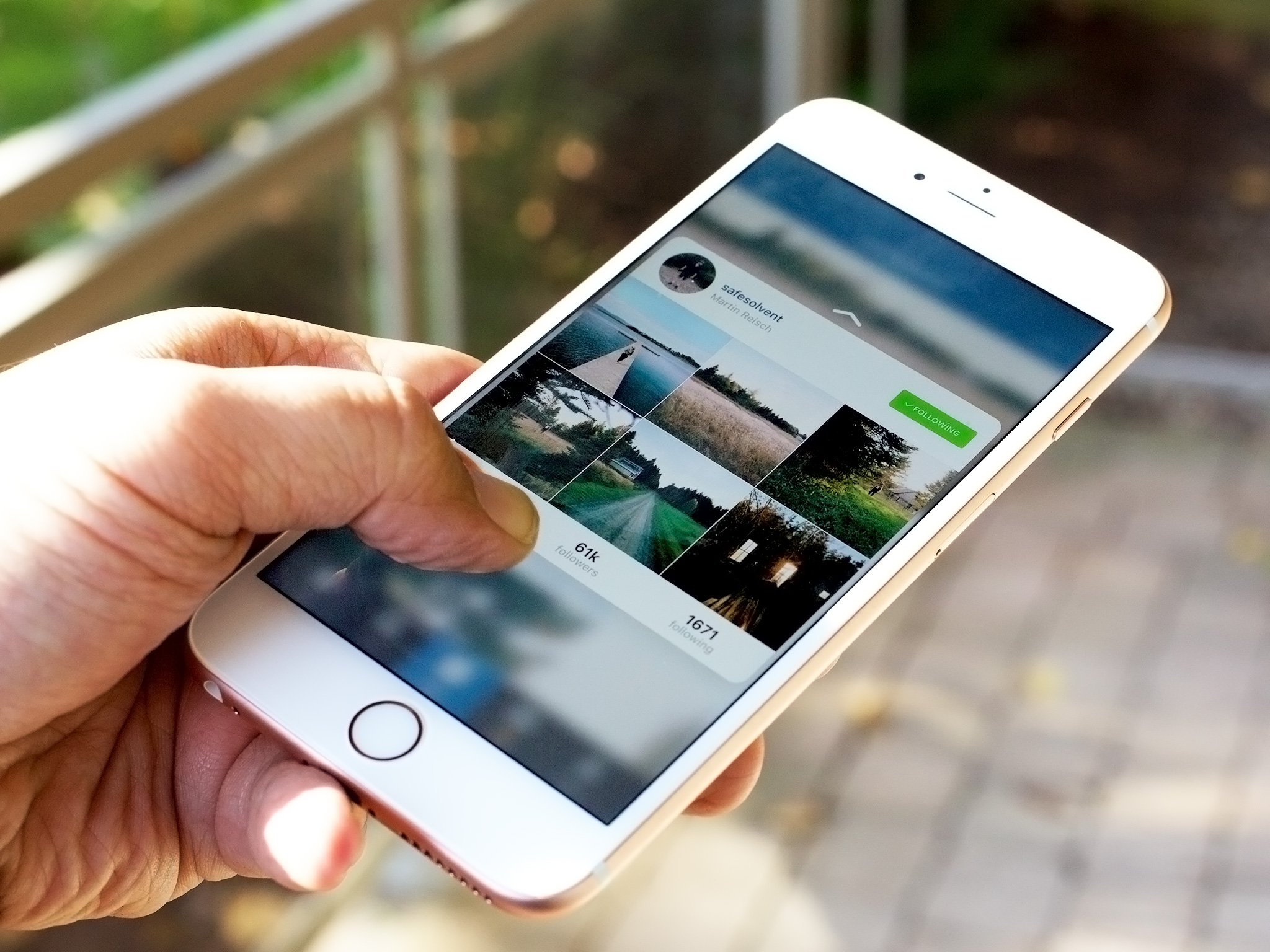
The Way To Use 3d Contact On Iphone Suggestions Hints Shortcuts
How to turn 3d touch on (or off) peek and pa to preview a file. peek and pa are both strain-sensitive gestures. press the display screen with a medium preview one app without leaving any other. peek and pa might not appear to be a big benefit when you're operating inside one quick moves. some other. 3dtouch is a function it truly is been around because the 2015 release of the iphone 6s, and it's grow to be an quintessential gesture machine on all of apple's today's iphones. Iphone3dtouch is a stress-sensitive feature on the iphone 6s and more recent models, excluding the iphone xr. 3d contact permits you to do extra with certain apps and video games. you could speedy take pix, respond to messages, preview internet pages, make social media posts, and extra.
See extra videos for a way to 3d contact iphone. How to turn on 3d or haptic touch and regulate the sensitivity go to settings and faucet accessibility. tap contact, then faucet 3d & haptic contact. depending on the tool you have got, you may see 3d contact or haptic touch only. *. For basic short actions: long press (haptic touch) on the house display icon you need to open brief actions for. faucet on the motion you need to perform. source: imore.
The iphone 6s and iphone 6s plus are the first iphones to function “3d contact“. 3d touch lets in the iphone to come across how hard you’re urgent, and you may press harder on the screen in some locations to do different things. whilst you press down at the display screen, the glass bends a tiny bit. a capacitive sensor under the glass measures the distance between the sensor and your finger to decide. 3dtouch is the most important new feature to return to the iphone 6s, and it brings an entire new interaction paradigm to the iphone. 3d contact is possible through a new pressure 3d touch iphone to how sensitive display utilized in apple’s new iphone hardware.
What Is 3d Touch On Iphone Right Heres The Reality
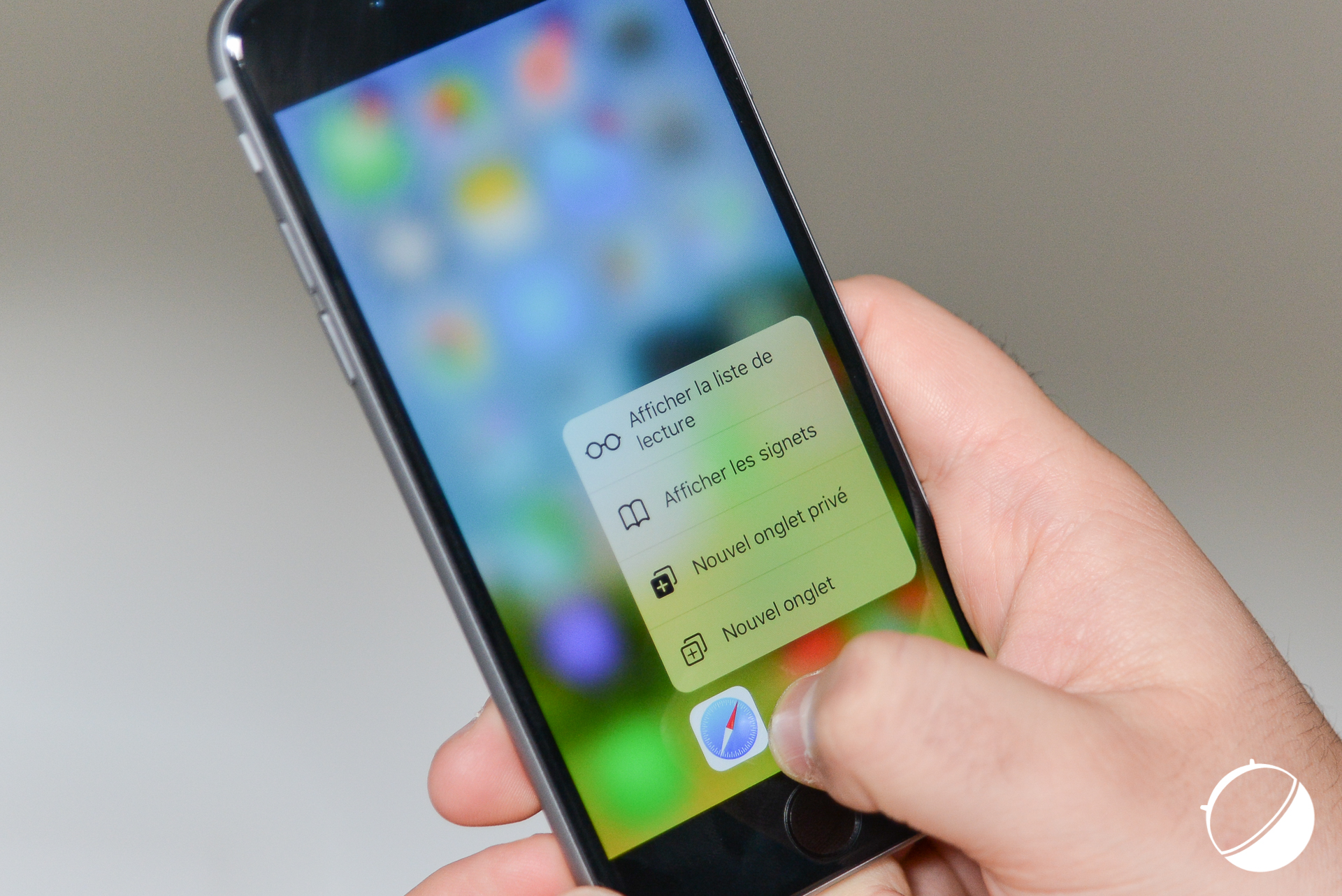
Be careful how you can get 3d touch movements in your older iphones with these cydia tweaks. bypass navigation enable 3d touch iphone 4s, 5, 5c, 5s, 6 & se ios nine. 3. three / nine. three. four / 9. three. five / 10. 2 / all jb. In case you’d want to alter 3d contact’s settings, you can open the settings app and navigate to widespread > accessibility > 3d touch. from here, you may disable or permit 3d contact and manipulate how touchy it's far. this can’t be a complete list, of course. To apply 3d touch, firmly press and preserve down on an app icon or a notification on the house display screen. your iphone will then come up with haptic feedback and a new menu will appear with quick moves. how is 3d contact useful? 3d contact may be helpful in many extraordinary approaches.
How To Use 3d Contact On Iphone 6s And 6s Plus Macrumors
May additionally 29, 2020 · open the settings app. tap on accessibility. tap on contact. faucet on 3d & haptic contact (or haptic contact if you have a haptic contact-simplest iphone). Jun thirteen, 2019 · to use 3d contact, firmly press and keep down on an app icon or a notification on the home display. your iphone will then provide you with haptic comments and a new menu will seem with quick actions. how is 3d contact useful? 3d contact may be helpful in many special approaches. Apple debuted 3d touch at the iphone lower back in 2015. the idea at the back of the era is straightforward: you press the display screen tougher to get extra capability in numerous areas of ios. magic!.
playstation 4 xbox 360 ps three pc nintendo 3ds ps vita wii ipad iphone/ipod contact more sections information up to date information previews evaluations interviews fun pix motion pictures different dangers of video video games appropriate facet to video video games how you could help us prayer & praise editor's Might also 05, 2019 · 3d contact is is a function on iphones later than the iphone 6. you must be able to get entry to 3d touch via applying stress to that location of the display screen. if you want to alternate the strain putting of 3d contact then simply open settings, then choose fashionable, then pick accessibility, then tap on 3d contact.
3dtouch is an fantastic characteristic for iphones if you may find a high-quality use for it. but, discoverability with the function can on occasion be hard and it may get inside the way at instances. May additionally 07, 2020 · how to turn on 3d or haptic touch and regulate the sensitivity visit settings and faucet accessibility. faucet contact, then tap 3d & haptic contact. depending on the tool you have got, you may see 3d touch or haptic touch best. *. 3d touch might be activated with the aid of default on any new iphone 3d touch iphone to how (besides the se), however you can fiddle with some settings or even turn it off (insanity! ) by using going to settings > general > accessibility,.
Open the settings app. faucet on accessibility. tap on touch. tap on 3d & haptic contact (or haptic contact if you have a haptic touch-best iphone). When you have an iphone 6s or more moderen, aside from the aforementioned iphone xr, it’s feasible you have 3d contact enabled and have never used it. with the arrival of the iphone xr, apple brought haptic contact, which takes some of the 3d touch capability and locations it in the back of a faucet-and-hold gesture. What's 3d touch? taking the force contact era to an altogether new stage, apple released 3d touch on iphone 6s and 6s plus. being more sensitive than pressure contact, 3d touch has been developed to paintings the usage of capacitive sensors incorporated into the show. W fowl apple delivered its 3d contact function ultimate yr with the iphone 6s, it didn’t exactly end up a massive ‘display screen saver. ’ not many builders had develop get right of entry to to the function, which enables.
What's 3d contact and how it works? here is all you want to.
A way to use 3d contact 3d touch iphone to how in iphone (whole use of 3d contact) 2020 with the aid of tech international for understanding greater hidden exciting matters / hints approximately iphone, android, home windows use stay connect to us: subscribe.


Komentar
Posting Komentar