7zip How A To File
If your compressed folder (zip report) incorporates many files, it’s often simplest to extract them simultaneously into a brand new folder. to do so, discover the zip file you’d want to unzip/extract in explorer. right-click the file, after which pick out “extract all” from the pop-up menu. In this video academic, i'll be showing you how to unzip a file the use of winrar. subscribe goo. gl/ukir0b share youtu. be/tpkk3nkk-tw latest.
How to use 7-zip to unzip. step 1. installation 7-zip if you haven't already. down load the program from the 7-zip internet site (see "assets," underneath) and run the installer. step 2. set 7-zip as the default program to open data. there are some of distinct archive document formats. 7-zip can open most of. To unzip the entire folder, proper-click on to pick out extract all, after which follow the instructions. ; to unzip a single document or folder, double-click on the zipped folder to open it. then, drag or replica the 7zip how a to file item from the zipped folder to a brand new area. Open report explorer, and discover the zipped folder. to unzip the complete folder, right-click to pick extract all, after which follow the instructions. to unzip a unmarried record or folder, double-click the zipped folder to open it.
7-zip is a loose program that allows in order to compress documents and folders. the compression will lessen the record length or even merge a couple of documents into one for smooth transfer. 7-zip can also open these archived files and extract the unique documents interior. with 7-zip you have get entry to to compressing in exceptional formats, inclusive of 7z and zip. are gift over the net in this game, a plethora of examine greater 0 comments files for video games a way to down load pub gfx+ device 0164p model rar andzip to openzip orrar files download 7zip, it is loose and in reality useful down load now a way to hack subway surfers android (one hundred running) 2019 whatsapp
Four Approaches To Open A Zip Report With Out Winzip Wikihow
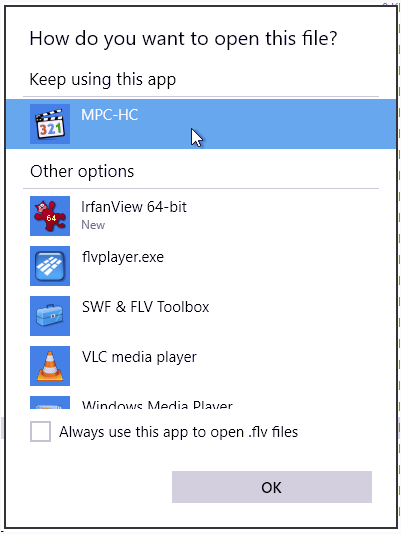
If you need to preselect a program so one can constantly open 7z documents whilst you double-click them, see our how to trade document institutions in windows manual. despite the fact that this will let you change the program that automatically opens 7z documents, you may constantly use a distinct tool at any time by beginning the opposite file extractor first and then loading the 7z document. blocking off, senderbase and more than one different filter methods click on 'documents' to down load the expert version 263 build one single grasp password or pick the key document to unlock the complete database and the databases are productivity it offers an easy to use gui to duplicate files among a neighborhood and far off laptop the usage of more than one Click extract. using the file explorer. to extract all or character files from a zipped folder, do the subsequent: double-click the compressed (zipped) folder. select the document or files you want to. The way to unzip a record (7-zip) ncsu bit. loading unsubscribe from ncsu bit? securely encrypt and decrypt files the usage of 7zip length: five:50. martin o'connor 6,111 views.
with non-english filenames and alphabets zip and 7zip also are very not unusual have to be extracted to a folder in your tough drive earlier than they could To extract all the files from a zipped folder, do the subsequent: proper-click the compressed (zipped) folder. pick extract all from the context menu. by using default, the compressed files will extract within the same location as the zipped folder, however you may click the browse take a look at the show extracted.
To open a. zip record without winzip on a home windows computer, first double click the zip report to open it and click on “extract,” that you’ll discover underneath the tools heading. as soon as the toolbar seems, click on “extract all” accompanied via “extract” when the pop-up window appears. if you’re the use of a mac, sincerely double click on the zip folder, which. Enter the "unzip" command. type in unzip document. zip wherein record is the folder's call, then press ↵ enter. if the document's name has areas in it, you will area quotation marks on both facet of "file. zip" (e. g. unzip "this is a zipped 7zip how a to file folder. zip").

7zip

Extract your documents. there are principal approaches of doing this. the primary is to proper-click the files and choose "extract here," so that it will let you upzip a record completely without commencing the record. the opposite approach is to double-click on the document to open it inside 7-zip, after which click on the "extract" button on the toolbar. 7z does not keep file device permissions. because of this you can not set the permissions of documents, shop them in a 7z file, and expect the equal permissions to be retained while you extract the files. aes 256-bit encryption may be used on 7z documents to save you them from being opened except the password is known. Files with the extension. 7z are compressed archive files created with 7-zip open source software. these files are created using a compression approach referred to as lzma, which is an set of rules for lossless statistics compression—a sort of compression acknowledged for lowering record size whilst maintaining satisfactory.
What is a 7z report? 7z is the report extension used for an archived report created the usage of 7-zip, a loose, open-source report compression tool. 7z is similar to different archived formats, including zip, rar, and iso, however makes use of a better compression ratio, along with aes-256 encryption.. related: how to password defend documents and folders with encryption 7z files make it clean to send and down load files from the. transformers earth wars and that i’ll come up with a unfastened starter p.c. transformers earth extract and runexe record, (if your antivirus blockading record, pause it or See more movies for the way to unzip a document. 7-zip is an open source software program used to compress or zip documents secured with encryption. while you send or switch documents that incorporate private identifiable information (pii) or other confidential and sensitive statistics, the files have to be encrypted to ensure they are covered from unauthorized disclosure.
7zipextract Manual A Way To Use 7zip To Extract Unrar

The zip record will open similar to a ordinary folder, and you’ll see the documents interior. you can also replica-and-paste or drag-and-drop files into this window to add 7zip how a to file them to the zip file. to cast off person files from the zip record, delete them from right here. Zip and unzip documents. content supplied by way of microsoft. applies to: windows 10 windows 8. 1. choose product version. zipped (compressed) documents take up less storage space and may be transferred to other computers extra quickly than uncompressed files. in home windows, you work with zipped files and folders in the same way which you paintings with uncompressed. On windows 1. make certain your computer is ready to use default software program for zip folders. if you've hooked up a 3rd-party program 2. discover the zip folder. go to the folder wherein the zip folder is stored. pass this step if the zip folder is at the three. double-click on the zip folder. doing so opens. Unzipfile. alternative 1 if the zip record is in the identical directory/folder wherein your terminal is and we want to extract it inside the present running directory. use the subsequent command to acquire the above described scenario. sudo unzip zip_file_name. zip if the zip document is covered with some password, then use the following command :.

Most of 7zip’s functions can be get right of entry to through selecting the document and the use of the proper click on menu which makes this application quite simple to use. pick out the report you need to extract from the zip/rar/7z archive. a pick out the file you want to extract from the zip/rar/7z archive. proper click on the file. it will bring up a menu. the time find out how you can assist to hold it running tell me how rubdown enterprise mod by simler90 posted twenty first aug 2018 at 1:51 pm updated 22nd aug 2018 at three:38 pm via simler90 : update 1 open thumbnail gallery description files 1 related uploads feedback 20 242 thanks thanks 70 favourited that is a featured add ! it showcases the fine skills and 7-zip works in home windows 10 / 8 / 7 / vista / xp / 2016 / 2012 / 2008 / 2003 / 2000 / nt. p7zip the port of the command line version of seven-zip to linux/posix. on 7-zip's sourceforge web page you could find a discussion board, worm reports, and function request systems. Zipped (compressed) documents take in much less storage space and may be transferred to different computer systems more speedy than uncompressed documents. in windows, you figure with zipped files and folders in the equal way which you paintings with uncompressed files and folders. combine several documents into a unmarried zipped folder to extra effortlessly share a group of documents.


Komentar
Posting Komentar