Call How Video Discord On To
As promised, discord is rolling out video chat and display percentage to its entire person base. a number of you can don't forget that the slack-fashion gaming chat app started testing the quite-asked features in. Discord’s thinks it has the superior option, however knows there’s plenty of technical hurdles that make video conferencing a hard function to deal with. Apr 20, 2020 · hi there, guys, my call is scoby tech and in cutting-edge video i'm going to be showing you a way to video call on discord cell! want to support me? experience free to dona. 2. amplify down: whilst in a video name, you may enlarge the view down so the video takes up the maximum peak you've got set for discord. three. video marquee: while you click a person from the everyday view, they'll come to be in focus leaving the marquee at the proper. by using clicking on a particular window, you'll zoom in their feed to the primary window.
Video Name In Server Voice Channels Discord
Contemporary-day discord hieroglyphics a. name button: clicking this icon will pass in advance and provoke a name between you and all other participants of the organization dm. everyone within the institution can initiate a call at any moment, and you may join a pre-present call by using pressing this button as nicely. Current-day discord hieroglyphics a. call button: clicking this icon will move ahead and provoke a name among you and all different individuals of the organization dm. anyone inside the organization can provoke a name at any second, and you can join a pre-current name via urgent this button as nicely. On this video i display you how to make video calls in discord skype killer? new feature being rolled out to anybody. if this video has call how video discord on to helped please leave a like. many thanks. i use some.
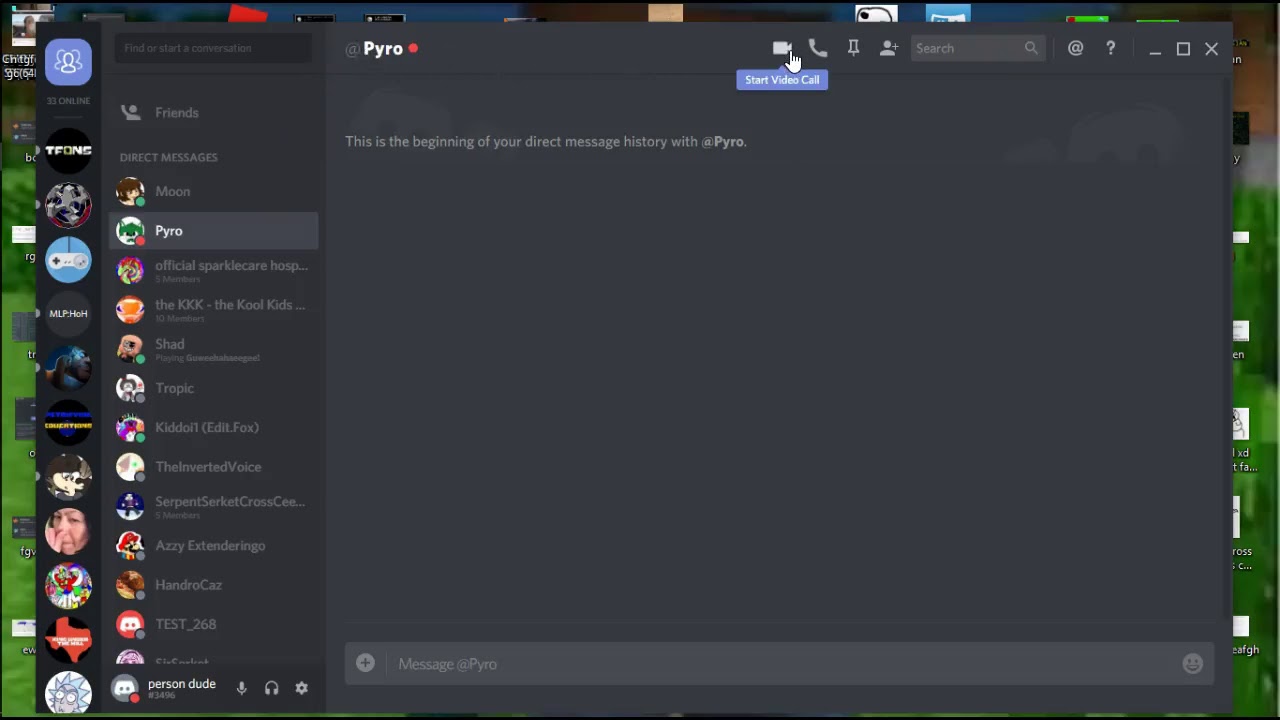
The Way To Manual On Discord Display Screen Share Video Call A Ten
Hi there, guys, my call is scoby tech and in modern video i'm going to be displaying you the way to video name on discord mobile! need to guide me? feel loose to dona. For discord screen percentage inside the server, you’d need to provoke a video name the use of the steps defined above. permit’s proceed to step 6 and see how you could allow display sharing via discord, and peek into your pal’s laptop. step 7: as the video calling is in manner, look for a display screen sharing icon present on the lowest of your display screen. you.

To share your video with the relaxation of your buddies, simply press the video button in the bottom left corner call how video discord on to (inside the voice and video panel) or the turn on digital camera button inside the video call window. step 3: exchange up your view/window!. Step 1: join a voice channel! as soon as you've got showed permissions, to join an ongoing video call, the first step is to step 2: share your video! to percentage your video with the relaxation of your pals, just press the video button inside the bottom step 3: trade up your view/window!.
Discord Makes Video Chat And Display Sharing To Be Had To
Discord isn't just a platform for gamers to talk and engage with each other in channels, but there are non-public communication strategies too. if you are thinking if you could make a discord video name, you may do so inside discord. you could also permit participants of a channel to video name each other in place of relying on personal conversation. Step 1: join a voice channel! once you've got confirmed permissions, to enroll in an ongoing video name, step one is to step 2: proportion your video! to proportion your video with the rest of your buddies, just press the video button inside the call how video discord on to bottom step 3: change up your view/window!. tissue !!) and try to gouge out the debris a way to exchange stats message on discord discord consumer status youtube add clientchange_presence
Hello, men, my call is scoby tech and in trendy video i am going to be displaying you a way to create a group video name in discord! want to support me? sense loose. Cell video calls are ultimately right here! get. hyped. beginning a video call. you could begin a video call on your cell tool from a dm or group message. tap the 3 dots in the pinnacle proper, then faucet begin video call. ios. android. all of the gizmos call how video discord on to and devices.
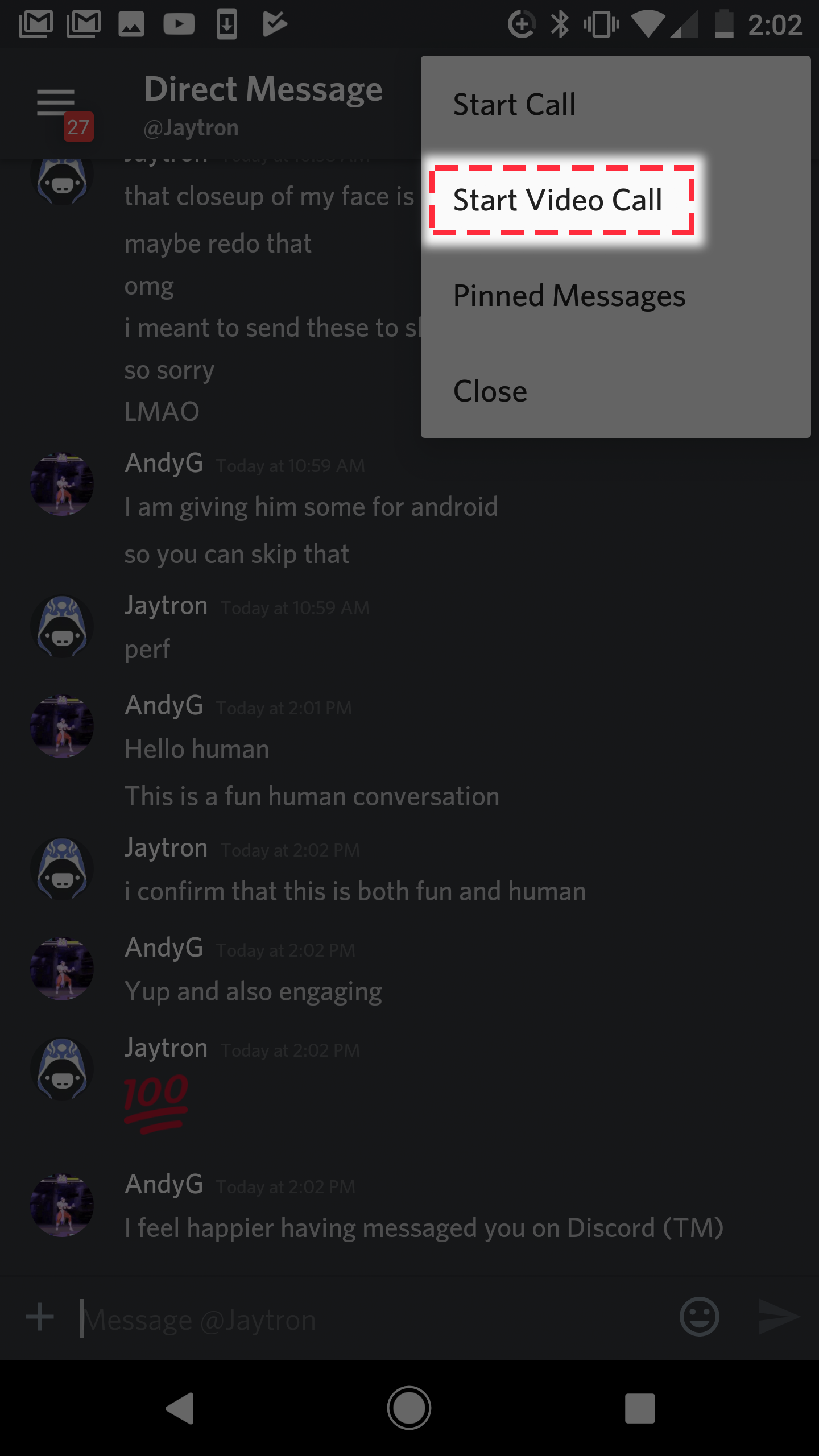
A Way To Make Video Calls In Discord Skype Killer Youtube
Beginning a video name. you may begin a video call in your cell device from a dm or institution message. faucet the 3 dots within the top proper, then tap begin video name. Discord is a provider-based totally round completely-featured textual content chat platform. this is a flexible app as it fulfills more than one necessities, performing as a community platform in addition to a manner for people to interact even as gaming. the app additionally gives screen sharing and video calling options for up to 9 people. these features are built into
A Way To Guide On Discord Display Share Video Call A 10
Discord!!! please deliver again videocalls in voice channels in servers, it changed into amusing for me to video call my buddies within the server but now i can't do it. please paintings on it as fast as you can, it changed into a great feature please!!!!. Beginning a video call. you can begin a video call in your cellular device from a dm or institution message. tap the three dots inside the top right, then faucet start video call.
See greater motion pictures for how to video call on discord. Allow's damage it down: 1. video / display screen share switch: these icons will transfer your essential view from video calling to screen sharing. you can 2. extend down: when in a call how video discord on to video call, you can enlarge the view down so the video takes up the most top you've got set three. video marquee: when you click on a user. The url you want to apply to screen proportion in discord, remove the spaces to use the hyperlink. spaces are added for easier coping on youtube : "https : // www. discordapp. com / channels / server /channel ". For discord display screen share inside the server, you’d want to provoke a video name the use of the stairs defined above. allow’s continue to step 6 and see how you could allow screen sharing thru discord, and peek into your friend’s computing device. step 7: because the video calling is in method, search for a screen sharing icon gift on the lowest of your screen. you.
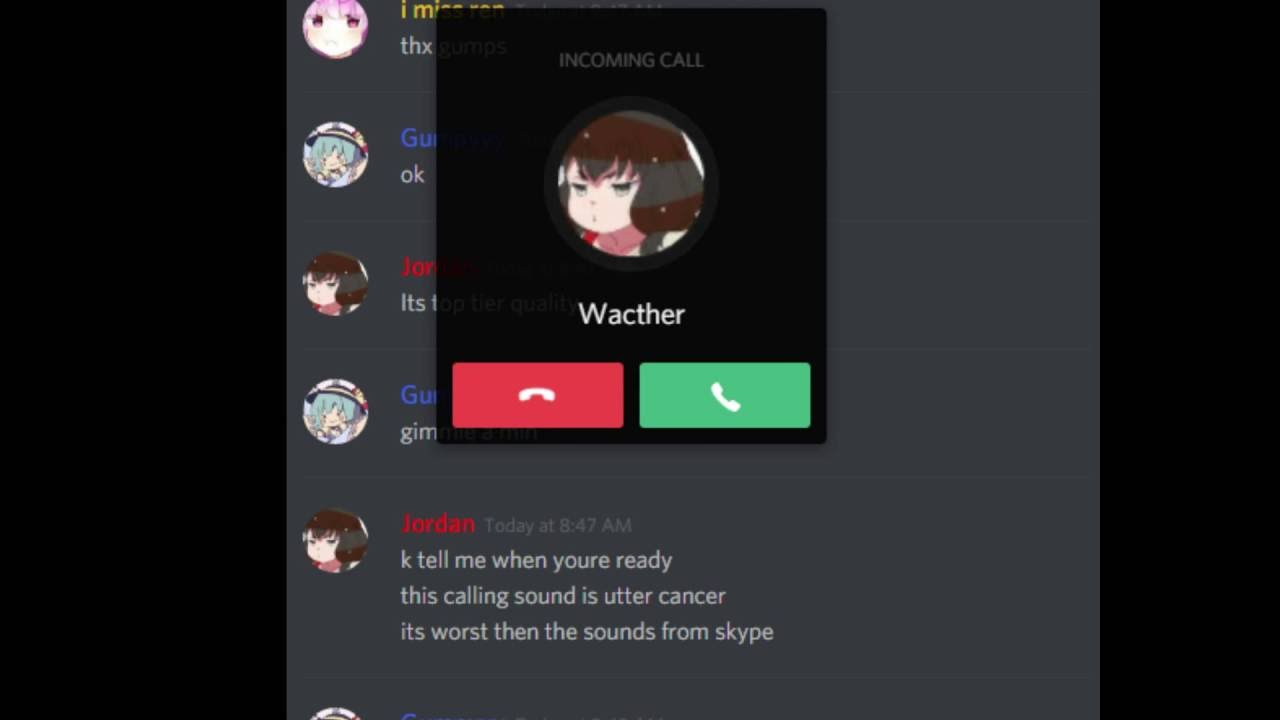
This video will display you how to set up a group video call in discord so you can ditch google hangouts but no longer must pay for costly video conferencing software program. this is a very simple tutorial. Making the call. with the institution of individuals in region, and you all chatting away with messages, you could initiate either a voice name or a video name at any time the use of the icons at the pinnacle proper. no longer every participant has to share video for the duration of this kind of call.
Permit's damage it down: 1. video / screen share swap: these icons will switch your most important view from video calling to screen sharing. you may 2. enlarge down: when in a video call, you could amplify the view down so the video takes up the most top you've set 3. video marquee: when you click a person. Discord is the very best manner to talk over voice, video, and textual content, whether or not you’re part of a school club, a nightly gaming institution, a global art network, or only a handful of friends that want to hang around. For discord display screen share inside the server, you’d want to initiate a video name the use of the steps defined above. let’s continue to step 6 and see how you can allow screen sharing via discord, and peek into your friend’s computer. step 7: because the video calling is in procedure, search for a display screen sharing icon present on the lowest of your screen. you. Discord is not only a platform for gamers to speak and have interaction with each other in channels, however there are non-public verbal exchange strategies too. if you are thinking if you could make a discord video name, you could accomplish that within discord. you can also allow members of a channel to video name each other in place of relying on non-public conversation.


Komentar
Posting Komentar