Connect Ps4 How Pc Controller To To
In this simple academic i show you a way to join your ps4 controller in your laptop or computer. just comply with me step by step and you'll be taking part in your games very quickly. that is for home windows 10 and. 1) on your ps4 dashboard, visit settings > devices > bluetooth gadgets (thru a media far flung in your ps4 or a related ps4 controller). 2) for your ps4 controller (the only you need to attach), preserve down the percentage button and the ps button for around 5 seconds. Within the olden days (2015 or so), connecting a ps4 controller to a pc became a harrowing method, with unpredictable (however hilarious) effects. now, laptop game enthusiasts can use the dualshock 4 with relative. To pair the dualshock four for your pc over bluetooth, you want to show the controller off and pressure it into pairing mode. if it is wirelessly related for your ps4, maintain down the ps button for.
I handiest have a ps4 controller lying round here someplace. " this is where the problem comes in. a ps4 controller doesn't paintings as a plug-and-play device for pcs. alas, it isn't always as easy as that. however wait, do no longer be concerned! it's far nevertheless inside the geographical regions of opportunity to use a ps4 controller on your pc. Playing video games on steam with a ps4 controller is remarkably smooth: just plug the controller into your computer, and you're right to go. with a touch bit of more work, you may even play wirelessly and exchange the button mapping for your liking. let's discover ways to nicely configure your ps4 controller with steam. See more movies for the way to join ps4 controller to pc. Brief guide on a way to connect your ps4 controller in your pc. all you want is a bluetooth transmitter somewhere for your pc, and you could without problems pair it with a ps4 controller.
On this easy educational i display you a connect ps4 how pc controller to to way to join your ps4 controller to your pc or laptop. simply comply with me step by step and you will be taking part in your games very quickly. that is for windows 10 and. htc vive digital fact device $69999 sony ps4 dualshock four wi-fi controller $3999 xbox one wi-fi controller $39 clothing & beauty up to 60% off denims as much as 30% off choose
The Way To Connecta Ps4 Dualshock 4 Controller To A Laptop Pcmag
How to join a ps4 controller in your laptop in 2 approaches.
How To Use Ps4 Controller On Computer 3 Easy Steps Driver Easy
To apply your ps4 controller to your computer, the first step you need to take is to attach it on your pc physically. there are approaches to attach your controller for your computer. method 1: connect your ps4 controller through usb. the best way to connect your controller for your windows computer is to apply a micro-usb cable. there are upsides of. The way to connect ps4 controller to pc so essentially there are two levels of this topic, in the first phase, we will analyze the method to connect ps4 controller with steam best. this steam method will no longer paintings on different video games so in case you need to use out of doors steam then flow to segment 2. A way to use the ps4 dualshock four controller on a laptop 1. down load ds4windows. whilst the usage of the ps4 dualshock 4 controller in your laptop is pretty simple, it is now not quite 2. installation ds4windows. a window will seem asking you where you want to extract the files to. you can both choose to three. installation. 7 how to connect bluetooth headphones to ps4 the way to connect ps4 controller restoration "your connection isn't private" mistakes in chrome the way to restoration wifi doesn’t have a valid
The Way To Join Ps4 Controller To Pc With Ds4 Home Windows
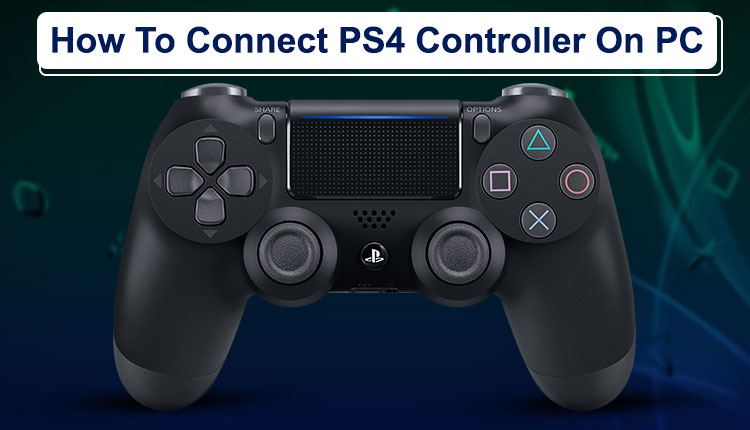
A way to join a ps4 controller on your computer in 2 exceptional approaches you may connect a dualshock ps4 controller for your computer thru a usb cable or bluetooth.. in case you only need to use the ps4 controller with steam games, simply connect it on your laptop the usage of a usb cable, and it will to use the ps4 controller with. Learn how to connect a ps4 controller to computer with this easy to observe tutorial. i'm able to show you a way to easily connect a ps4 controller to laptop using ds4windows. all the links you might want are. You could connect a dualshock ps4 controller for your pc via a usb cable or bluetooth. if you most effective want to use the ps4 controller with steam video games, just join it to your laptop the usage of a usb cable, and. Technique 1: connect your ps4 controller through usb the only manner to connect your controller for your windows computer is to use a micro-usb cable. there are upsides of doing this. after you connect it in your controller and your pc, you need no extra in addition configuration.

Installation manual. 1. down load the software connected above, beginning with the microsoft. net framework. in case you're running windows 7, installation the xbox 360 controller 2. essential step: plug your dualshock four into your computer the use of a micro-usb cable. (if you run into any troubles, attempt the usage of a usb 2. zero port. Click the "join" button across from it on the proper. the lightbar on the ps4 controller will light-up a light-blue shade when it's far linked. to connect your ps4 controller lower back to the ps4 game console, connect ps4 how pc controller to to virtually connect the ps4 controller lower back to the ps4 game console and press the ps button. Pairing dualshock four controller with the help of bluetooth to pc is pretty sincere. check the little by little guide on how you could do that task below.
The ps4 dualshock four controller is a tremendous desire for a gamepad for this scenario. its format includes all the buttons that maximum controller-based totally pc video games require, and you may even use its. Connectps4controller thru professional adapter. the only (although maximum high-priced) manner to connect your ps4 controller on your home windows pc is thru the legitimate dualshock four wireless adapter. even though extra luxurious, connect ps4 how pc controller to to it enables all the dualshock four capabilities, including the motion sensors and headset jack, which isn’t something in order to paintings along with your bog-fashionable bluetooth adapter. How to join and setup ds4 windows in order to use your ps4 controller in your home windows laptop. along with the way to installation drivers, configure them, and get gambling your favourite video games. You can connect your dualshock 4 controller on your pc using ds4windows, a 3rd-celebration application, in both stressed out or wireless mode (in case your laptop has bluetooth).
Connecting the ds4 in your computer with a usb-a to micro-usb cable is through some distance the very best manner to begin gaming with the ps4's pointer. just plug it into your pc and let the drivers deploy themselves. Stressed or wi-fi you can plug a ps4 controller right into a laptop simply as you would an xbox one controller, via using a microusb cable. provide the laptop a couple of minutes to install the drivers, and you should.
Step 1: download the modern-day model of ds4windows, which may be discovered on the utility’s connect ps4 how pc controller to to reputable internet site. step 2: extract it the usage of an archive manager together with winrar or 7zip. you'll then have documents, ds4windows and step three: double-click ds4window s to run the installer, which will spark off. A way to join your ps4 controller via bluetooth in case you followed the bluetooth installation steps above, you need to be able to use your controller wirelessly. luckily, you don't must pair your.
A way to join a ps4 controller to a laptop. you can join the controller for your computer with the covered usb-to-micro-usb cable—the identical one you use together with your ps4—and use it as a stressed out controller. it will “just paintings” without any additional setup. if you want to attach your controller wirelessly, sony recommends you buy the.


Komentar
Posting Komentar