Enter To Bios How
On this manual, we're going to show you the stairs to go into the legacy bios or modern-day uefi firmware on your tool to trade advanced device settings to troubleshoot a problem, configure a new tool, or. How to enter the bios configuration of my pocket book? observe: in case you're using a transformer ebook, please join the docking station to the transformer e book, then follow the instructions beneath: normal scenario: press and hold the f2 button then click on the power button. do no longer release the f2 button till the bios screen display. In this laptop, you'd press f2 to go into the bios setup menu. on some computers, getting into the bios might also require pressing some other key or a aggregate of keys. maintain your eyes open for an on-display screen message that.
Whether or not you want to replace your bios or sweep it smooth of systematic insects, knowing the way to enter bios is essential for laptop users. so as to get right of entry to bios on a home windows laptop, you must press your bios key set through your manufacturer which may be f10, f2, f12, enter to bios how f1, or del. Recommended ways to enter bios which include f1 and an trade method if timing does not permit f1. Get right of entry to the bios on ideapad or lenovo laptops thru novo button, or function key for structures below windows eight eight. 1 and 10.

In this laptop, you'd press f2 to enter the bios setup menu. on a few desktops, entering the bios may additionally require pressing any other key or a aggregate of keys. preserve your eyes open for an on-screen message that. The way to enter the bios on a home windows 10 pc 1. navigate to settings. you could get there with the aid of clicking the tools icon on the start menu. 2. pick out update & protection. 3. pick out recuperation from the left menu. 4. click on restart now beneath advanced startup. the pc will reboot to a special menu. 5. click on.
Bios (which is an acronym for fundamental input/output machine) is your laptop's firmware, the base-level software that enables control your hardware. getting access to bios may be important at instances, and this is usually a very smooth element to do. but, if you've tried the basic bios access steps and still can not get in, the records here might also assist you. Many roads lead to the bios. a simple keystroke on the right moment, at the same time as the system is booting, gets you into the bios. when you have a more recent windows computer, perhaps one that got here with uefi bios, you can enter the bios even extra without problems. to prevent the guesswork, we've compiled all of the specific approaches how you can enter the bios on home windows 10, home windows eight, and older versions.
Encouraged manner to enter bios for lenovo computer systems & all-in.
Bios keys with the aid of manufacturer. asrock: f2 or del. asus: f2 for all computers, f2 or del for motherboards. acer: f2 or del. dell: f2 or f12. ecs: del. gigabyte / aorus: f2 or del. hp: f10. lenovo (consumer laptops): f2 or fn + f2. lenovo (desktops): f1. lenovo (thinkpads): enter then f1. Everyday state of affairs: press and hold the f2 button, then click the strength button. do now not launch the f2 button until the bios display screen display. you can consult with the video. Down load the identical or more moderen bios record: visit hp notebook desktops improving the bios, and then comply with the commands to create bios restoration usb key on every other laptop. insert the usb key within the pc with the bios trouble to start the recuperation. if nothing happens after inserting the key, restart the laptop, after which immediately press and maintain the home windows key and the b key at the same time. See greater videos for how to enter bios.
The Way To Enter The Bios On A Dell Your Commercial Enterprise
How to input the bios on a lenovo pc. this wikihow teaches you a way to get entry to the bios on a lenovo pc or computer pc. click the start menu. how to input the bios on a lenovo pc. written via nicole levine, mfa. updated: march 29, 2019 you’ll need to restart the pc from windows to get admission to the bios.
Input bios or uefi settings the use of keyboard shortcut in case you are not able to open the start menu for your computer, you can get entry to bios or uefi settings for your laptop by using the use of ctrl + alt + delete keyboard shortcut. 1. press ctrl + alt + delete keys on the keyboard of your laptop. Home windows 10 the way to enter bios configuration? windows 10 maintains the [fast startup] characteristic as windows eight. (for greater records, please discuss with windows eight-advent of [fast startup]) because of this purpose, you can't press f2 to enter the bios configuration when booting the gadget. please confer with this video to go into bios configuration. The bios is the software program that is built into your laptop's motherboard and controls the whole lot from the boot enter to bios how order of your drives to preboot safety alternatives to whether or not the fn key on your.
In case your computer can not load an running system, as it doesn't come across a bootable drive, it's going to commonly pause, beep and give you the choice to go into the bios, which it will frequently call "setup. ". Home windows 10 how to input bios configuration? home windows 10 continues the [fast startup] feature as windows 8. (for extra records, please discuss with windows eight-advent of [fast startup]) because of this reason, you cannot press f2 to enter the bios configuration while booting the system. please confer with this video to enter bios configuration.
Enterbios with those steps. get entry to bios to make hardware configuration modifications, set boot order, reset bios passwords, trade bios settings, and more. A way to input bios. do you want to change your boot device order or reset your system clock? the bios or uefi (the up to date version of the bios) is the region for you. the bios or uefi controls all the low-level features of your laptop, and. You can also keep down the gap bar throughout the startup procedure. this should halt the boot sequence and display the "enter bios" key. crucial: computers that deliver with windows 8 might not use a traditional bios. instead, more recent machines used some thing called uefi (unified extensible firmware interface), which replaces the bios.

A Way To Enter The Bios On Home Windows 10 And Older Versions
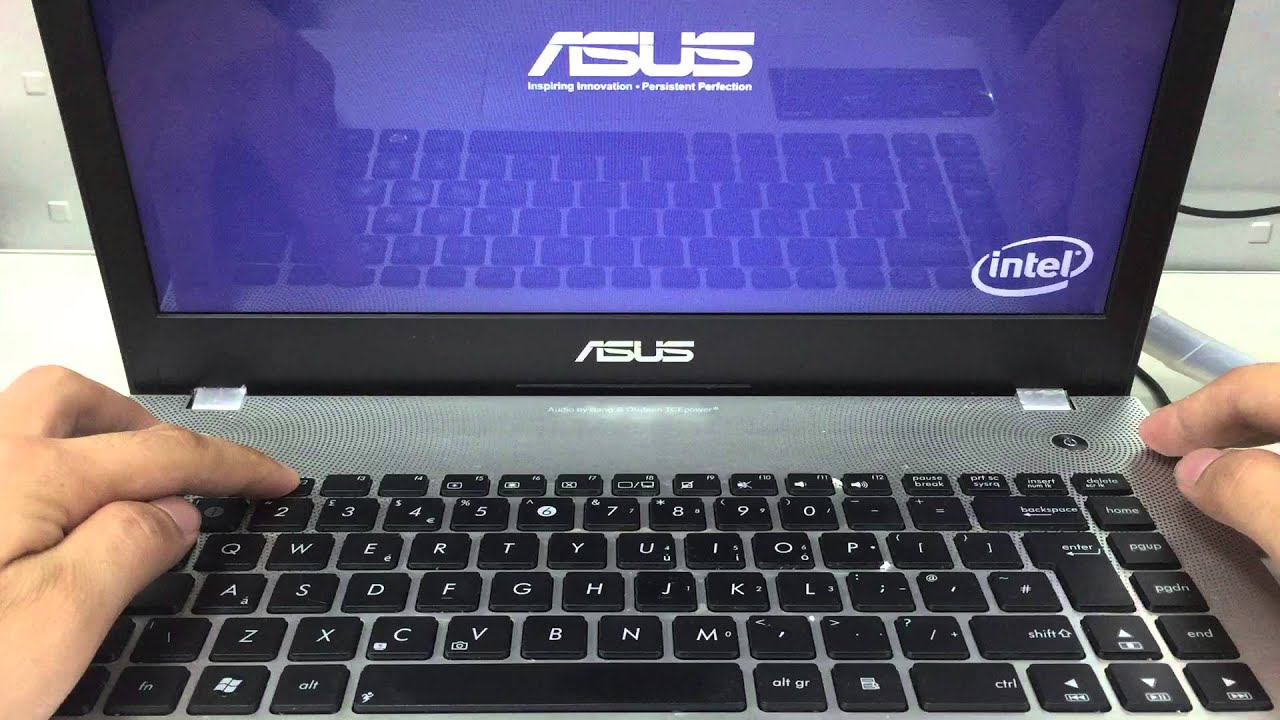

Step 1. turn off your pc on older operating structures, you could most effective get entry to bios just before the microsoft windows step 2. electricity your pc on step 3. press the bios hotkey. Input bios or uefi settings in windows 10. on maximum home windows computers, you must be capable of input bios or uefi settings via pressing a delegated key (del, f1, enter to bios how f2, f10 or esc), at the same time as the computer is booting up. apart from this you could also input bios or uefi settings from the start menu, settings menu, login display screen and additionally via the usage of command spark off. Press [key] to get entry to system configuration press [key] to go into setup setup: [key] input bios by way of urgent [key] press [key] to go into bios setup press [key] to get admission to bios press [key] to access gadget configuration. The way to input the bios on a dell. the setup on your dell laptop is really the bios. the bios allows you to control hardware features for your dell laptop consisting of permitting or disabling hardware components, tracking device temperatures and speeds, or setting boot series besides the laptop from a cd. to go into.
to answer/reply to questions right away wwwzoo-biocouk 2012: fishkeepers myths optical illusions fishing search this website for anything you need its no longer the right seek engine, however its exact enoughif you have greater fish related questions we advocate wwwfisherpants strive it out !! how it works: its easy, say you desired to find out the whole lot approximately "bettas" (that is the suitable spelling) enter the call and a list will appear in The usage of home windows 10. 1. open your windows settings. you'll locate it within the begin menu. as long as you are able to get admission to your windows desktop, you ought to be capable of getting into the bios calls for you to restart your pc. store your work and shut down different packages before you retain with this method. 2. Uefi gives new features such as faster startup and stepped forward security. it replaces bios (fundamental input/output device). floor seasoned four, floor seasoned (fifth gen), surface seasoned (5th gen) with lte advanced, floor pro 6, floor pc (1st gen), surface laptop 2, surface ebook, surface ebook 2, surface studio (1st gen), and floor studio 2 use a new uefi called floor uefi.


Komentar
Posting Komentar