Game Share How Xbox To
Dont Proportion Your Virtual Games With Your Pals Xbox
Enjoy the freedom to play your games anywhere you want with xbox play everywhere. play on xbox one and home windows 10 laptop with xbox play everywhere video games. In case you recreation percentage properly both of you could play any recreation on the same time for your own debts. once you have pressed that "set home console" button you can delete the alternative persons account off your xbox and it's going to still work. Hi. i latterly setup my profile that is the main one in win10. i downloaded lots of video games for my children. however i most effective created their account afterwards, so i would like to know how to percentage these video games with them, without having to download them all over again and on the way to get right of entry to them via their own account?.
See more films for how to xbox game share. In a comparable way, ask game share how xbox to your buddy to repeat the equal steps on his xbox one console and each of you may be able to gameshare on xbox one. those steps are the answer for your question on a way to gameshare on xbox one in 2020. additionally examine: the way to use xbox sport pass on windows 10. points to keep in mind for xbox one recreation sharing. A way to gameshare on xbox one in 2019!! (up to date academic) thanks for watching the video. if you favored what you noticed consider subscribing and sorting out different movies linked under. My pal owns minecraft on his xbox account. i need to recreation percentage with him so that i will play it on my laptop. while i log into his account on the windows save on my computer, there's an choice to "deploy on my devices". but, my pc isn't indexed. i have attempted adding my microsoft account to his circle of relatives but i nevertheless cannot download the sport on my computer.
How to gameshare once you’re equipped, pick the icon at the top left on the house screen, then navigate to the person account menu (again on the left). pick add new, after which upload each accounts to. If the proprietor tries to play a game that game share how xbox to a person else is already playing, that user will must go out the game. you can proportion with 5 other debts and authorize up to 10 computer systems.
Xboxgameshare Youtube
The Way To Gameshare On An Xbox One Digital Tendencies
You want to allow javascript to run this app. xbox guide. you need to permit javascript to run this app. R/xboxgamesharing: a sub to gameshare xbox video games with others. [h] game bypass ultimate (sport bypass + xbox live until december 2021) entire metro collection, the witcher 3 + all dlc, rocket league, gta 5, skyrim special version, fallout 4 + all dlc, mass impact andromeda, current struggle remastered, nearly the entire assassins creed collection, name of obligation ghost + all dlc, call of responsibility black ops 2 + all. Gamesharing is a characteristic on xbox one that helps you to proportion all of your video games and xbox live gold with one (and most effective one) of your buddies. you can both game share with every other and play all of the titles which can be available to your virtual recreation libraries.
Xbox Help
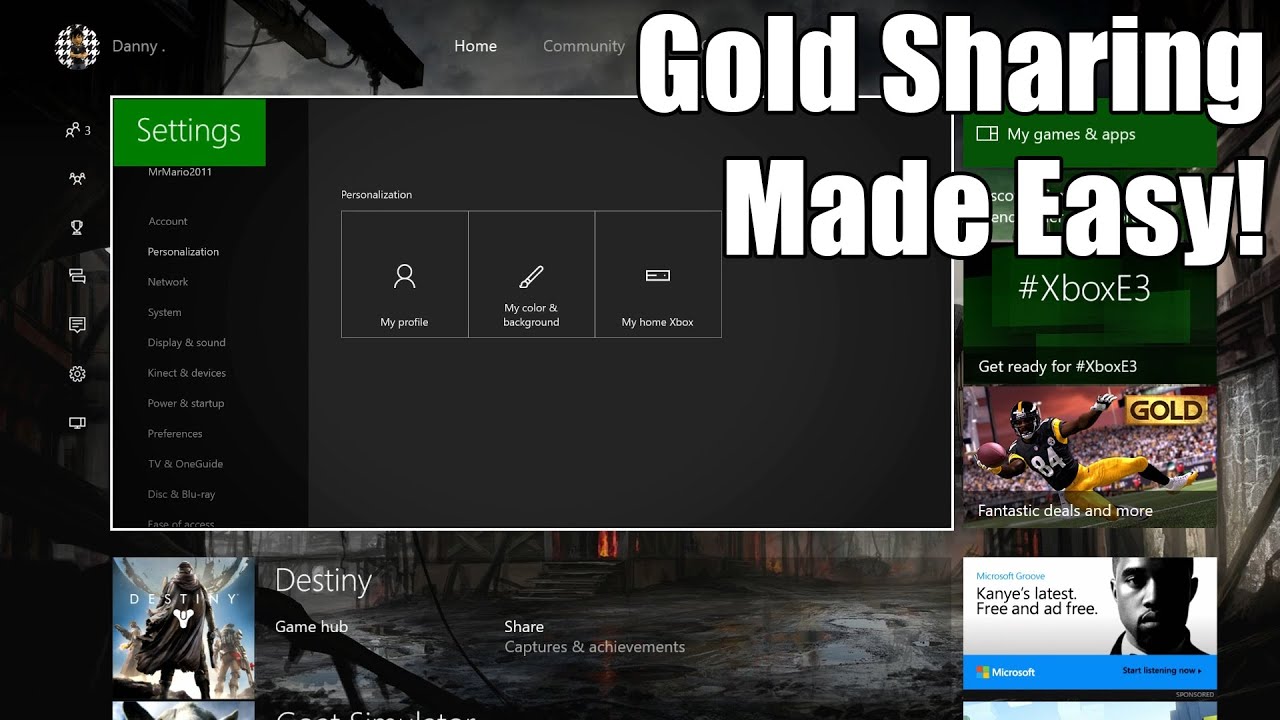
Here, we have shared a way to gameshare on xbox one. if you are buying digital games instead of their bodily retail discs to your xbox one, you'll be glad to comprehend that you may actually proportion your virtual games on your partners. the game sharing of automatic titles is stunningly higher than sharing your physical circles. The way to gameshare on xbox one. discover a trusted pal whom you need to sharegames with. either acquire their xbox live login statistics, or invite them over so that they can signal into your console. press the xbox button to your controller to open the manual. use lb to scroll over to the tab along with your participant icon and pick out add new. Revel in the liberty to play your video games wherever you need with xbox play everywhere. play on xbox one and windows 10 computer with xbox play everywhere games.
There may be a simple procedure to observe in an effort to share your xbox one video games library with a chum: press the xbox button for your controller to open the guide. scroll left to the 'register' tab. select the 'upload new' choice. either get your pal's microsoft account e-mail deal with or cellphone range plus. Xbox circle of relatives sharing sport bypass i got my son anew xbox, and am the use of the antique one. i added myself as a determine to our circle of relatives account, but cant use the gamepass, or xbox stay club. R/xboxgamesharing: a sub to gamesharexboxgames with others. [h] game bypass closing (recreation pass + xbox live until december 2021) whole metro collection, the witcher three + all dlc, rocket league, gta 5, skyrim unique version, fallout 4 + all dlc, mass effect andromeda, modern warfare remastered, nearly the complete assassins creed series, call of duty ghost + all dlc, name of responsibility black ops 2 + all.

Gamesharing on xbox one will assist you to proportion your complete digital recreation library with a pal. but, you will have to give away a few stable info to make it paintings. A brief history of xbox one promises. while microsoft first announced the xbox one, it got here with the promise of next-era functions and could require a dedicated net connection that allowed the console to smartphone home every 24 hours. in change, microsoft promised that you could play video games without placing the disc (after the primary time) and proportion your virtual game library with buddies. Down load the game to your computer. cross into the xbox app. sign out, then sign your daughter in. release the game. verify your daughter's profile is authorized get entry to to xbox live capabilities on first launch of game. play the game. that is three debts strolling on 1 game thru xbox domestic sharing and xbox play everywhere.
How to share video games & xbox live gold on 2 xbox one consoles period: eleven:41. my mate vince 456,859 views. eleven:41. steps to come to be a online game tester length: 10:01. Gamesharing works on xbox one and xbox one x, so all xbox one owners can get in at the motion. there's a simple manner to observe so that you can share your xbox one games library with a pal:. You need to enable javascript to run this app. xbox support. you want to enable javascript to run this app. The xbox gaming console collection is thought for its gamesharing capabilities. gamesharing permits you and a game share how xbox to chum to percentage each other's game libraries, as well as every different's xbox live gold memberships.
1. turn on your xbox one and sign up to your xbox stay account. 2. press the xbox button and navigate to the some distance-left aspect of the menu. pick out "add new" and press the "a" button. you 3. using your controller, kind for your friend's xbox stay account statistics (email address, then password) and. Download the sport for your computer. go into the xbox app. sign out, then signal your daughter in. release the sport. confirm your daughter's profile is permitted get right of entry to to xbox live functions on first launch of sport. play the sport. that is three debts running on 1 game through xbox home sharing and xbox play game share how xbox to everywhere. As a derivative of the xbox one policy of permitting you to apply your video games everywhere via signing in in your microsoft account, you could proportion your whole xbox one library with a chum or member of the family.
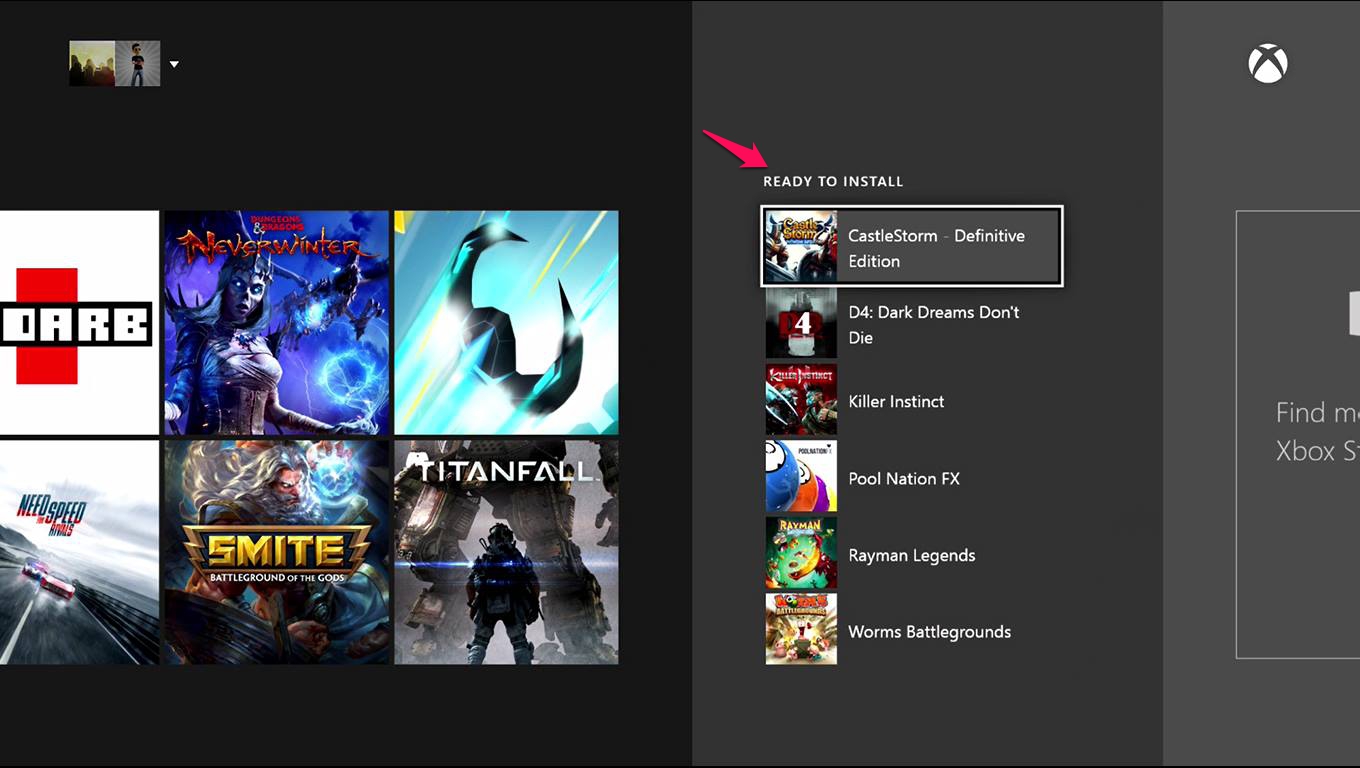
However, sharing video games is slightly exclusive. this manual will give you an outline of the way to proportion xbox one video games with the circle of relatives across a couple of consoles. microsoft lets in you to mark your fundamental console as my home xbox. while you connect to a new console, it's miles automatically set as home xbox. we can discover ways to use this selection to proportion video games. As soon as you have set the console as domestic xbox together with your pal’s account. log-out of his account and signal-in with your private gamertag. while signed in along with your own account, head over to my video games & apps > gamesand scroll to the some distance right. right here you'll see all of your friend’s games below the ready to install phase.


Komentar
Posting Komentar