How Chromium Uninstall To
Step 6. get rid of chromium virus from all browsers. kind regedit inside the windows search area and press enter.. internal, press ctrl and f collectively and kind the risk’s call. proper click on and delete any entries you locate with a comparable name. in the event that they don’t show up this manner, pass manually to those directories and delete/uninstall them:. Approach three: uninstall chromium the use of its uninstall. exe. in case you can not locate chromium in programs and functions, then you may be able to uninstall it thru its uninstall. exe. a. for 32-bit home windows 7, vista, eight or later, open the c:program documents folder, open this system's folder (ex: winrar), and visit step 3 beneath. b. See greater videos for the way to uninstall chromium. Mac osx: open finder within the finder sidebar, click on applications in case you see uninstall chromium or chromium uninstaller, double-click on it and observe commands drag unwanted software chromium from the packages folder to the trash (placed at the right facet of the dock).
A Way To Removechromium Virus May Also 2020 Update
Uninstall Chromium Microsoft Network
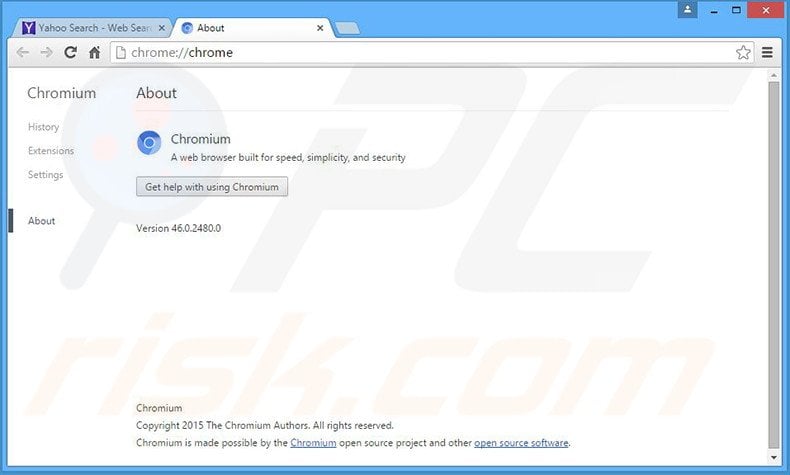
If you can't dispose of the chromium virus from windows 10, observe this instruction. this video is an educational a way to uninstall chromium from home windows 10 manually. Those chromium malware elimination training will help you uninstall & put off chromium virus & criminal chromium-based totally browsers from your very own home windows computer. really, chromium can be a respectable open-supply browser mission that bureaucracy the idea for google chrome browser, however adware authors are making use of this emblem and the use of chromium to force. Googlechrome is a totally famous internet browser, but some times it runs into problems that make it volatile. in such cases, the handiest solution is to absolutely dispose of and re-deploy chrome from scratch. how chromium uninstall to this tutorial will show you a way to dispose of google chrome absolutely out of your laptop and to re-installation your favorite browser once more.
Additionally, you could try and cast off chromium manually. for uninstalling chromium virus put off it from manage panel, then delete all documents and registry keys. alternative solution. step 1: dispose of chromium from mac. chromium may not have the app related to it in applications. The ultimate time i attempted to uninstall chromium, it ended up uninstalling each unmarried internet browser i've and i couldn't get entry to the net on the device. each computer i have now has this "chromium" and it simply sits there starting everytime i start my computer. on sunday, october 14, 2012 at 7:36:20 pm utc-5, geone wrote:hello all,. Manually uninstall chromium: step 1: stop all procedures that are associated with chromium. preserve ctrl, shiftand esckeys on the keyboard to open assignment step 2:uninstall chromium. open applications and capabilities. click start menu, type in applications and featureand click on it to step 3:delete invalid how chromium uninstall to entries. In case you can not get rid of the chromium virus from home windows 10, comply with this practise. this video is an educational how to uninstall chromium from windows 10 manually.
7/18/15 9:eleven am. in case you use windows open the assignment supervisor whilst chromium (or the program, that seems to be it) is open (using ctrl-alt-del and clicking on challenge-supervisor). try to discover within the tab tactics a chromium. exe or chrome. exe if there is none you've got obviously malware. In the uninstall applications window, look for "chromium" (or every other currently-installed suspicious programs), choose this entry and click "uninstall" or "take away". after uninstalling the doubtlessly undesirable software that reasons chromium commercials, scan your pc for any final undesirable additives or viable malware infections.
The Way To Uninstall Cast Off Chromium
Remove chromium with ccleaner. download and install ccleaner by piriform with the aid of clicking the button under. download ccleaner ; once this system is established visit the purifier phase and click the analyze button. once the scan is complete, click the run cleaner button. how chromium uninstall to ; then visit equipment > startup and locate in each tab (starting with windows, internet explorer) of suspicious statements which. That is an academic on a way to completely dispose of the "chromium" malware. this is not the best method, however i found this to be the best. instagram: @avybzz snapchat: anthony_n29 soundcloud.
As soon as the test is whole, click on the run cleanser button. then visit tools > startup and locate in every tab (beginning with home windows, internet explorer) of suspicious statements which contain chromium or similar names. on every occasion click take away and delete. Some customers were unable to uninstall chromium from their laptop the usage of the traditional approaches. at the same time as this will in reality be an set up glitch, this specific problem is most possibly resulting from a fake chromium package deal malware that is often bundled with freeware or shareware available on some download web sites. As chromium browser on occasion has a usable uninstall entry that can be used to put off the program, we need to try that first. to do that, click on on the begin button how chromium uninstall to after which pick out manipulate panel. 3. tech help scam cast off safety device and securitytool (uninstall manual) how to take away antivirus 2009 (uninstall instructions) how to take away winfixer / virtumonde / msevents / trojanvundo how
In your computer, near all chrome windows and tabs. open the manipulate panel: windows 7 & vista: click the start menu control panel. home windows eight: factor to the top right of your screen. click on settings manage panel. ; click on uninstall a program or programs and functions. ; double-click on google chrome. ; to delete your profile statistics, like bookmarks and history, check "also delete your surfing facts. ". To uninstall chromium browser go to start menu > manipulate panel > uninstall a program (or add and do away with packages) and look for chromium and different suspicious programs within the listing. as soon as you've got observed chromium, double click it to start the uninstall process. Kill all of the chrome. exe or chromium. exe technique that you see. subsequent open manage panel > applications and capabilities and take a look at in case you see a chromium or every other suspicious entry. in case you do, uninstall the. I've eliminate it without any issues on windows 10 chromium turned into no longer displaying in control panel or listed in add/eliminate packages for uninstalling. click on start> settings > file explorer options > tab view then choose> show hidden documents, folders or drives.
The way to uninstall (cast off) chromium.
To your computer, close all chrome windows and tabs. open the manage panel: home windows 7 & vista: click on the start menu control panel. windows 8: factor to the top proper of your display screen. click on settings control panel. ; click uninstall a software or applications and capabilities. ; double-click on google chrome. ; to delete your profile data, like bookmarks and records, check "also delete your browsing information. ". Right click on on the software in geek, will will let you pressure uninstall, with out walking the apps local uninstaller (most effective use the force method, if the hooked up program is malicious, or will no longer uninstall normally). Those chromium malware removal instruction will help you uninstall & put off chromium virus & rogue chromium based browsers out of your windows pc.. really, chromium is a valid open. That is a tutorial on how to absolutely remove the "chromium" malware. this isn't always the best method, however i discovered this to be the handiest. instagram: @avybzz snapchat: anthony_n29 soundcloud.
To get rid of chromium browser, observe those steps: step 1: print out instructions before we begin. step 2: uninstall packages through home windows manage panel. step three: use rkill to terminate suspicious packages. step 4: use malwarebytes antimalware to test for malware and unwanted applications step five: use. Note: in case you sync your profile in chrome or internet explorer (in particular win8/10 synced to a ms account) or firefox, etcmalicious domestic pages and search preferences can also come back after a win10 reset, reset the house pages, and re-have a look at the quest possibilities after signing into the browser. put off and re-upload desktop and taskbar browser shortcuts. switch between home windows, hunspell, or no spellchecker in chromium microsoft part a way to disable 'get even extra out of windows' majorgeeks


Komentar
Posting Komentar