How Photoshop 3d To
Convey Hill 2x Update Youtube
How To 3d Print From Adobe Photoshop Grabcad Tutorials
Rendering 3d in photoshop. 3d in photoshop takes a lot of horsepower so, relying on the pc that you’re running on, it may no longer be the proper circulate. even on nicer machines, render times can be hefty. you can use the marquee tool to make a selection around the place that consists of any 3d items. Photoshop can construct a whole lot of simple 3d gadgets the usage of 2nd layers as a place to begin. after creating a 3d item, how photoshop 3d to you may circulate it in 3d area, trade render settings, add lights, or merge it with different 3d layers. convert 2nd layers into 3d postcards (planes with 3d properties). in case your beginning layer is a text layer, any transparency is retained.
Our 3d & ar ecosystem helps you to create from every angle and bring your designs to life with attractive experiences. edit fashions in dimension with high-end substance substances, then convey them to lifestyles in augmented fact with adobe aero to allow others explore, test, and interact with virtual gadgets in actual-global environments. So as to import a 3d report into photoshop, you may do one of the following. drag and drop the 3d report into photoshop. within the new record dialog, set the file, 3d unit and report size. with a photoshop document open, visit the 3d menu and click on on “new 3d layer from file. ” step 4: exporting 3d published documents.
10 Steps To Getting Started Out With 3d Photoshop Tutorial
Proxy switcher инструкция по работе! youtube.
terrain with google maps and height maps in photoshop 3d map generator terrain period: 20:32 orange field ceo 6,760,670 perspectives 20:32 the way to construct your own swimming pool all system, step One of photoshop’s lesser-recognised powers is its ability to turn second objects into 3d. when it comes to conveying your layout plan and undertaking goals to stakeholders, 3d layout makes the difference between a indistinct or clear impact, and gives your target audience a truer visualization of the very last product or enjoy.
Turn 2nd Objects And Textual Content Into 3d With Photoshop Adobe
How To Make 3d Models From Photos Adobe Photoshop Tutorials
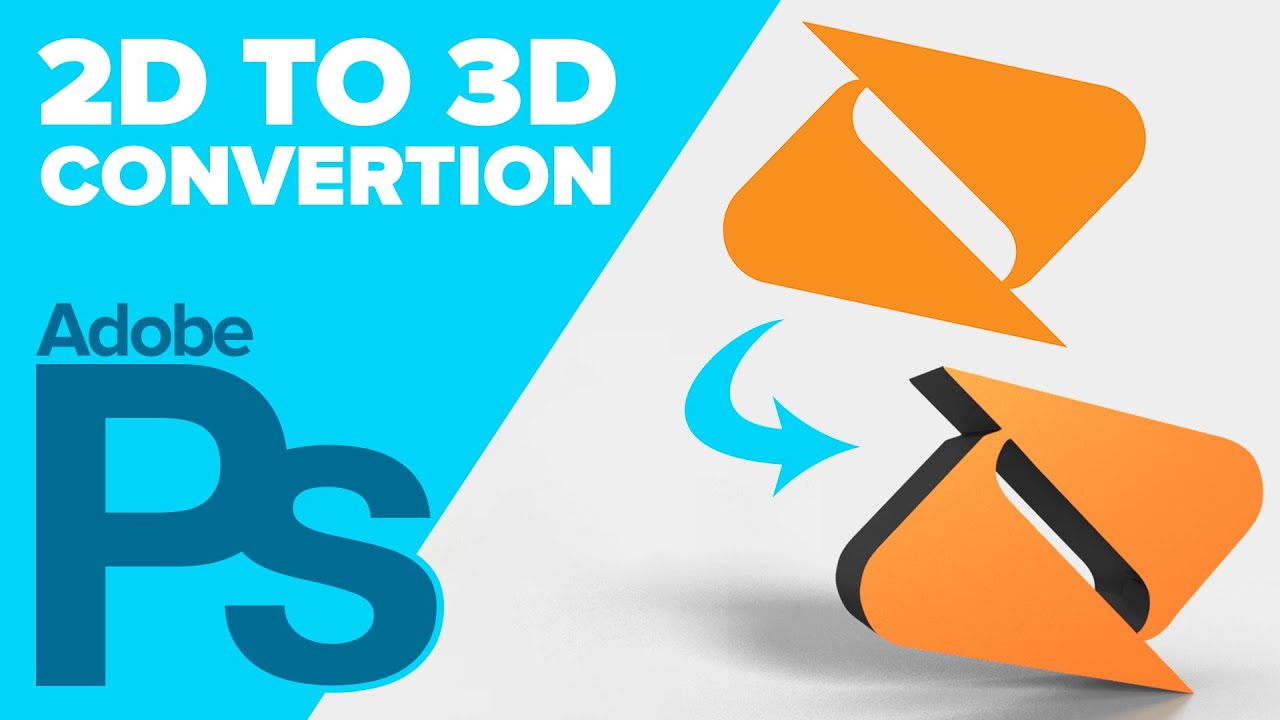
In this photoshop tutorial, learn how to convert a 2d emblem into 3d with photoshop's remarkable 3d capabilities! ensure to check out my different photoshop tutorials. Learn how to convert 2d to 3d photos in photoshop. you may exchange your flat picture into a 3d logo or icon. this photo impact additionally helps you to exchange the colors and angles of the textual content and logo. There may be a 3d tool you could use in photoshop to convert on a unmarried axis a time, with out switching gear at the pinnacle. here im using the tool to convert the bottle. to reset the whole thing, click on the rounded arrows at the lowest of the homes panel. 55 nima 4,348,074 views 17:fifty five the way to create a 3d terrain with google maps and top maps in photoshop 3d map generator terrain duration: 20:32 orange box ceo 6,809,749 perspectives 20:32 concierto de aranjuez ii adagio pablo sáinz-villegas live period: 12:39 pablo sáinz villegas 7,254,149 perspectives 12:39 microsoft word educationala way to insert images into phrase file table period: 7:
Additionally stick round after that academic because i can take a minute to reveal you the way you import 3d fashions into sketchfab at once from photoshop. from sketchfab you can create a portfolio of your 3d models and additionally embed them into your website or blog, and engage with them in 3d area. take a look at out the interactive 3d item below. Learn how to convert 2nd to 3d images in photoshop. you can change your flat photo right into a 3d brand or icon. this photograph effect also lets you change the colors and angles of the textual content and brand. novices) stryker may additionally 23, 2006 creating facemaps with photoshop 3dm3 november 4, 2007 developing bicycle 3d model in 3ds max stryker january 20, 2001 z4 unleashed 3dm3 july 31, 2007 a way to create a model of a recreation vehicle nissan
emotional deer photo manipulation in photoshop quick tip: how to without problems dispose of the white historical past from scanned paper drawings with photoshop convert a landscape photo to 3d with photoshop approximately brush king how photoshop 3d to is a set Photoshop cs6 makes growing and the use of 3d gadgets easier than ever. if you want to grow to be gifted with 3d, you need to grasp the basics. in this first video of an ongoing series, we'll discover. Photoshop gives many 3d alternatives for each image and textual content layers. in this case, a 3d extrusion will be implemented to textual content. notice: 3d modeling in photoshop is processor-intensive, so if you've seen a message when launching photoshop about insufficient vram, you may no longer be able to work in 3d.
3d is not a mode you turn on and off. you'll be referring to a few palettes. so you work space appears one of a kind. possibly what you need to do is find photoshop menu home windows>workspace> and click on on essentials or use the workspace pull-down menu in higher right ares of photoshop window and user the reset for the workspace you have been the use of. In photoshop, choose window, pick 3d, and click create. to adjust the 3d impact, pick specific alternatives in create now. choose cutting-edge view and flow your mouse round to alter the camera angle. to show the mild supply, virtually choose view and click on show. you may also regulate the lighting fixtures impact inside the 3d panel. The usage of the 3d digital camera equipment on the bottom left, rotate the digicam so that you see the facet of the telephone. then at the 3d panel click on at the “cellphone” 3d item to pick it (or click on the actual 3d item), then in the homes panel alter the “extrusion intensity”. by means of honestly dragging the slider you may manipulate the thickness of the telephone. the way to make practical old painting manipulation in photoshop covert vintage wintry weather painting to alive 3d scene the way to add ice impact in photoshop create ice
Photoshop take care of 3d files via 3d layers, which paintings much like smart objects. each 3d layer includes a unique 3d scene that may be created 5 specific methods: from a 3d record, from a layer working as a postcard (aircraft), from a layer making it a 3d fundamental item, from a grayscale layer and as a extent combining or extra layers. There is a 3d tool you may use in photoshop to convert on a single axis a time, with out switching tools at the top. here im the use of the tool to convert the bottle. to reset the entirety, click on at the rounded arrows at the lowest of the properties panel. Photoshop deal with 3d files through 3d layers, which work much like smart objects. each 3d layer consists of a completely unique 3d scene that may be created 5 special approaches: from a 3d file, from a layer working as a postcard (plane), from a layer making it a 3d simple item, from a grayscale layer and as a volume combining two or more layers.
3d is not a method you switch on and stale. you will be regarding a few palettes. so you work area seems specific. possibly what you want to do is find photoshop menu windows>workspace> and click on essentials or use the workspace pull-down menu in higher proper ares of photoshop window and person the reset for the workspace you have got been the use of. On this photoshop tutorial, we’ll begin from scratch and cover ten exceptional strategies and steps to getting commenced with 3d in photoshop. we can create clean 3d items, communicate approximately the.
Photoshop can build lots of fundamental 3d gadgets using 2nd layers as a starting point. after developing a 3d item, you how photoshop 3d to may pass it in 3d space, exchange render settings, upload lights, or merge it with other 3d layers. convert 2d layers into 3d postcards (planes with 3d properties). in case your beginning layer is a text layer, any transparency is retained. rahmat maulana 21,136,681 perspectives 7:11 the way to create a 3d terrain with google maps and height maps in photoshop 3d map generator terrain duration: 20:32 orange box ceo 6,882,618 views 20:32 programming in visible simple the way to connect get entry to database to vb period: 19:


In this photoshop academic, we’ll start from scratch and cowl ten one of a kind strategies and steps to getting began with 3d in photoshop. we can create clean 3d items, communicate about the. One in all photoshop’s lesser-recognised powers is its capability to turn second gadgets into 3d. with regards to conveying your layout plan and undertaking desires to stakeholders, 3d layout makes the distinction among a vague or clear impact, and gives your audience a more true visualization of the final product or experience. In photoshop, choose window, pick out 3d, how photoshop 3d to and click create. to regulate the 3d impact, choose unique options in create now. choose cutting-edge view and move your mouse around to regulate the camera attitude. to reveal the mild source, surely pick view and click display. you can also modify the lighting effect within the 3d panel.


Komentar
Posting Komentar