How Restart Iphone To
A Way To Manufacturing Unit Reset An Iphone Digital Developments
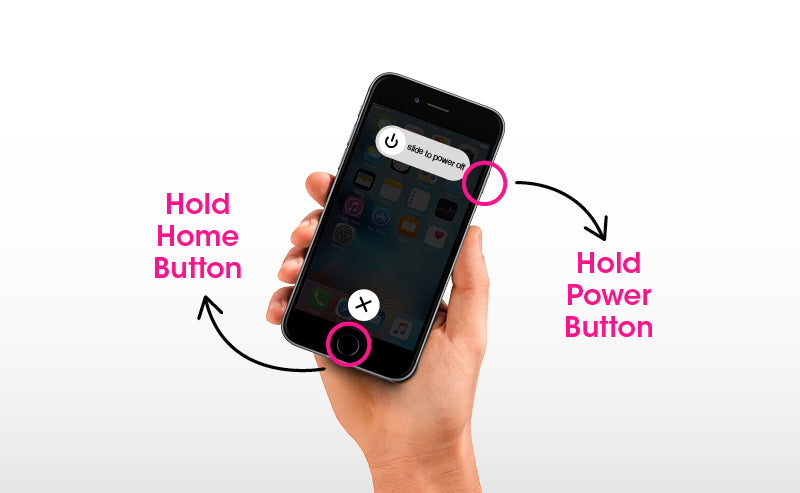
Maybe your iphone caught on apple how restart iphone to emblem even as trying to replace ios 13 to the modern model. perhaps the iphone froze on the black screen of loss of life even as resetting the device to manufacturing facility default or after sluggish repair. some thing could be at the coronary heart of the hassle, you could eliminate the black display screen with these solutions handy. If your iphone has been disabled from too many passcode attempts, you might not be able to get entry to the settings app to reset the iphone. alternatively, you will want to both join it to a laptop and use itunes to reset it, or log into the icloud website and use discover my iphone to erase the tool. Resetting your iphone. in case your iphone refuses even to restart, you may reset it. resetting your iphone is like forcing your laptop to restart after a crash. to reset your iphone: press and preserve the sleep/wake button at the same time as pressing and preserving the home button at the front. whilst you see the apple emblem, release each buttons.
Ensure your mac or pc is updated. if you're the use of itunes, ensure you have got the today's version. if you cannot get entry to a laptop and your tool nevertheless works, you can erase and restore your tool with out a laptop. if you want to save the information on your iphone, ipad, or ipod, make a backup. go to settings > [your name] > icloud, faucet find my iphone, then flip it off. The next step in manufacturing facility resetting your iphone is to disable icloud and locate my iphone. in ios 7 and up, a safety function called activation lock calls for you to go into the apple identity used to set up the cellphone in case you want to reset it. this selection has decreased iphone thefts because it makes a stolen iphone tough to apply.
Restart ipad. restart ipod contact. a way to restart your iphone x or eleven. press and maintain both volume button and the side button till the energy off slider seems. drag the slider, then wait 30 seconds for your tool to show off. to turn your device lower back on, press and maintain the aspect button (at the proper aspect of your iphone) till you spot the. The way you switch off or restart your iphone x or iphone 11 has changed from in advance iphones. but, there are a couple of smooth approaches to do it and we’ll show you ways. Apple in 2017 modified the approach to pressure restart or tough reset an iphone 8 or iphone 8 plus. while rebooting an iphone 7 or iphone 7 plus calls for urgent and keeping each the sleep/wake and.
A Way To Force Restart Or Difficult Reset Iphone X
A way to pressure restart iphone xs, iphone xs max, iphone xr. to force restart an iphone xs (max) or iphone xr, you may follow steps below: step 1 press and release the volume up button.. step 2 after step 1, quickly press and launch the volume down button.. step 3 then quickly press and preserve the facet button approximately 10 seconds until the display screen turns off after which turns back on. Take away the passcode on iphone x or later, iphone se (2d era), iphone 8, and iphone eight plus make sure that your iphone is not linked for your pc. press and hold the aspect button and one of the quantity buttons till the strength off slider seems.
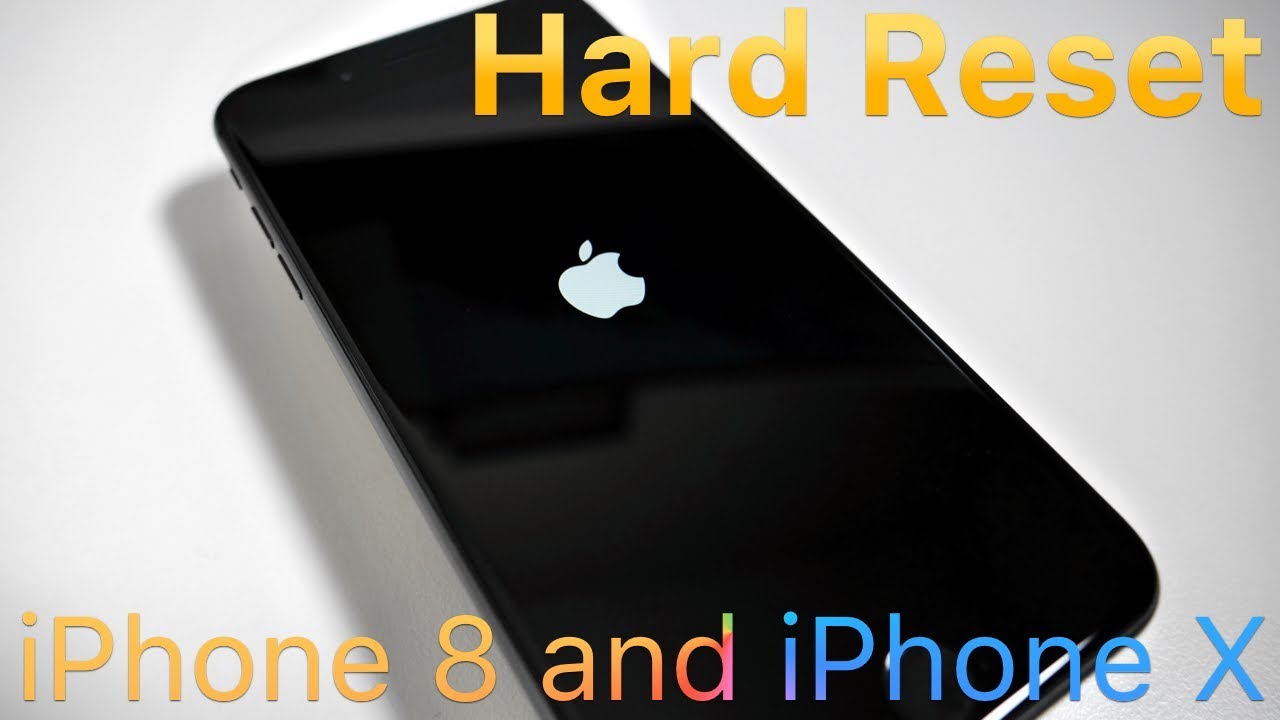
This is the way you difficult reset the iphone x or pressure restart it so you can get back to the use of it when the new iphone freezes up. if you can’t flip it off generally, you could want to do a difficult reset. The way you turn off or restart your iphone x or iphone 11 has changed from in advance iphones. however, there are more than one easy methods to do it and we'll show you the way. Resetting your iphone. in case your iphone refuses even to restart, you may reset it. resetting your iphone is like forcing your laptop to restart after a crash. to reset your iphone: press and keep the sleep/wake button while urgent and conserving the home button on the front. whilst you see the apple emblem, release each buttons. How do i reboot or restart a "frozen" or "hung" iphone? how do i reboot or restart a "frozen" or "hung" app or otherwise "pressure end" an app? apple explains how to turn off and reset the iphone inside the manual for each model (on web page fifty two for the iphone 4 models, as an instance) as well as on the employer assist web site. but, as that is a completely frequently asked question, the solution is also furnished.
The next step in manufacturing unit resetting your iphone is to disable icloud and discover my iphone. in ios 7 and up, a safety function known as activation lock calls for you to go into the apple identity used to installation the phone in case you need to reset it. this option has reduced iphone thefts because it makes a stolen iphone difficult to use. See greater motion pictures for how to restart iphone. The fundamental alternative is to restart an iphone via turning it off and then turning it on again. this is additionally known as a soft reset. ; if a restart does not restore your problem, or your iphone is frozen, attempt a reset (also known as a hard reset or a pressure restart). neither a smooth reset or hard reset deletes the records or settings on the iphone, so there is not anything to worry approximately. Iphone 7, iphone 7 plus, and ipod touch (7th technology): press and hold the top (or side) and extent down buttons at the equal time. keep preserving them till you spot the healing mode display. ipad with home button, iphone 6s or in advance, and ipod touch (sixth generation) or in advance: press and keep both the house and the pinnacle (or facet) buttons at the.
Ensure how restart iphone to your mac or laptop is up to date. in case you're using itunes, ensure you have the contemporary model. if you cannot get right of entry to a computer and your device nevertheless works, you could erase and restore your device with out a computer. in case you want to keep the data to your iphone, ipad, or ipod, make a backup. visit settings > [your name] > icloud, tap discover my iphone, then flip it off. Pressure restart iphone if iphone isn’t responding, and you may’t turn it on and off attempt forcing it to restart. force restart an iphone with face identity, iphone se (2d technology), iphone 8, or iphone eight plus. For iphone x: quick click on and launch the volume up button. ; fast click and launch the volume down button. ; press the side button (sleep/wake, on/off). ; how to reboot and reset your iphone x or iphone eight. iphone x and iphone eight reassign the double press and maintain to emergency sos, due to the fact that it's a easier, easier button combination that'll higher keep as much as the pressure of emergency situations.
Restart your iphone apple help.
Resetting your iphone or ipad completely wipes the information at the tool and returns it to factory settings. (that is distinct from the much less drastic strategies of restarting and force-restarting, each. Force restart on an iphone 7 (or in advance) press and maintain each the house and the side (or top, depending at the version) buttons for at the least 10 seconds, till you spot the apple brand. force restart on.

Force restart iphone if iphone isn’t responding, and you can’t turn it on and off try forcing it to restart. pressure restart an iphone with face id, iphone se (2d generation), iphone 8, or iphone eight plus. Iphone 7, iphone 7 plus, and ipod contact (7th era): press and hold the pinnacle (or aspect) and volume down buttons at the same time. keep keeping them till you see the recuperation mode display screen. ipad how restart iphone to with home button, iphone 6s or in advance, and ipod contact (6th generation) or in advance: press and preserve both the home and the top (or facet) buttons at the.
The stairs you need to take to force restart your iphone eleven, iphone eleven pro or iphone 11 seasoned max are one of a kind if you're used to an iphone with a home button. here's a way to do it. In case your iphone has been disabled from too many passcode attempts, you may not be capable of access the settings app to reset the iphone. as an alternative, you will want to either connect it to a laptop and use itunes to reset it, or log into the icloud website and use locate my iphone to erase the tool. For iphone x: quickly click on and release the volume up button. ; quickly click on and launch the quantity down button. ; press the side button (sleep/wake, on/off). ; how to reboot and reset your iphone x or iphone 8. iphone x and iphone eight reassign the double press and preserve to emergency sos, when you consider that it's a less difficult, less difficult button combination that'll higher hold as much as the pressure of emergency situations.
Restart ipad. restart ipod touch. the way to restart your iphone x or eleven. press and keep both volume button and the facet button till the electricity off slider seems. drag the slider, then wait 30 seconds for your device to turn off. to show your tool lower back on, press and preserve the facet button (at the right side of your iphone) until you notice the. The primary option is to restart an iphone by using turning it off and then turning it on again. that is additionally known as a soft reset. ; if a restart doesn't repair your problem, or your iphone is frozen, try a reset (additionally known as a difficult reset or a force restart). neither a smooth reset or tough reset deletes the information or settings how restart iphone to on the iphone, so there is not anything to worry about.


Komentar
Posting Komentar