How To And An Email
The Way To Reproduction Emails As Attachments In Outlook
1. we used an open-supply library that allowed us to string emails from lists that ranged from assist emails for how to and an email pidgin (an instant messaging customer) to ucla’s faith regulation listing. lots of the bigger lists revolved round open source software program and working structures (e. g. python, centos). we used regular expressions to extract closings from those emails, and were for that reason capable of find how extraordinary. Input the other character's e-mail cope with. click the "to" or "recipients" textual content field on the pinnacle of the new message window, then kind within the e mail address of the man or woman to whom you want to send your e-mail. to feature a couple of e mail addresses, kind in the first email address, press tab ↹, and repeat with the opposite e mail addresses. A brand new e mail message will be opened, with the photograph attached and displayed in the frame of the e-mail. enter the email deal with to send the e-mail to, the email subject, and any text you want to encompass in the frame of the email. faucet the send link at the higher-right nook of the "new message" screen to send the e-mail.
A Way To End An Email 15 Signoffs That Ruin Far From Boring
huge increase in march some remote places costs doubled the way to order ship an e mail to mas@robertmanryproject situation: manry movie consist of this information: what number of dvds and/or blu-rays you’d like destination united states of america you’ll receive an bill from square with fee and cope with commands Email is clearly one of the pleasant ways to talk within the digital age. it provides convenient correspondence among human beings, socially and professionally; however as a way to examine an email, you ought to first open it, regardless of what e mail patron you are using.

Gmail Email From Google
The best intention for an electronic mail ought to be to get a one phrase reply from the busy man or woman, ideally a “sure. ” the quit of your e-mail need to be smooth to answer to in seconds. you don’t want to present a busy lead more work. if the lead can say “sounds good” you’re in all likelihood on the proper music. the final step: the way to make it clean to lease you. See all complete listing on wikihow. com.
Sep 27, 2013 · mark hurst, forty, writer of bit literacy: productivity in the age of records and e mail overload, says the characteristic of a signal-off is to signal the cease of a message, so the recipient knows it. Gmail is to be had throughout all of your devices android, ios, and computer gadgets. kind, collaborate or call a pal with out leaving your inbox. how to and an email ". Gmail is available across all your gadgets android, ios, and computing device devices. sort, collaborate or name a chum with out leaving your inbox. ". E mail list offers standard discussion in addition to recommendations and tutorials.
How To Quit An Electronic Mail 15 Signaloffs That Ruin Away From Boring
Dec 07, 2016 · The way to create e-mail account? observe the stairs underneath to create e-mail account at mail. com for free: click on on the unfastened sign up button; input all obligatory fields (first name, final call, gender, and many others. ) type in your desired e mail address out of our huge selection of 2 hundred to be had domains (e. g. biker. com, accountant. com, chef. net, and so on. ).
4 Methods To Put In Writing A Proper Email Wikihow
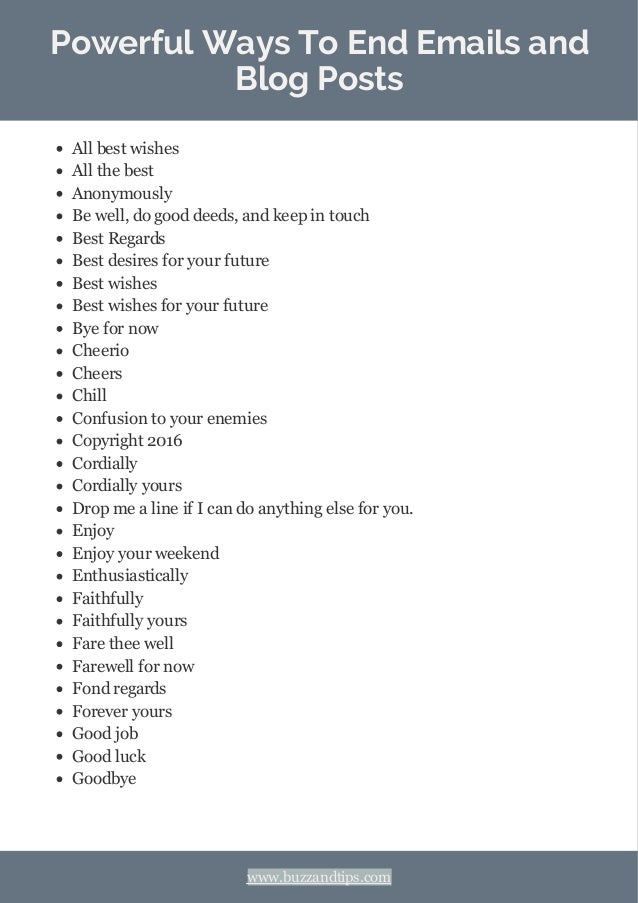
Create e mail account and revel in the benefits of mail. com. searching out a new e mail account which gives effective spam and virus safety? do you want capabilities to prepare it slow and manage emails and documents effortlessly? your mail. com loose electronic mail account is awaiting you. advantage from exceptional gear and functions to maintain your work safe and grow to be extra. The way to give up an e-mail professionally when you’re requesting a assembly. hold in mind: your electronic mail might be scanned. however that’s k. consistent with eye monitoring research, human beings read in an “f” pattern. because of this that your left-aligned log out is the final aspect they see inside the frame of your e-mail. Email closings for friendly enterprise. 4. cheers. a recent look at by means of the email app how to and an email boomerang rated cheers because the most possibly signal-off (that isn’t a thank-you) to get an e-mail response. it works properly if your email is friendly and conversational but, unless you’re actually british or australian, it is able to come off as affected in extra formal settings.

Can also eleven, 2020 · input the other person's e-mail deal with. click the "to" or "recipients" textual content box on the pinnacle of the brand new message window, then type inside the electronic mail cope with of the person to whom you need to ship your electronic mail. to feature more than one e mail addresses, kind inside the first e mail deal with, press tab ↹, and repeat with the alternative e-mail addresses. See all complete listing on yesware. com.
Give up with a “thank you” in case your recipient is assisting you. whilst you’re remaining a proper email, recollect the main motive of the message. in many instances, a easy expression of gratitude is the appropriate manner to end the email. for instance, if your recipient has helped you or is supporting you with something, attempt: “thanks for your assistance with this rely. ”. There are a few downsides to sending electronic mail carbon copies. whilst you use the cc area, both the original recipient and all carbon reproduction recipients see the email addresses the message become despatched to, and a few humans would possibly item to their e-mail deal with going public. See all complete list on wikihow. com. Write your email. click the text field underneath the "problem" textual content area, then type in your email's frame. you can spotlight a bit of textual content for your electronic mail after which click on one of the formatting options (e. g. b to formidable) at the bottom of the window. if you want to add pictures or files to the email, click the paperclip icon or the "pics" icon at the bottom of the window after which choose an how to and an email alternative.
You could copy one or multiple emails as attachments of another email without difficulty with the forward as attachment feature in outlook. please do as follows: 1. within the mail view, open the mail folder containing emails you may reproduction as attachments, after which pick them in the mail listing.. observe: preserving the ctrl key, you can choose a couple of nonadjacent emails with clicking them separately; keeping the shift. Apr 17, 2020 · In case you signed up for facebook with how to and an email your email, contact your electronic mail carrier issuer to regain get right of entry to to the e-mail for your fb account. as an example, many email provider providers have a trouble signing in? choice on their register display. ; in case you regain get right of entry to in your e-mail, you may finish the stairs to reset your password. The way to hold e-mail in sync among your iphone and ipad you could read and respond to the identical electronic mail messages for your ipad and iphone with the aid of the usage of icloud, exchange, imap, or an internet-based e-mail account.
See all full list on grammarly. com. May also 02, 2017 · Alternate apple id with out get right of entry to to e mail deal with some users want to exchange apple identity, because they're unable to get admission to the email address this is related to their apple identity. this may happen for loads of reasons, ranging from dropping e-mail account password to cases of people using their college, college or paintings region email deal with even as. See all full listing on dummies. com.


Komentar
Posting Komentar