How Upload To To Youtube Video
Upload motion pictures computer youtube assist.

A Way To Upload 4k And 1080p Videosto Youtube Like A Pro
See greater films for a way to add video to youtube. After you select your privacy, click the large arrow button and select the video you want to add from your documents, or actually drag and drop the record. tip: hd videos are high-quality to your channel. you need to add a video with dimensions which are both 1920×1080 or 1280×720. Earlier than you could begin using how upload to to youtube video youtube to your benefit, you first want to study the basics. i'll walk you through the steps to upload a video to youtube, and introduce you to a few precious functions youtube has to provide.
Incredible Simple
Upload Motion Pictures Computer Youtube Assist
Proportion your films with pals, family, and the sector. However, the function of importing movies from google drive to youtube has been eliminated on the grounds that a brand new one changed into launched on july 10th, 2019, and it does now not aid uploading to youtube from google power at once anymore. therefore, many users, consisting of me, are searching out a manner to add video from google drive to youtube successfully. Once the video has completed uploading it will need to spend some time processing on youtube's servers before it is ready for viewing on-line. you may be in a position to look at it system at the top of the page. Youtube cafe google. as one of the most popular video streaming systems on-line, if you need to have your vlog, comedy comic strip or music video seen with the aid of someone, getting it on youtube is a have to. but.
Uploadingvideosto youtube isn't a difficult method. you can have observed, but, that large documents frequently appear to stall out. that is due to the fact youtube will handiest permit documents less than 100mb to be uploaded inside the trendy manner. You can upload videos to youtube in a few easy steps. use the instructions underneath to upload your films from a laptop or from a cell device. add videos in youtube studio. sign up to youtube studio. within the top right-hand corner, click on create upload video. select the document you’d like to upload. be aware: you could add up to 15 motion pictures at a time.
It's now not surprising that 5 billion users come to youtube each day. some of you will add hd video to youtube for sharing the tune video, game video, vlog, tutorial, comedy comic strip, or extra.. it calls for longer time and quicker community to upload 720p, 1080p, and uhd 4k video to youtube, or the video nice on youtube can be unfaithful. The way to upload a video to youtube log in in your youtube account. click on at the video icon at the pinnacle right hand aspect of the window, which can be located next to your consumer icon, messages, apps, and notifications. You may upload a video without delay from the youtube internet page. in case you're not already signed in for your youtube account, click on sign up at the top-right corner of the web page to accomplish that now. select your youtube account and enter your password, or click on use every other account and check in with the e-mail cope with and password related to your youtube account. You may add video to youtube the usage of the website. dave johnson/enterprise insider 4. the video add web page must seem. beneath "choose documents to upload," click "public" and choose what stage of.
the lovable fragrance of jasmine with green tea how about rooibos and pomegranate with guidelines latest films warning : file_get_contents(gdatayoutube /feeds/api/users/aterrioshow/uploads ?v=2&orderby=published&max-results=1): failed to open circulate: http request failed ! http/10 The first option is a yellow button labeled "upload video" and a link titled "report from webcam. " you want to click the "add video" button. as soon as you've clicked the "add video" button, you may.
Uploadingvideosto youtube is quick, clean, and clearly loose. research the stairs shown on this video approximately the way to upload films to youtube. content material on this video is supplied on an "as is" foundation. Check in to youtube studio. in the pinnacle proper-hand corner, click on create upload video. select the record you’d want to add. in case you near the upload enjoy before you end choosing your. On this video i stroll you thru the brand new add system on youtube. so whether you're uploading for the primary time, or want to become familiar with the new workflow, then this video is for you. Share your motion pictures with friends, own family, and the sector.

A way to add films to youtube (for novices) lifehacker.
Three. how upload to to youtube video pick the video which you want to upload to youtube via tapping on it.. 4. subsequent, tap on the up arrow fashioned share icon, from the lowest left nook of your screen (see photo above). 5. you will see a percentage menu offering you with more than one alternatives to share the video.. 6. faucet on youtube. scroll thru the options or faucet on greater if you do no longer see youtube right away. At the same time as importing a video to youtube can be a naked bones affair, but we nonetheless have a powerful way to punch up an uploaded video: add a soundtrack to it. to add track to your video:. Upload films in youtube studio register to youtube studio. within the top proper-hand nook, click on create add video. select the record which you'd want to add. Ensure your video document is supported: before you could efficiently add your video to youtube, you have to make certain that the platform clearly helps the video you’re using. fortunately, this is youtube the world’s most famous video platform so it helps maximum video document formats. you can find the overall list of supported files here:.
Youtube movie maker enables customers to make and upload films to youtube without disturbing approximately the record layout or profile. different functions include the potential to make pro-exceptional second/3d videos from various formats of photos, videos, lyrics, music, texts, and so on. it has enhancing features together with the potential to add texts, titles, credit, transitions. Youtube cafe google. as one of the maximum famous video streaming structures on-line, if you need to have your vlog, comedy cartoon or music video seen through a person, getting it on youtube is a have to. but. device settings you should realize as blackberry addict how to add films to youtube from blackberry get the tons of unfastened lively

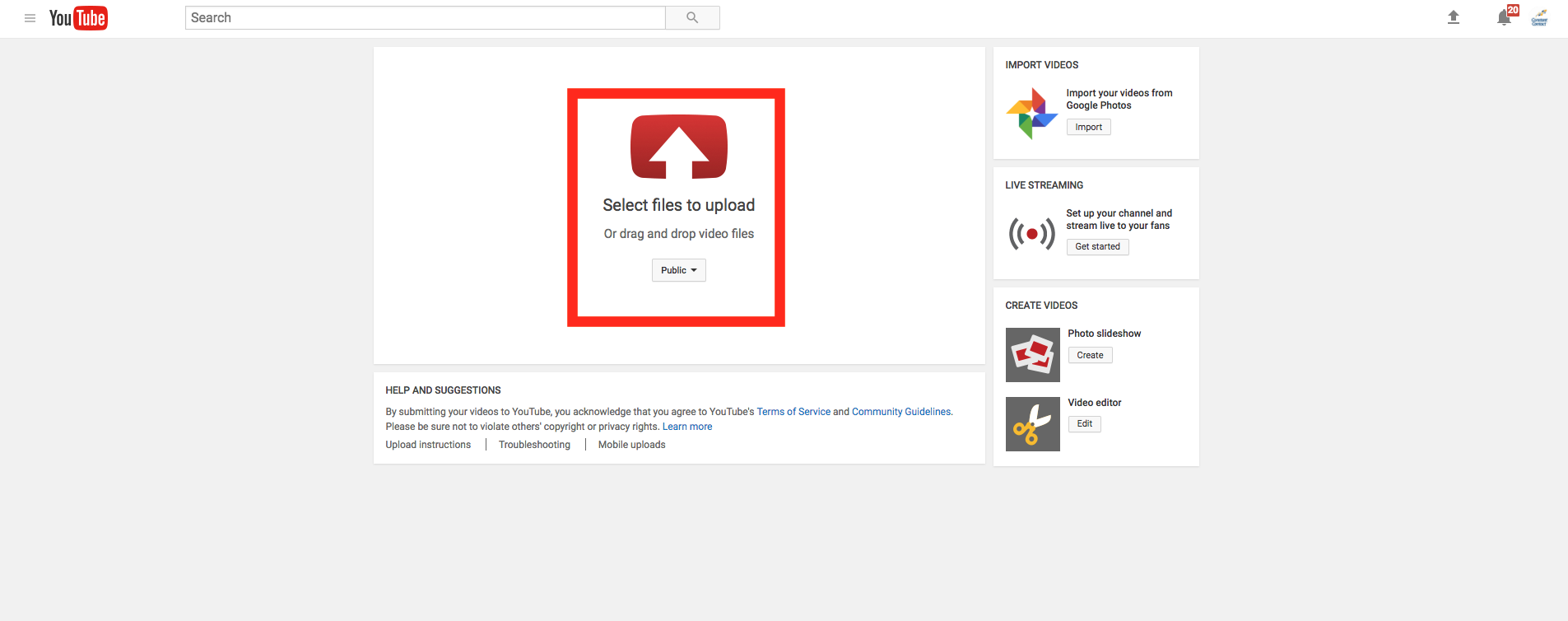
If youtube motion pictures caught at processing or uploading on your iphone using the youtube app, stop it and then transfer films on your laptop and add to youtube at the net with a computer. if the video can be uploaded to youtube how upload to to youtube video using safari, then use chrome or firefox. Both of these options will begin preparing the video for upload. you can upload motion pictures up to fifteen minutes in duration by default. in case you need to add longer motion pictures (as much as 12 hours), you must verify your account first. if you want to add a video dvd to youtube, keep the movie on your pc first. Uploadinga video clip to youtube clean once you've got your google identification. signal into youtube using your google identity, and observe these steps to position a clip on youtube: 1 click the yellow add button within the top-right nook of the home page (and most other youtube pages). Optimized for importing 4k films to youtube what makes videoproc so available is that it’s preferably optimized for importing 4k clips to youtube. as you realize that the video-sharing platform has a hard and fast of advocated add encoding settings for 4k videos, beginners or non-tech savvy oldsters may additionally find the technique a touch complicated.


Komentar
Posting Komentar