On Rar Mac Open To File How
A full-size majority of the documents which might be downloaded are categorised as. rar documents however most human beings don’t recognise a way to open a rar document on a mac. in this newsletter we will display you the great rar extractor for mac that’s unfastened!. if you’re a person who owns a mac computer, it’s vital to notice that before you are capable of each view and use those varieties of files in your gadget, you will first want. Hello men! i get requested a lot how to open. rar and. iso files from folks that watch my movies. it is a fairly simple method, but i'd as properly show you! this approach works for windows, mac, and. A way to unzip files on mac computers. unzipping a report on a mac laptop is consumer-friendly and intuitive. to unzip documents on a mac, honestly observe the steps below: double click the zipped report. the file will automatically be decompressed by way of archive application into the same folder the compressed report is in.
Step-three: now just drag & drop your rar or every other compressed file onto the unarchiver’s icon, or proper-click the rar report in your mac then pick open with and choose the unarchiver, or double click on the rar document. the unarchiver will extract the documents in that same folder. you could without problems access them each time you want. 2. unrarx. A way to open. rar documents and unrar in mac os x. after you down load the app, starting and increasing rar documents is similar to. zip and. sit down documents: down load an app from the these hyperlink that could perceive rar documents, both apps are quality however we adore unarchiver for multi-use feature; the unarchiver is a free down load from the mac app keep and could open.
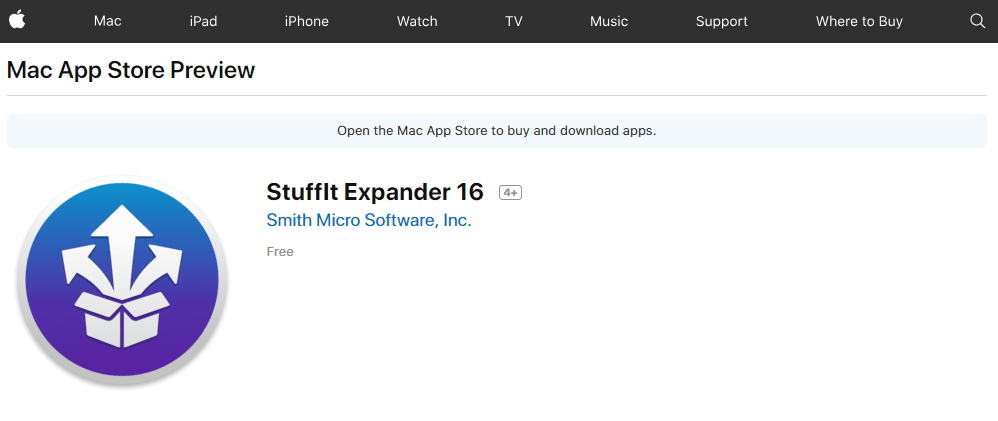
Double-click a rar document. doing so ought to launch stuffit expander, with the intention to start extracting the rar's documents. if stuffit expander does no longer release, right-click on or manage-click the rar file, then choose open with and click stuffit expander. ; if you are attempting to extract a multi-part rar record, start with the ". rar" or ". part001. rar" document. Quickly open rar documents on mac lamentably, you may’t open a rar archive with mac’s default equipment because of the layout’s closed proprietary nature. rar itself is an acronym for roshal archive, because it become developed by means of a russian software engineer eugene roshal. Rar is a proprietary archive layout, so you need 0.33-party software to open and extract it to your mac. on this put up, we show you our favorite software to apply for this, in addition to some opportunity methods to open. rar files in macos. ntsc converter ? * how to create an iso picture on mac os x ? * a way to convert docx to document with docx document converter ? * a way to play avchd mts documents with mts participant ? * how to convert mpeg4 to
Open And Unrar Rar Files On A Mac Os X Each Day
Unrar documents on your mac from the finder. when you have saved a. rar report inside the finder, double-click on it to open. after starting it, you may view some or all the contents through highlighting the files and urgent command+y. to unzip the contents, comply with these steps: click the unzip button. If stuffit expander does not launch, right-click or manage-click on the rar document, then choose open with and click on stuffit if you are attempting to extract a multi-component rar file, begin with the ". rar" or ". part001. rar" file. all the elements ought to if the rar record is password-blanketed, you will be. Step 3: extract rar report. to be able to extract a rar file the usage of winzip, double click on at the rar record or right-click on it and open with winzip. the whole record contents of the rar file might be shown inside the winzip interface. from right here you may either extract the person file or all files for your mac.
Step 2: discover the rar document you wish to open in the predominant 7-zip interface. to accomplish that, peruse the resulting folder at once and double-click on the rar report to get right of entry to the contents of the record. Open rar document(s) when you deploy the unarchiver thru the mac app keep or the unarchiver website online, it’s time to open your rar document. simply drag & drop your rar any compressed record onto the unarchiver’s icon or right-click on the rar file for your mac then choose open with and choose the unarchiver or double click the rar report. Proper-click any rar file, factor to the “7-zip” menu, and then select one of the “extract” options, relying on where you want to extract the files. word that in case you’ve were given a multi-component set of. rar documents, you’ll need to extract the primary report inside the set—7-zip will cope with the opposite files inside on rar mac open to file how the set mechanically. Make the unarchiver your default utility for rar documents: discover a. rar report in finder on your mac. control-click the document and select get data. open the open with drop-down menu.
2. open rar files and preview before decompressing. click on upload button of the menu bar to add your rar files and your brought rar files may be listed on the left aspect of window. click on the rar record, and the contents inner could be listed in the middle of window. How to open rar documents on mac: on one mac device, there are several options to alternate documents: airdrop, a google drive archive, dropbox, and more. the roshal archive compressed (rar) file layout is especially beneficial if you want to transfer or achieve a massive quantity of documents through e-mail or net down load. To unzip the contents, comply with those steps: click on the unzip button. from the drop down menu, select to unzip your documents to this mac, icloud power, dropbox or google force. a "finder style" window will open. you may browse to the folder where you want the documents saved. pick out to unzip the whole zip.
The Way To Open Rar Documents On A Mac Techwalla
A way to open rar file on mac 01. the unarchiver. the unarchiver is a small and person friendly app to open compressed documents on mac. it's far well suited 02. izip unarchiver rar, 7z, zip decompressor. you may download the izip unarchiver app for your mac with os x 10. 7 or 03. rar extractor lite. rar. How to openrarfiles. save the. rarfile to the desktop. in case your compressed file became downloaded from a website, it could be stored inside the downloads folder for your files or user listing. launch winzip out of your begin menu or laptop shortcut. open the compressed file via clicking report > open.
How To Open Rar Documents On Mac Os Mac Osx Solved
Free Software Downloads Of Video Audio Video Games Dvd Mp3 Anti Virus Ipod Gear
The way to open rar documents on mac? 1. unarchiver. in case you are looking for an answer on the way to open rar files on mac, then this tool is the satisfactory solution to 2. unrarx. unrarx is a mac os x cocoa software program that lets in you to decompress rar data. it can also restore corrupted 3. izip. it's miles a loose,. After a success importing of the rar documents, you have to click on keep all as zip button now your rar record is converted into zip. you may extract the report the use of a mac built-in zip extractor. nine apps to open rar files on mac:-right here is a on rar mac open to file how few software that you may use to open rar files on mac. the unarchiever. betterzip. izip. winzip for mac. b1 loose.
Open rar files as soon as this system has been established, drag and drop your rar record onto the icon. you may additionally proper-click on at the report, pick “open with,” and pick out the unarchiver. if you want to go together with an easier technique, actually double-click the rar document. Step 1: navigate to the 7-zip download web page and pick out the down load hyperlink that corresponds to your preferred model of the step 2: find the rar record you want to open inside the fundamental 7-zip interface. on rar mac open to file how to accomplish that, peruse the ensuing folder step 3: double-click the rar file to launch it in the.
Rarfiles, or roshal archive documents, are an archival file format containing information compressed for faster document switch speeds. macs do no longer include a default, pre-mounted application on mac os yosemite to open rar files; however, free packages are available for down load to open rar files on a mac, which includes stuffit expander, rar expander and unrarx. Winzip is the first-rate device for they all who has recently shifted from windows to ios and wants to extract rar documents on mac. then winzip is a amazing device with a purpose to try this. you may definitely zip and unzip files to your mac and supports as much as 12 plus format alternative. protect your documents with winzip aes encryption.

How to openrarfileson mac (macos catalina covered).
The purpose of choosing unarchiver, to open rar documents on mac, is that it is easy to use. also it is small in size and most importantly on rar mac open to file how it's miles a free tool. additionally, it is an open supply software and supports codecs which include zip, rar (which include v5), 7-zip, tar, gzip, and bzip2. grade by grade guide the way to open rar documents on mac using unarchiver. A way to open rar documents on mac open and extract rar files in mac pc: rar is the format of compressed files. many human beings use record compression function to create rar record. compressed files are clean to percentage over internet and wi-fi. moreover, you could add range of documents and folders together in one compressed record. How to open. rar files on a mac stuffit expander. download stuffit expander, a loose rar decompression program that also opens lesser-used archive record rar expander. rar expander helps uncompressing rar files, and also works with apple scripts, inside the event which you open rar files the usage of rar.


Komentar
Posting Komentar