Studio Fl To 808 How
See extra motion pictures for how to 808 fl studio. The muffled sound of overlapping 808s in photograph-line's fl studio (virtual audio computer) is regularly caused by a chain of notes performed consecutively. but, this difficulty can be resolved via the usage of fl studio's "cut itself" channel rack menu choice which forces preceding notes to be mechanically silenced. subsequently this prevents your 808s from overlapping on pinnacle of every different. You might layer it with a bitcrushed, excessive bypass version as nicely, or a noticed or something. degree 1. hellphish. 2 factors · 5 years ago. the first step--find 808 samples. i found a few here. step --drag them into separate channels or load them inside the fpc. step three--make conventional beats. level 1.
This academic is finished by using mayeniac displaying you the way to make a custom 808 in fl studio. take and observe this identical understanding to your workflow and improve your potential to make beats. subscribe http. I take advantage of fl studio 12 to present you guys a nice 808 educational and display you a few 808 suggestions & tricks to get a better bass sound to your trap beats & instrumentals. i take advantage of an 808 slide / 808 glide to make it.
How Do You Do 808s Flstudio Reddit
Jul 20, 2019 · servida music,simon servida,making beat in fl studio,making a beat,tags (ignore): 808 guidelines,808 tricks,808 academic,808 tips and hints,808s,808,808 fl studio,educational 808,808s academic,fl studio. See all complete list on behindthespeakers. com. Nov 27, 2016 · this tutorial is completed by mayeniac showing you how to make a custom 808 in fl studio. take and observe this equal expertise to your workflow and enhance your capability to make beats. Then, even as the kick channel continues to be highlighted, right click on the little arrow pointing upwards at the 808 mixer channel. select the sidechain to this tune choice and click on it. then, click on the 808 mixer track and add a fruity limiter to the effects rack in the 808 channel. the limiter have to pop up.
The Way To Sidechain In Fl Studio 3 Ways Synaptic Sound
The way to make lure 808's in fl studio 12 youtube.
Once studio fl to 808 how you have got dragged the 808 kick pattern on to the fl studio channel rack you wanna assign the 808 kick pattern to a free mixer tune. to do that you click on the 808's channel selector and open up fl studio's mixer by using pressing the shortcut key "f9". whilst fl studio's mixer pops up you need to choose which mixer song to assign your 808 pattern. How to make kick and 808 hit more difficult in fl studio 20 with inventory plugins!!! length: thirteen:03. mrdifferenttv 83,453 views. thirteen:03. quick lure 808 hints for fl studio duration: five:05.
How To Installation Your 808s Flawlessly In Fl Studio Fl Studio
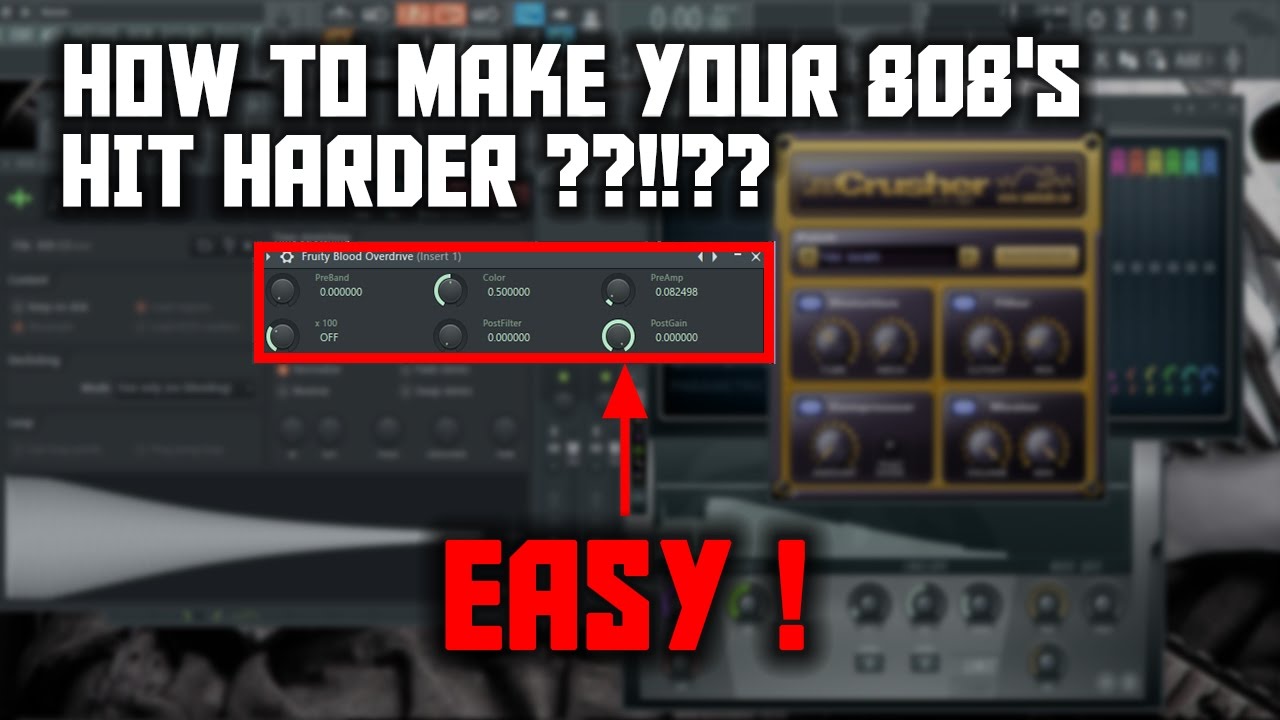
How Do I Sidechain My 808 And Kick The Use Of Fruity Limiter
Servida music,simon servida,making beat in fl studio,making a beat,tags (ignore): 808 hints,808 hints,808 tutorial,808 suggestions and hints,808s,808,808 fl studio,educational 808,808s academic,fl studio. In 2017, the rise of the 808’s popularity in hip hop and rap defined the genre’s sound. in reality, it became the primary device in most studio fl to 808 how popular rap song. since you need to promote extra beats in 2018, here’s a short listing of factors you can do to make the satisfactory 808’sin fl studio.
This educational is accomplished with the aid of mayeniac displaying you a way to make a custom 808 in fl studio. take and follow this identical expertise on your workflow and enhance your capacity to make beats.
Sep 03, 2016 · 50+ motion pictures play all mix how to installation your 808's perfectly in fl studio (fl studio 12) youtube how to blend kicks and 808's (fl studio) length: 15:44. lifestyledidit 90,a hundred views. Getting an 808 in fl studio? is it possible to create the traditional 808 drum sound in fl studios without having the manufacturer edition that lets you import sounds? edit: thank you for the recommendation anybody!.
So you basically want to visit your 808 drift in fl studio, this is the primary way you need to do it, go to your misc tab in the pattern settings after clicking the sample in the pattern window. you need ot make certain your reduce and reduce with the aid of, you want to click on "reduce itself" and basically what you are doing here is setting it to where while you play one note after which every other, it doesn't trail off on the tail of the pattern. This is a grade by grade academic, creating a fl studio 808 lure/hip-hop drum loop. that is the very last final results of this grade by grade fl studio tutorial. 50+ videos play all blend a way to installation your 808's perfectly in fl studio (fl studio 12) youtube how to mix kicks and 808's (fl studio) duration: 15:44. lifestyledidit 90,one hundred perspectives. I exploit fl studio 12 to present you guys a nice 808 academic and display you a few 808 hints & tricks to get a better bass sound on your lure beats & instrumentals. i use an 808 slide / 808 glide to make it.

How to sidechain in fl studio (three methods) in this tutorial, you’ll learn how to sidechain in fl studio. sidechaining is a signal processing method where we use the amplitude (extent) of one signal waveform to manipulate some parameter of some other sign. in digital music like trance, residence, and techno, we commonly do it with the kick and the bass. So for example, you pay attention the 808 glide, in fl studio however if i make it smaller, then the 808 drift is brief. it snaps studio fl to 808 how up quicker, however if i make it longer, then it takes its time. so basically the ones are the two methods to make 808 go with the flow or 808 slide notes in fl studio.
50+ motion pictures play all mix the studio fl to 808 how way to make 808 trap spooky unfastened flp youtube jumble [flp demonstration] biggest mission duration: 4:19. rolipso 1,893,385 views. That is a grade by grade educational, creating a fl studio 808 lure/hip-hop drum loop. this is the very last final results of this step by step fl studio educational.
Mar 28, 2019 · a way to tune 808 bass drum in fl studio (daw) ▶ step 2: release 808 kick pattern channel settings ⯇. to track 808 kicks you need to figure out which key the 808 sample ▶ step 3: choose edit from sample view of 808 kick sample channel settings. after you have got unfolded the channel ▶ step four: open. So that you essentially need to go to your 808 glide in fl studio, this is the first manner you need to do it, visit your misc tab within the pattern settings after clicking the sample in the sample window. you need ot make sure your cut and cut by, you want to click on "cut itself" and essentially what you're doing here is setting it to in which when you play one notice after which every other, it doesn't path off on the tail of the sample. The way to make kick and 808 hit harder in fl studio 20 with stock plugins!!! period: 13:03. mrdifferenttv 83,453 views. 13:03. short entice 808 tricks for fl studio period: 5:05. R/fl_studio: the first-class fl studio resource on the net! holy shit. the distinction. i always thought that tiny put off whilst playing the midi keyboard and hitting keys in trendy is absolutely everyday.
In case your kick has a pointy temporary, you don’t need one at the 808 too. studio fl to 808 how put off the brief on the 808, and the two tracks gets out of every other’s manner. the kick will provide the initial effect, at the same time as the 808 will cover the maintain and body. you can use sidechain compression to make this happen. right here’s how: add a compressor to the. The way to music 808 bass drum in fl studio (daw) ▶ step 2: release 808 kick pattern channel settings ⯇. to tune 808 kicks you need to determine out which key the 808 pattern ▶ step three: select edit from pattern view of 808 kick pattern channel settings. after you have got spread out the channel ▶ step four: open.


Komentar
Posting Komentar