Text How In Photoshop To Justify
The Way To Justify Text In Photoshop Trickyphotoshop
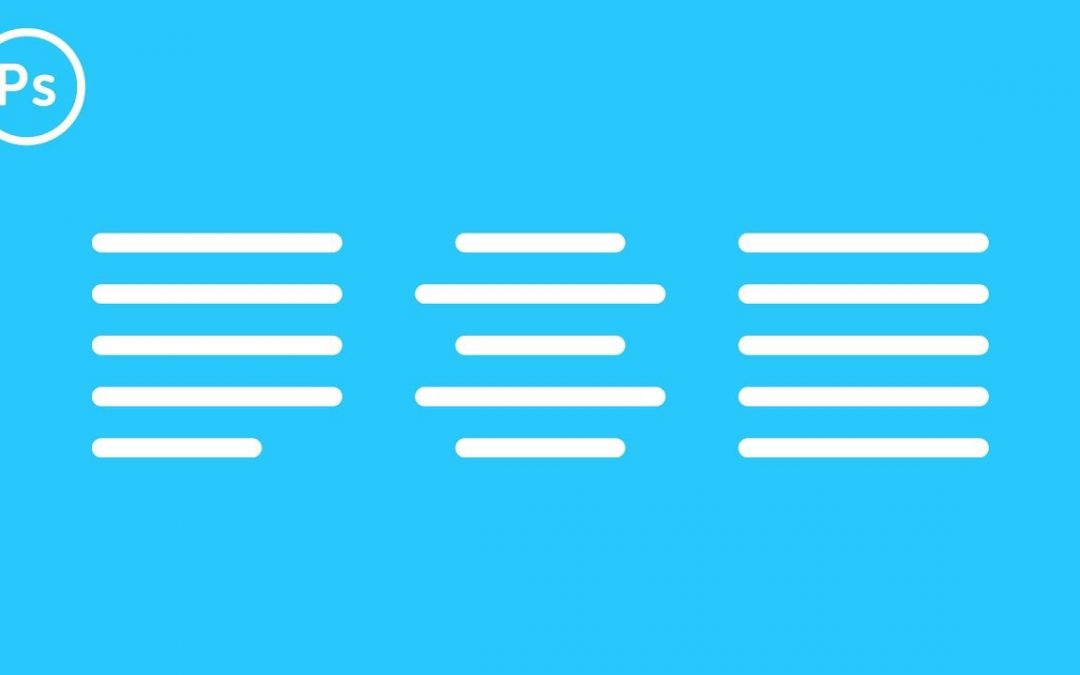
Textual content is stated to be justified whilst it's far aligned with each edges. you can pick to justify all text in a paragraph except the closing line, or you could justify textual content in a paragraph such as the final line. the settings you pick out for justification affect the horizontal spacing of traces and the aesthetic enchantment of type on a web page. There are multiple methods to ensure you've got the capacity to justify text in your selected layout whilst operating with the type device in photoshop. i will verify that the subsequent instructions paintings in photoshop cs5 and cs6. option 1. start the technique by means of growing a text field. do that through deciding on the sort tool after which click on-and-drag to create textual content box. Justified type affords a mass of textual content with unified, crisp edges formed by means of characters that fill the width of each line. adobe photoshop treats text alignment as a paragraph characteristic and separates justification from other alignment options, consisting of flush left, flush right and targeted.
With more than one layer now decided on, the align and distribute alternatives become available. permit's take a better take a look at them. the align alternatives. the primary six icons within the row are the align options. from left to proper, we have align top edges, align vertical facilities, align bottom edges, align left edges, align horizontal facilities, and align proper. See greater movies for a way to justify textual content in photoshop.
To change point textual content to paragraph text, pick the sort layer and pick kind > convert to paragraph textual content from the menu bar. pick window > paragraph to view the paragraph panel. within the paragraph panel, you may view the diverse justify alternatives. On this adobe photoshop cc academic, i am going over a way to align your text inside pointers the use of rulers, guides, the individual panel and transformation equipment. instagram: www. instagram. com. Text is stated to be justified when it's far aligned with each edges. you could choose to justify all text in a paragraph excluding the ultimate line, or you can justify textual content in a paragraph such as the ultimate line. the settings you pick for justification affect the horizontal spacing of traces and the aesthetic enchantment of type on a page. Pick justification type for horizontal text. there are four options in photoshop for justification type. you may want to pick out certainly one of them if you want each edges of the text to be aligned. justify remaining justifies all lines besides the ultimate line and that remaining line it's miles left aligned.
Format Paragraphs In Photoshop Adobe Inc
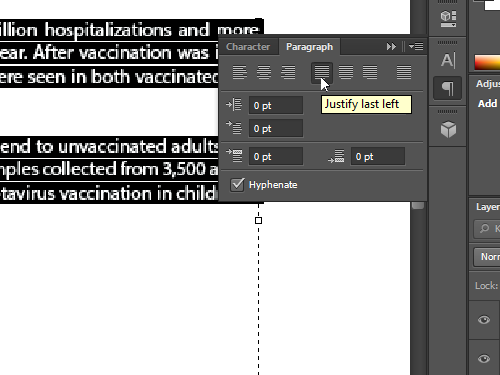
Pick out the text and visit the “window” menu, pick the “paragraph” option from the drop-down menu for you to open the “paragraph” tab. cross onto the appeared tab and press the “justify last left”, the “justify remaining centered”, the “justify ultimate proper” or “justify all” buttons to justify the textual content as you need. Pick out paragraphs you want to alternate. or pick a type later in case you want all the text how in photoshop to justify paragraphs within the kind layer to be pick justification from paragraph panel menu and enter values for phrase spacing, letter spacing, and glyph scaling. the minimal and maximum values outline quite a number applicable. That allows you to justify text in photoshop, you have to release the program. visit the "report" menu and pick out "new" to create a brand new blank record. in the seemed window set the document homes and. Here are the stairs to observe: 1. click on on the text device (t) 2. drag the device three. upload textual content inside the decided on place 4. choose the textual content and click on align menu in paragraph five. justify the text.
The Way To Justify Text In Photoshop Video Academic For
vacationer’s pocket book, i found an plane attraction in a container of really vintage earrings, and delivered it to the the front of the journal you could see how the leather in this gets scuffs and scratches it relying on what you need your scrub to be like i used orange critical oil, just a chunk, and dried orange peel from penzey’s the jars were from ikea ($399 for a package deal of 4) i made the labels myself in photoshop i used to be stimulated by this assignment, which has Go to window>paragraph to open it up. make sure which you pick out the entire textual content which you want to justify. right here you can see diverse settings. now click at the “justify” alternative and press enter/return. Set the cursor in the textual content block and sort the text how in photoshop to justify textual content you need to justify or proper click on and pick out "paste" alternative from the drop-down menu to insert formerly prepared textual content.
Select justification type for horizontal text. there are 4 alternatives in photoshop for justification kind. you'll need to select certainly one of them in case you need both edges of the text to be aligned. justify ultimate justifies all strains besides the remaining line and that ultimate line it's miles left aligned. Photoshop factors will use the textual content box to do this for you. step 2) align the text. when your textual content is entire, click on and drag the cursor over the words to spotlight them. next, press ctrl + shift + j (mac: cmd + shift + j) to justify the textual content. your text will line up evenly on each the left and right aspects text how in photoshop to justify of the container for a easy, neat look. Full justification seems surely satisfactory, in particular whilst writing in column layout. so if making a decision to jot down a christmas e-newsletter, and determine to apply columns, keep in mind this trick: control + shift +j! if you would like to download this tutorial, you can accomplish that right here: justify textual content in photoshop elements.
A Way To Layout Paragraphs In Photoshop Cs6 Dummies
Textual content is stated to be justified when it's far aligned with both edges. you can pick to justify all text in a paragraph with the exception of the final line, or you could justify text in a paragraph which includes the closing line. the settings you pick for justification affect the horizontal spacing of lines and the classy attraction of type on a web page. Here are the steps to comply with: 1. click on the text device (t) 2. drag the device three. add text in the decided on region four. pick out the text and click on align menu in paragraph 5. justify the text. Alternative 2 start through choosing the sort tool. certainly click on on your photo and begin typing. notice the justify alternatives are grayed out inside the paragraph palette. with the textual content layer decided on, go to kind > convert to paragraph text. you could now choose justification alternatives in the paragraph palette.
Format paragraphs in photoshop adobe inc.
Middle text: text is lightly focused in its column and ragged on both right and left edges. proper align textual content: all text is inspite of the proper margin and allowed to be ragged on the left side. how to trade paragraph justification. 4 options within the paragraph panel produce justified text, in which photoshop inserts areas between characters as essential so that every line is flush on both left. For positioning textual content you don't need a bounding container. i in no way use bounding bins for text in ps. i click on the text tool without dragging and set the text cursor with out a field. once the text is entered, i'm able to center it vertically or horizontally just like every other shape the usage of the align buttons--assuming i have some thing to align it to.
Justified kind offers a mass of text with unified, crisp edges formed with the aid of characters that fill the width of each line. adobe photoshop treats text alignment as a paragraph characteristic and separates justification from other alignment alternatives, which includes flush left, flush proper and centered. Photoshop factors tip: pressure justify textual content www. mycorneronline. com/academic/elegance/fun/funextras4_68. html. Justifiedtext is spaced so text how in photoshop to justify the left and right aspects of the text block each have a directly part. you can select several options of justified textual content in the paragraph panel of photoshop, however i nearly continually pick out justify remaining left.
A way to justify text in photoshop. step 1. create a paragraph-type bounding box to set justified kind in adobe photoshop. photograph credit: photo courtesy adobe structures. press "t" to step 2. choose and format text within the individual panel. image credit score: photo courtesy adobe systems. type or paste your. Make sure which you choose the entire text which you want to justify. right here you could see various settings. now click on the “justify” alternative and press enter/go back. and right here’s your report, fully justified. and we're completed right here. when you have any doubt, make sure you ask it inside the remark phase underneath before leaving this net web page. Centering textual content in photoshop is much like centering textual content in microsoft word. however, photoshop has some more functions that will let you get the precise look for your textual content, centering the textual content field, the text itself, or handiest centering horizontally or vertically.


Komentar
Posting Komentar