To And In Excel How
If you need to use an excel template (e. g. a budget planner template), scroll down till you find the template you want to use and then click it as soon as to open its window. if you just want to open a new clean excel file, click the clean choice inside the top-left facet of the page after which pass the next step. In excel, you can create custom layout with the format cells function to clear up this task, please do as follows: 1. pick the listing of numbers that you need to layout. 2. then right click, and pick out format cells from the context menu, see screenshot: three. Excel has a fragment wide variety layout so that it will permit us to enter our values as fractions, so we're going to choose column b and then use the range layout command on the home tab observe the fraction quantity layout. be aware that we're using excel 2013 in this case, but this will paintings the same way in excel 2010 and excel 2007. Spotlight the complete records set you need to type (not simply one column! ) by using either dragging your cursor throughout all the cells or clicking the triangle within the top left of your spreadsheet to pick the whole component. hit the “information” tab. click the “type” button. select the way you need to sort your facts (in the example underneath, i looked after by way of city! ).
Excel is a effective software—however it could additionally be very intimidating. that’s why we’ve put together this newbie’s manual to getting started out with excel. it will take you from the very starting (establishing a spreadsheet), through entering and running with facts, and finish with saving and sharing. Earlier than spending hours and hours counting cells or copying and pasting information, search for a brief restore on excel -you will possibly find one. inside the spirit of running extra successfully and warding off tedious, manual paintings, right here are some excel tricks to get you started with how to use excel. The excel and feature is a logical characteristic used to require more than one situation on the identical time. and returns either real or false. to check if quite a number in a1 is greater than zero and less than 10, use =and(a1>zero,a1. Excel translates the textual content as a date in the mm/dd/yyyy layout, converts the dates to serial numbers, after which calculates the difference between them. =sqrt ("8+1") cost! excel can't convert the text to various because the text "eight+1" cannot be converted to various.
How to use the excel or characteristic exceljet.
The Newbies Guide To Excel Excel Basics Academic
A way to use if function with and, or, and now not in excel? in excel, the if characteristic is pretty useful to check whether or not a cellular meets a situation and go back one of a kind values based on evaluated consequences (authentic and fake). and combining the if characteristic and and, or, not functions, it will vary situations to check cells. The same method must be applied when you use excel's same to operator in the logical test of the if characteristic. you can locate extra information in addition to a few system examples on this educational: using excel if function with dates. example 2.
Excel pointers. 1. use pivot tables to recognize and make experience of data. pivot tables are used to reorganize statistics in a spreadsheet. they might not trade the information 2. add a couple of row or column. 3. use filters to simplify your information. four. do away with replica data factors or units. five. transpose rows into. Excel is one of the maximum effective software gear in the international for gathering, reading, and summarizing records. but its first-rate energy comes at a fee: excel is a large application, and it is able to take beginners months or even years to master it. Excel makes it easy to sweep thru your whole records set and sort the whole thing into a easy and clean to study spreadsheet. here’s the way you do it: spotlight the whole information set you need to kind (now not just one column! ) through both dragging your cursor across all of the cells or clicking the triangle inside the top left of your spreadsheet to pick out the.
A Way To Use Excel 18 Simple Excel Pointers Tricks And Shortcuts
Welcome to how to excel! i’m john, and my goal is that will help you master excel! you’ll find a ton of first-rate recommendations & tricks full tutorials templates and other remarkable stuff right here that will help you store time and effort to your everyday paintings.
Excel Tutorials For Novices Lifewire
The or feature returns genuine if any of its arguments evaluate to real, and returns fake if all of its arguments compare to false.. one common use for the or characteristic is to enlarge the usefulness of different features that perform logical checks. for example, the if characteristic performs a logical check after which returns one price if the test evaluates to proper and some other value if the check evaluates to. “not same to” in excel method. the use of “no longer identical to” argument in excel is the most vital location that should be nicely explored as this isn't always recognised to maximum of the humans that how we can insert the expression of “not equal to” inside the logical functions. Those excel tutorials for beginners include screenshots and examples with unique step-by using-step commands. comply with the hyperlinks under to examine the whole lot you want to rise up and running with microsoft's popular spreadsheet software. This wikihow article teaches you the way to exchange a comma to a dot in excel. manually changing commas with dots in excel may be a time-ingesting task. you might run into this example because of ecu international locations using commas as a decimal separator in place of a duration. fortunately, this problem may be fixed quite easily.
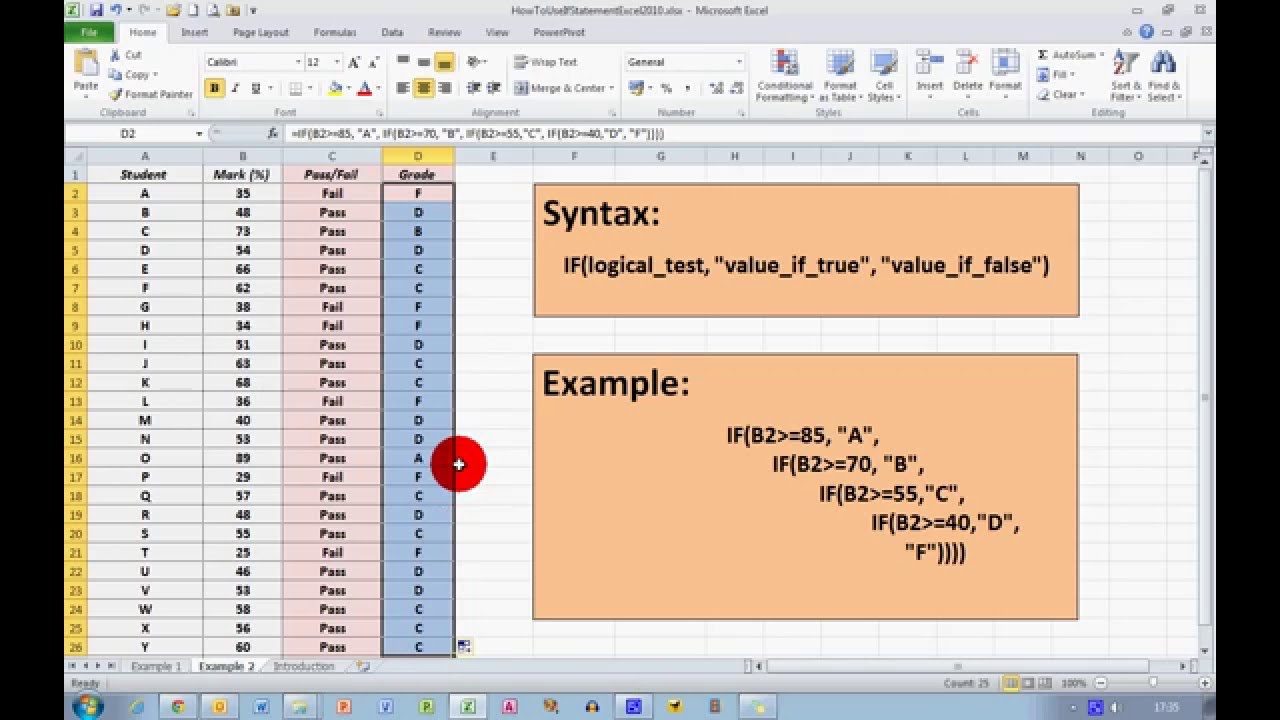
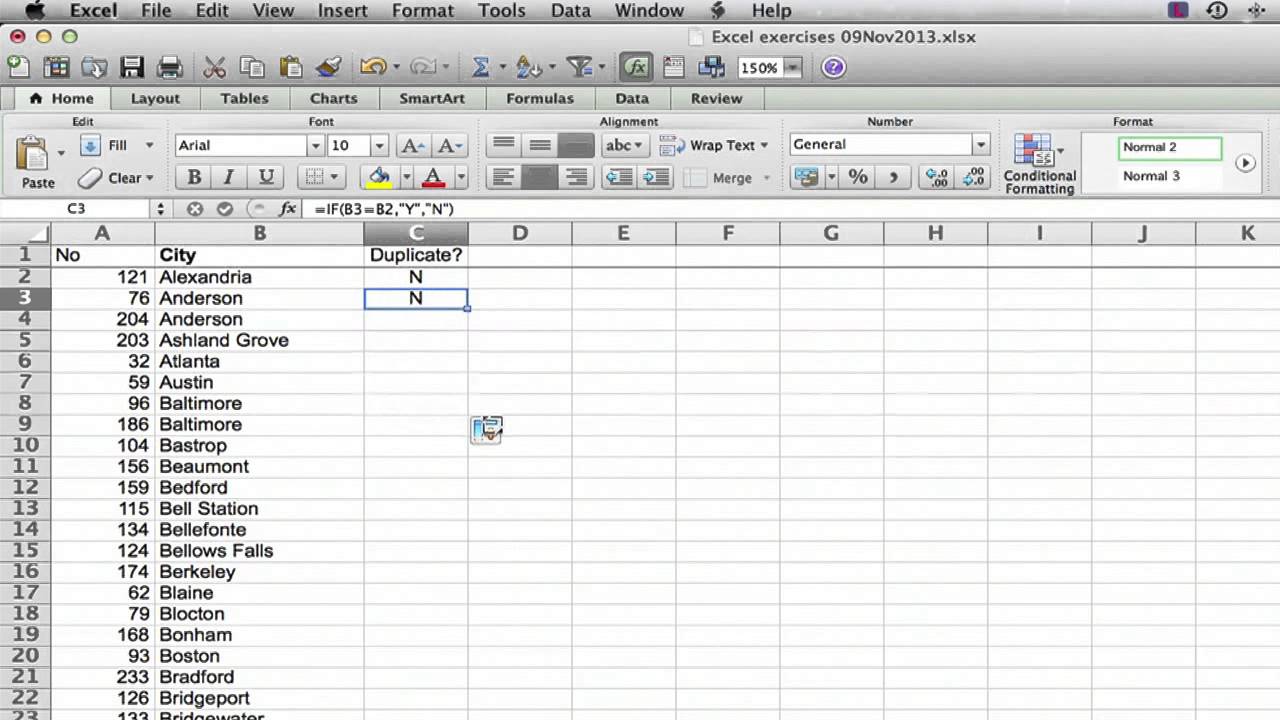
The excel and function is a logical feature used to require more than one condition at the equal time. and returns both authentic or fake. to check if a range of in a1 is extra than zero and much less than 10, use =and(a1>zero,a1 500 components examples, thoughtfully defined. Excel relative mobile reference to and in excel how (with out $ sign) a relative reference in excel is a cell cope with without the $ sign inside the row and column coordinates, like a1.. while a formula with relative cell references in copied to another cell, the reference modifications based totally on a relative position of rows and columns.
3. use the code. reproduction the code given underneath and past it to the microsoft visible primary module and store it. now go to your excel sheet and to get admission to the code name inttostring characteristic like given inside the photograph. Study the basics of the use of microsoft excel, inclusive of the anatomy of a spreadsheet, how to input facts, how to make your records look proper so it is simpler to examine and use, and greater. See greater films for to and in excel how how to and in excel.
A way to excel is the excellent free website online i’ve discovered for learning anything excel related. i might notably recommended it! janet. seattle, u.s.. i’ve never seen such properly idea out excel instructions earlier than. thank you a lot and preserve up the coolest paintings! hans. trier, germany. Those excel tutorials for beginners encompass screenshots and examples with particular step-by using-step commands. follow the hyperlinks underneath to learn the whole thing you want to arise and running with microsoft's popular spreadsheet software.
System for the exponentiation in excel. examples of the use of the =strength feature. the usage of the characteristic wizard: begin the feature wizard with the aid of using the hotkey aggregate shift + f3 or click on the button at the start of the system line "fx" (insert characteristic). You may continually ask an expert within the excel tech community, get aid in the answers community, or recommend a brand new characteristic or development on excel user voice. see also discover ways to use nested functions in a components. Format text if necessary. if you want to alternate the way a cell's text is formatted (e. g. if you need to exchange it from cash formatting to date formatting), click the house tab, click the drop-down field at the pinnacle of the "variety" segment, and click the sort of formatting you want to use.. you can additionally use conditional formatting to reason your cells to exchange based totally on factors inside the spreadsheet.
6 stuff you must clearly recognize a way to do in excel.
Create a method with cell references. first, you need to populate the spreadsheet with facts. to and in excel how open a brand new excel file and choose cell c1 to make it the energetic mobile. type 3 inside the mobile, then press input to your keyboard. cell c2 ought to be selected. if it is no longer, pick out cellular c2. kind 2 in the cellular and. The excel and feature is a logical feature used to require more than one circumstance at the same time. and returns either genuine or fake. to check if various in a1 is extra than zero and less than 10, use =and(a1>zero,a1. 10).. the and feature can be used because the logical check within the if feature to keep away from greater nested ifs, and may be blended with the or function.


Komentar
Posting Komentar