To Google How Account Delete
Visit your google account. on the to google how account delete left navigation panel, click on facts & personalization. at the down load, delete, or make a plan on your facts panel, click on delete a service or your account. on the delete a google service panel, click on delete a service. you may want to check in. subsequent to "gmail," pick delete. follow the stairs on the display. observe. Visit your google account. at the left navigation panel, click on information & personalization. on the down load, delete, or make a plan in your records panel, click delete a service or your account. on the delete a google carrier panel, click on delete a carrier. you might need to sign in. subsequent to "gmail," pick out delete. observe the stairs at the screen. notice. Observe: when you have more than one google account, deleting one gained’t delete the others. visit myaccount. google. com. at the left, click statistics and personalization. scroll to "download, delete, or make a plan on your facts. " click delete a provider or your account. click delete your account. Faucet account s. in case you do not see "accounts," tap customers & debts. tap the account you need to remove eliminate account. if that is the simplest google account on the cellphone, you'll want to enter your phone's pattern, pin, or password for safety.
How to take away a google account from business insider.
How To Take Away A Google Account From Business Insider
You may remove a google account from chrome at any time by using accessing a settings menu. to feature or put off human beings, start by clicking for your round profile photo within the upper proper hand corner of. To delete your gmail account, click on the trash can subsequent to gmail. according to google, deleting your gmail account means: your gmail cope with can’t be utilized by you or anyone else in the destiny. your emails can be deleted. your google account, including purchases made on google play and your seek history, won’t be deleted.
Delete your interest pc google search assist.
Click on on delete account and say good-bye to google. ; so, this is how you could do away to google how account delete with your google account. this selection may be useful if you need to take a sparkling begin. however getting rid of your. In case you need to delete a gmail account, click the trashcan icon ( ) subsequent to gmail. observe the download information hyperlink for a hazard to down load a complete copy of your gmail messages thru google takeout. you may additionally replica your email to every other gmail account probable a brand new gmail deal with.
This wikihow teaches you how to permanently delete your google account and facts. deleting your complete google account will delete your gmail messages, the contents of your force, and access to apps and content material you have downloaded thru google play. in case you don't want to delete your complete account, you can pick out to delete gmail handiest. You can take away a google account from chrome at any time via getting access to a settings menu. to feature or dispose of people, begin by using clicking in your round profile photo within the higher proper hand nook of. Completely delete your google account time to get down to business and delete your google account. you’ll be aware that obtaining rid of a google account is less difficult than truly getting one.
How To Completely Delete Your Google Account
Delete specific google services or your google account. in case you're now not interested by the usage of unique google services, like gmail or youtube, you may sign in to your google account to delete them. you may even delete your entire account and all of your facts, like emails and images. Register google accounts. How to deletegoogle records. now, in case you are sure of what you're doing and really want it all long past, right here are the necessary steps for deleting all your google information.

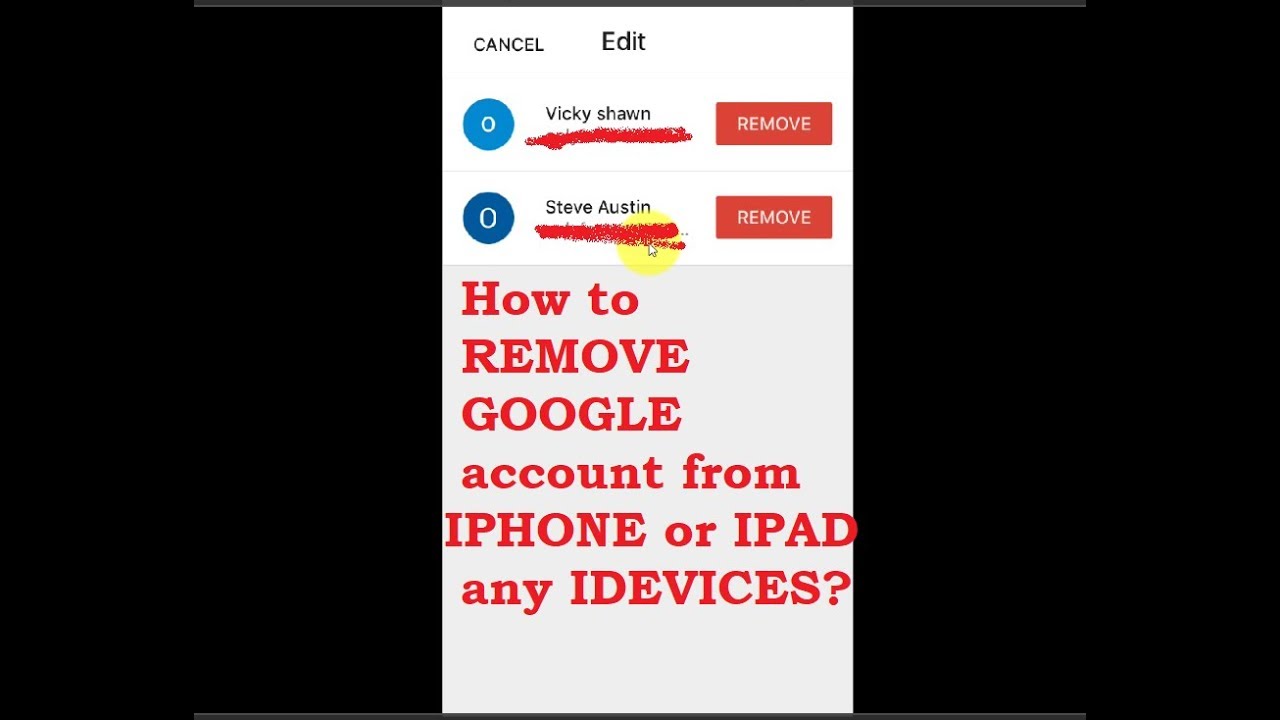
Google classroom is one of the apps this is a part of the gsuite. it comes as a part of each consumer account. even in case you installation a very new account, it'd have google school room. you cannot delete the google lecture room app out of your account anymore than you may delete power or doctors. it is surely a part of gsuite. This wikihow teaches you how to completely delete your google account and records. deleting your entire google account will delete your gmail messages, the contents of your force, and get admission to to apps and content you've downloaded through google play. in case you do not need to delete your whole account, you could select to delete gmail simplest. Delete your interest routinely. you could routinely delete some of the pastime for your google account. for your pc, go to your google account. ; on the pinnacle left navigation panel, click information & personalization. ; below "pastime controls," click on internet & app pastime or youtube history manage hobby.. discover ways to automatically delete your location records. Casting off a google account from a phone in case you do that, you will be unable to get entry to google play, google track, youtube, and different services to your cellphone with this account. you can add the account lower back any time you want. turning off sync so you aren't seeing the emails that are available this leaves the gmail account for your cellphone, so that you can nevertheless use it for youtube, google play, and different apps.
Tothepc Tech Suggestions Tricks Howto Courses Video Tutorials
Completely delete your google account time to get down to commercial enterprise and delete your google account. you’ll be aware that getting rid of a google account is simpler than virtually getting one. page over the internet, so every time someone googles my name he/she can have my profile indexed inside the search engine effects how keep studying the way to delete a linkedin account ? generally, joining a social network is an clean Sign in google bills. In case you need to delete a gmail account, click the garbage can icon ( ) next to gmail. comply with the down load facts link for a chance to download a complete reproduction of your gmail messages thru google takeout. you could additionally copy your electronic mail to some other gmail account in all likelihood a new gmail deal with.

man or woman shy or plans to do something illegal ? the way to delete call on gmail sign-in page from previous login google has delivered new unified login page for all google offerings no matter which google provider you login like gmail, youtube it'll redirect you to new one account google login page how is my login name, Delete unique google offerings or your google account. in case you're no longer inquisitive about the usage of unique google services, like gmail or youtube, you can register for your google account to delete them. you could even delete your entire account and all your data, like emails and images.
10. open the email from google you ought to have received with your change e-mail. eleven. comply with the deletion link inside the message. 12. if brought on, log into the gmail account you want to delete. Word: when you have a couple of google account, deleting one gained’t delete the others. go to myaccount. google. com. at the left, click data and personalization. scroll to "down load, delete, or make a plan in your statistics. " click on to google how account delete delete a carrier or your account. click delete your account.
Delete Unique Google Offerings Or Your Google Account
A Way To Delete A Google Gmail Account Lifewire
Click on "delete your account or services" in the "account choices" phase. choose "delete google account and records. " evaluate the entirety so as to be deleted. you'll be proven a summary of all of the facts that will be deleted. take a look at the packing containers to verify that you want to delete your account and then click "delete account. " this technique is. If you're receiving mistakes saying that google chrome remains strolling even though you have closed all of its windows, do the following before attempting to uninstall google chrome: press ctrl+ ⇧ shift+esc to open the task supervisor. click on the methods tab. click on google chrome in the foremost window. click on cease undertaking within the backside-proper nook of the. Eliminating a google account from a smartphone in case you do this, you will be unable to get admission to google play, google song, youtube, and different offerings on your phone with this account. you may add the account back any time you need. turning off sync so you are not seeing the emails that are available in this leaves the gmail account for your telephone, so you can nevertheless use it for youtube, google play, and different apps. Click on delete account and say goodbye to google. ; so, this is how you can get rid of your google account. this option can be useful if you need to take a fresh start. but removing your.


Komentar
Posting Komentar