To In Enter Excel How
The Way To Stay In The Equal Cell After Urgent The Input Key In
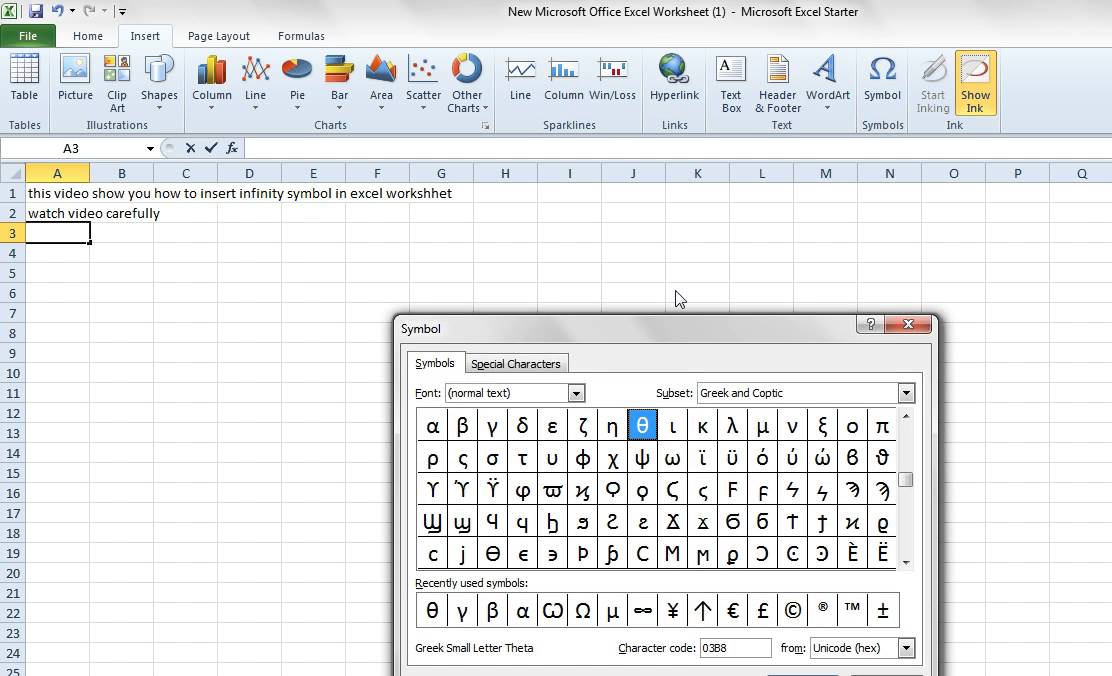
See all full listing on techwalla. com. Excelformulas also can be advanced the use of cell references. persevering with with our example, you would no longer input the numbers three and a couple of, but rather might call cells wherein these numbers had been entered (see the usage of cellular references below for greater on cell naming). whilst you write a system this manner, the formulation cell continually suggests the sum of the numbers in the ones cells, even supposing the numbers exchange. How to add bullet factors in excel using symbol menu. if you don't have more than a few pad or forget a key aggregate, here's every other brief easy manner to insert bullet in excel: select a cellular where you want to feature a bullet point. at the insert tab, within the symbols group, click on symbol. optionally, choose the font of your choosing in the font field. May additionally 28, 2019 · inserting a pdf into excel. within the excel file, head over to the “insert” tab and then click on the “item” button. within the item window that appears, switch to the “create from document” tab after which click on “browse. ”. browse to the region of your report, pick out the record, after which click “open. ”. lower back at the “item” window, you’ll see the file path of your pdf.
Jan 12, 2020 · here's how to do it (starting with the spreadsheet from the examples above): select cell e1 to make it the energetic cellular and kind within the identical sign ( = ). use your pointer to select cellular c1 to enter the cellular reference inside the formulation. type a plus signal ( + ), then use your pointer to pick c2 to enter. Within the excel alternatives dialog field, click superior from the left pane, and in the right list box, underneath the modifying alternatives section, uncheck after urgent enter, circulate choice, see screenshot: three. and then click adequate button, any longer, while you input the content material right into a mobile and press input key, the enter cellular remains selected however not circulate. Commonly, when you press the input key, excel movements the cursor to the next cellular. in case you want to enter a line spoil inside the identical cell, you want to apply a shortcut. here at the steps: (1) circulate the cursor in which you want to interrupt the road (2) kind alt + enter (3) make certain "wrap text"is enabled to see strains wrap in mobile: notes you may use this method to make nested if.
Other articles from help. workplace. com. to in enter excel how Whilst you hit enter, excel evaluates your equation and displays the result, 7. however if you look above on the system bar you’ll nonetheless see the authentic formulation. that’s a useful thing to preserve in mind, if you overlook what you typed at the beginning.


of excel udf jun 3, '19 popular tutorials the way to input facts into excel make a userform in excel pick cells in excel using macros and into a desk in excel introduced: you may enter records right into a desk in excel the usage of a shape; here i'll display you how to do this that is a splendid function that makes it more tough for someone to clutter-up coming into information into a table but, it isn't always without difficulty handy steps to use a shape to go into records into a table this option is honestly On occasion it is helpful to encompass a desk in a microsoft word record but phrase tables have limitations. microsoft excel, however, creates substantial tables of information involving complicated mathematical calculations. make excel information a part of your phrase record. when you insert excel facts into phrase, decide whether or not to hyperlink the excel worksheet to the report or embed it. To try this, select all the cells containing the drop-down listing objects after which input a name for the cell variety into the name box above the grid. we named our cellular range age. now, choose the mobile into which you want to add a drop-down list and click on the “statistics” tab. in the facts equipment segment of the statistics tab, click the “information validation” button. Click on inside the cell of the spreadsheet in which you want to insert the item. at the insert tab, inside the textual content organization, click on object. click on the create from report tab. click browse, and pick out the report you want to insert.

Stepviastep Guide To Excel Formulation For Beginners
To insert your excel statistics, click on the object button. this may seem as a large or small icon, relying for your current display resolution and the scale of the powerpoint window. Bulk insert is a transact-sq. command that you may run from square server control studio. the subsequent example masses the statistics from the records. csv comma-delimited report into an current database table. as defined previously inside the prerequisite phase, you need to export your excel statistics as textual content before you can use bulk insert to import it. In case you need to install a desk from a given excel sheet to an autocad record, right here is a way to do it: have the excel document geared up; kind desk and hit input on your keyboard; tick from a statistics hyperlink from the insert options phase; launch the information hyperlink supervisor conversation window; create a new excel statistics hyperlink. In case you want to edit the notice, proper-click on the cell, after which click edit remark. if you're the use of excel for workplace 365, proper-click the cell and choose edit notice.. if you need to delete the note, proper-click the mobile and pick out delete remark. in case you're using excel for office 365, proper-click on the mobile and choose delete word.
While you hit enter, excel evaluates your equation and displays the end result, 7. but in case you appearance above on the components bar you’ll nonetheless see the unique system. that’s a useful issue to maintain in mind, if you forget about what you typed originally. Things to consider. guide entering of braces surrounding the method doesn’t work in excel. we need to press the shortcut ctrl+shift+enter. whilst we edit the array formulation, we want to again press the shortcut ctrl+shift+input since the braces are removed each time we make changes. Microsoft excel is a software that you can use to go into, layout and manage big amounts of facts. there may be instances when you want to go into several rows of records into a cell. however, at the same time as pressing the "enter" key in a word-processing application may also produce a brand new line, all that key does in microsoft excel is flow you to the following cellular down.
When in excel, urgent ‘enter’ (in the mobile or within the formulation bar) like how you'll in microsoft phrase would only move the cursor to the following cell: to start a brand new line, double-click the cellular which contains the text. then, click on the location where you want to insert a line destroy. you may also do that inside the system bar. Start a brand new line of text inside a cellular in excel. double-click on the mobile in that you want to insert a line destroy. click the location in which you want to interrupt the road. press alt+input to insert the road smash. Inserting a pdf into excel. inside the excel document, head over to the “insert” tab after which click on the “object” button. in the object window that appears, switch to the “create from record” tab and then click “browse. ” browse to the location of your record, pick the report, after which click on “open. ”. Right here at the steps: (1) flow the cursor wherein you need to break the road (2) type alt + enter (3) make sure "wrap text"is enabled to peer strains wrap in cellular:.
Stay within the identical cell after urgent the enter key with shortcut keys in excel, you can also use shortcut keys to resolve this mission. after coming into the content, please press ctrl + enter keys collectively rather than simply enter key, and you can see the entered mobile is still decided on. the nice workplace productiveness gear. In excel if we enter the everyday information by way of default, excel will convert the number to date format, in uncommon cases if we import the sheet from different sources excel will now not apprehend the layout. in the sort of case, we want to enter the date manually and exchange it to this point format. feature in excel a way to calculate time difference in excel how to enter within a cellular in excel a way to use now characteristic in excel latest posts to in enter excel how how Clarification of ctrl shift-enter in excel. before we use the shortcut ctrl shift-enter, we need to understand more about the arrays. arrays are the gathering of the statistics consisting of textual content and numerical values in more than one rows and columns or handiest in single row and column.
Begin to in enter excel how a brand new line of text interior a cell in excel. double-click on the cell in that you want to insert a line smash. click on the region wherein you want to break the line. press manage + choice + return to insert the line spoil. this selection isn't to be had in excel for the internet. To go into facts in a worksheet, function the cellular pointer within the mobile wherein you want the facts after which start typing the entry. earlier than you may role the cell pointer within the cell in which you want the access, excel must be in geared up mode (look for ready because the program indicator at the beginning of the popularity bar).


Komentar
Posting Komentar