To Out Zoom How
Many internet browsers allow customers to zoom inside and out on net pages. this is a beneficial characteristic for most internet pages however for applications like discord’s web version, it could motive issues. don’t panic even though because it’s an easy fix and we’ve were given an educational on a way to zoom inside and outside on discord. Press ctrl+-to zoom out. as with zooming in, you could maintain pressing the button to zoom out as far as you want to go. in case you're using a mouse with a scroll wheel, preserve the ctrl key at the same time as scrolling the wheel downward. when you have a hint screen, pinch two arms on the screen to zoom out. Attempt it! zoom in or out to your record, spreadsheet or presentation to find the right view. use the zoom slider. pick the zoom slider at the status bar and slide to the zoom putting you need. or, use -or +.. in outlook, the zoom slider simplest zooms the content inside the reading pane. for greater records, see exchange the font or font size in the message listing. Zoom is the chief in current company video communications, with an easy, reliable cloud platform for video and audio conferencing, chat, and webinars across mobile, desktop, and room systems. zoom rooms is the authentic software-based totally convention room answer used around the world in board, conference, huddle, and training rooms, in addition to government offices and school rooms.
6 Approaches To Zoom Out On A Computer Wikihow
Zoom video tutorials follow. view stay education. please click right here to register for upcoming stay schooling or get right of entry to recent recordings for zoom meetings, webinars, zoom rooms and directors. zoom conferences and webinars. be part of a meeting. learn greater. scheduling a assembly with zoom website. 2. in net explorer 11/10/9, you can alternate the zoom stage through clicking on the equipment icon (top proper nook) and deciding on the zoom submenu. observe that the zoom submenu suggests the contemporary scaling among parentheses ("100%", with the aid of default). ie helps you to zoom in to a most of four hundred% 4 times larger, and zoom out to at least 50% (textual content and snap shots appearance two times as small). Zoom in. ctrl+= or. ctrl+(rotate mouse wheel up) command+= or. command+(rotate mouse wheel up) zoom out. ctrl+-or. ctrl+(rotate mouse wheel down) command+-or. command+(rotate mouse wheel down) reset zoom. ctrl+zero. command+zero. Adjust zoom of analyzing pane in outlook when previewing electronic mail messages in the reading pane, you may modify the zoom lever and make the fonts and pix fit for studying quite simply. shift to the mail view, click to choose the e-mail message that you will preview, and then alter the zoom lever with shifting the zoom slider within the popularity bar at the lowest of outlook.
6 Approaches To Zoom Out On A Laptop Wikihow



Zoom in at the iphone display screen. in many apps, you may zoom in or out on particular items. as an instance, you can double-tap or pinch to look nearer in photographs or make bigger webpage columns in safari. you could also use the zoom function to magnify the screen no matter what you’re doing. The way to zoom out on a computer. there are several methods to zoomout on your computer. this wikihow will assist you zoom out on a computer. choose the web page you want to zoom out of via clicking on it. this technique is pleasant for most customers. it's to out zoom how the quickest and.
wagne r for more facts and to discover the way to join survivor online chat july twenty second, 2019; 7pm (est) zoom on line video platform be part of adolescent and younger person ( To zoom in or out the computer display screen on a windows computer, open the magnifier tool. press the plus button to zoom in and the minus button to zoom out. open the magnifier tool. click the begin button. choose all packages, and open the add-ons folder. select the accessibility alternative. click on magnifier to open the magnifier settings window. To set a zoom percent, click on on % at the lowest right corner of the zoom manipulate. after clicking %, select a zoom percent, after which take a look at the field marked bear in mind my preference. when you compose, reply, or ahead an e-mail there is additionally a brand new alternative for placing the zoom desire. compose a new e mail.
3 Methods To Zoom In On A Laptop Wikihow
Zoom Inside And Outside Of Groups Workplace Guide
If you are the use of a mouse with a wheel control, you may use the wheel button to zoom in on, or out of, the body of a message. click the message body. press and keep ctrl whilst you rotate the wheel button to zoom in or out. Press the "+" key to zoom in one time. keep pressing the "+" button to zoom in greater. step three press the "-" button to zoom lower back out. The zoom feature on ipad 2 helps you to zoom in (enlarge) the contents displayed on the ipad screen. after zooming in, you can quickly zoom out once more while preferred, to view text and pix displayed on-display screen in its everyday length. once the zoom feature is grew to become on, you really double-faucet the display with three arms
How-to motion pictures to assist users get started out with zoom. Learn how to make your firestick zoom out even if you don’t know how the hearth stick zoomed inside the first region. you could have sat on or dropped the hearth tv stick far flung, then observed the image on the display handiest component seen. you may even see an orange body, border, or define across the outer edge of your screen. a few humans call it an orange field, and it clearly makes you experience trapped in an.

How to show off zoom on your iphone 7 or 7 plus. you can double faucet with three palms to zoom in and zoom out. or 3 palms to scroll. Step 1, choose the web page you need to zoom out of with the aid of clicking on it. this method is exceptional for maximum customers. it’s the fastest and easiest, specially for pc customers with out a mouse. step 2, press and preserve the ctrl key. step three, hit the -, at the top of the keyboard among the number zero and the equal sign. rather, press and preserve ctrl and scroll down.
To zoom in or zoom out in microsoft teams, press ctrl+= or ctrl+-. Zoom in or out to your document, spreadsheet or presentation to discover the right view. use the zoom slider. select the zoom slider on the status to out zoom how bar and slide to the zoom setting you want. or, use -or +. in outlook, the zoom slider most effective zooms the content material inside the analyzing pane. for extra records, see alternate the font or font length inside the message listing.
When working on electricity bi i look to zoom inside and out speedy (to move the zoom at the page, to look the complete page) and with different programs i do that with my mouse wheel. is there any possibility to do this also with pbi computing device?. Adjust zoom of reading pane in outlook. while previewing e-mail messages in the studying pane, you can alter the zoom lever and make the fonts and photos match for studying effectively. shift to the mail view, click to choose the e-mail message that you may preview, and then modify the zoom lever with shifting the zoom slider within the reputation bar at the. See more movies for a way to zoom out.
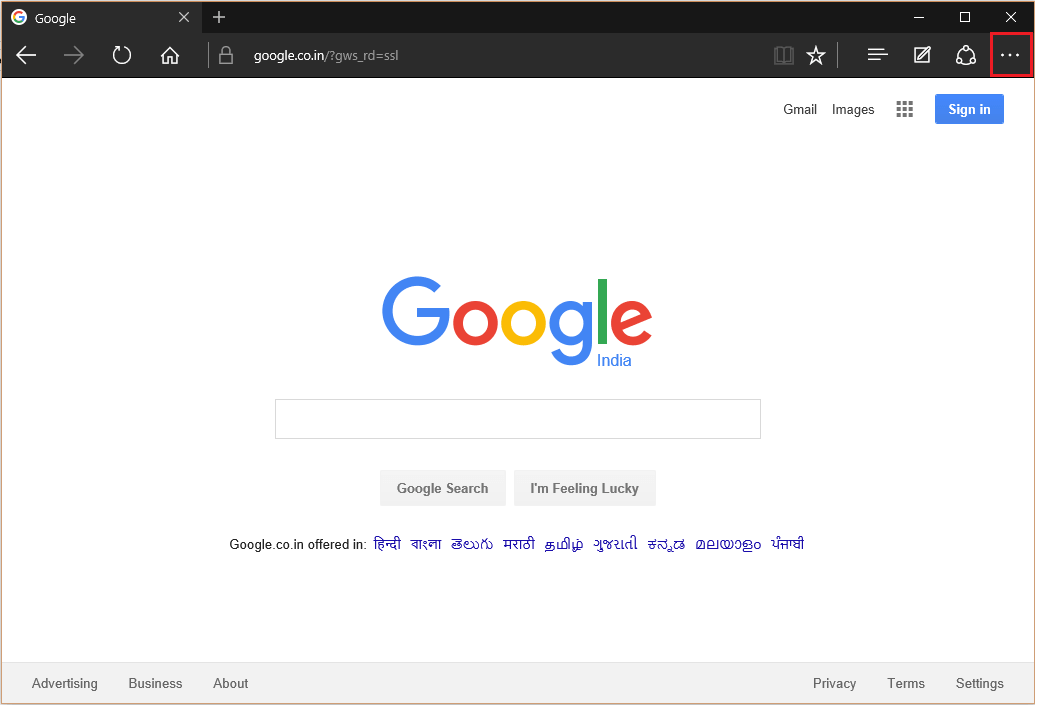
Zoom inside and outside of a website. right here's how you may zoom in and out of man or woman websites. click the menu button on the right. the customization menu will open and you will see the zoom controls on the pinnacle. use the + button to zoom in, and the -button to zoom out. the wide variety inside the middle is the current zoom level click it to reset the zoom to. To zoom in or out the pc display screen on a windows computer, open the magnifier device. press the plus button to zoom in and the minus button to zoom out. open the magnifier tool. click on the begin button. pick all programs, and open the add-ons folder. pick the accessibility alternative. click magnifier to open the magnifier settings window.
You could also zoom in / out with the ctrl key approach referred to above and click the reset button at the device tip that appears. final thoughts it’s smooth to by chance spark off the zoom hotkey, specifically whilst you’re in discord and gambling games that use the ctrl key. Zoom in/out definition: 1. to (motive a camera to out zoom how or computer to) make the image of some thing or a person appear an awful lot larger and…. research extra. You could zoom in to look textual content large or study photographs close up and zoom returned out in case you lose a portion of the display screen (like a menu bar). beginner and superior computer customers can get the hold in their pc's zoom feature very quickly, gaining knowledge of to zoom in both guidelines to enhance the enjoy of reading text online.


Komentar
Posting Komentar