To Screen How On Mac Record
recording for free try our video editor to be had on chromebook, home windows, mac and ios how can screencast-o-matic help you ? i want to record my display screen create screencast videos with our screen recorder it’ With macos mojave, press shift-command (⌘)-five for your keyboard to see all the controls you need to report video and capture nevertheless photos of your display. use those onscreen controls to select whether or not to report the complete screen, report a selected portion, or capture a still picture of your screen. if you haven't upgraded to mojave, you could report the display screen with quicktime participant. So, if you’re the use of macos catalina and macos mojave then you have to use this option to record display or video on mac. step 1. with macos catalina and macos mojave, press shift + command (⌘) + five in your keyboard to peer all the controls you want to file video and capture nonetheless images of your screen.

The Way To Report Your Display Screen On A Mac The Verge
to extract audio from cd three easy approaches to report display on mac os the way to convert video for android phones and drugs how A way to record your display screen on a mac. recording the display screen of a mac is a great deal simpler than a home windows computer. if you're the use of macos mojave, just hit the keyboard shortcut shift+⌘+five and all the controls. To document mac display screen, you could use quicktime display to screen how on mac record screen recording. but if you need to file internal audio on mac as nicely, quicktime player isn't always correct sufficient because the built-in recorder can best file the audio through external audio system and built-in microphone. With macos mojave, press shift-command (⌘)-5 on your keyboard to see all the controls you need to file video and capture nevertheless pics of your screen. use these onscreen controls to select whether to file the complete screen report a specific element or seize a nevertheless picture of your screen.
Video Dvd Audio Converter The Flexible Video Converter For Ipod Iphone Ps4 Android Phones Tv And Extra
A Way To File Your Pc Screen Digital Trends
To capture just a part of the display screen in your mac: tap shift + command + four. discover the photograph to your mac's desktop; to record a video in your mac: open quicktime. You may seize the complete display screen, a window, or just a portion of the screen. a way to take a screenshot on your mac to take a screenshot, press and hold those three keys collectively: shift, command, and three.
In case you've ever puzzled a way to screen record on a mac, you're no longer alone. following is a transcript of the video. following is a transcript of the video. apple does not include screen-recording.
File your screen in macos mojave or catalina press command + shift + five to open screenshot. a manage bar will appear at the bottom of your display. you may use it for grabbing nonetheless screenshots or. Recording the display screen of a mac is tons simpler than a windows pc. in case you're the usage of macos mojave, simply hit the keyboard shortcut shift+⌘+5 and all of the controls for capturing video and nevertheless photographs from. There are some one-of-a-kind ways to document your mac display, and lots of screen recorder software options to choose from starting from unfastened screen recorders up to paid video editing software suites.
The Way To Record Your Screen On A Mac The Verge
How To Report The Screen In Your Mac Apple Help
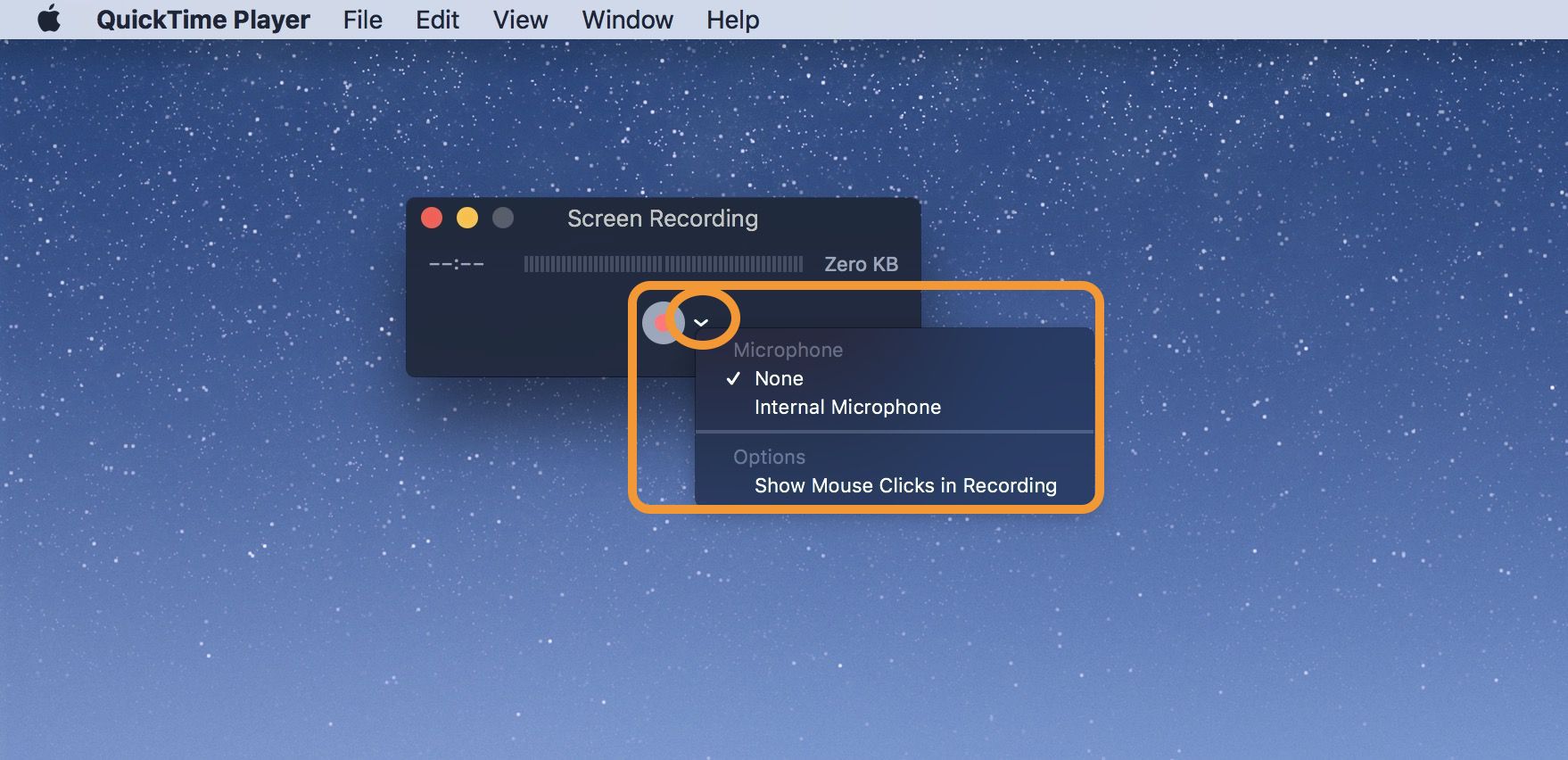
How to recordscreen on a mac the use of quicktime. if you can not run mojave or don't want to put in it, you will be happy to pay attention it's still clean to document what is going on at the display screen of your mac. Screenrecording may be used to film a tutorial, display your buddies what you’re searching at, or just store what’s happening to your screen. your mac has built-in gear that will let you to screen how on mac record take. The usage of the quicktime player’s display screen recorder in macos. the display recorder in quicktime player is to be had in mac os x 10. 6 and later. under is the entire guide on the way to use it to capture a video of your mac display screen. step 1: launch quick time participant. there are numerous ways to open a software on mac. To seize simply part of the display screen for your mac: faucet shift + command + four. find the photograph for your mac's laptop; to file a video in your mac: open quicktime; faucet "report" on the top of the show.
If you personal a cutting-edge mac, there is a screen recorder built-in the quicktime player x app. quicktime can file whatever you have got displayed on screen, together with video gambling on websites. Open the screenshot toolbar by urgent command + shift + five. you can document entire screen, or file decided on component. pick out the one that you require. if you pick out report complete display just click on. In case you’re evaluating exclusive screen recording equipment, make certain you get a display screen recorder with sound recording options integrated. screen recording, additionally called a screencast, is best or developing tutorials, product demos, how-to motion pictures, and different educational movies. you could even document games or file shows, or make a youtube video. Select new display recording ; pick the inner microphone within the listing of audio enter alternatives ; open facetime to make your name (or use handoff to transition a name from an iphone to your mac) click on the record button and display to report the overall display screen, or click and drag the seize option to restriction the recording to the call display screen.
You may document mac screen the use of quicktime or the first-rate mac display screen recorder fonepaw screen recorder, the top mirroring software program fonepaw screenmo. to document mac display screen, you could use quicktime display screen recording. Drag the crosshair to pick out the location of the screen to capture. to transport the selection, press and keep area bar while dragging. to cancel taking the screenshot, press the esc (break out) key. to take the screenshot, launch your mouse or trackpad button. in case you see a thumbnail inside the nook of your display, to screen how on mac record click on it to edit the screenshot. You can additionally use quicktime participant to display screen file on a mac. open the app, then click document > new display screen recording from the menu bar (you'll be brought on to supply it permission in gadget options). Click on the record entire display or file decided on portion button accompanied through the file button — it replaces seize if the tool turned into firstly in screenshot mode — positioned at the proper.
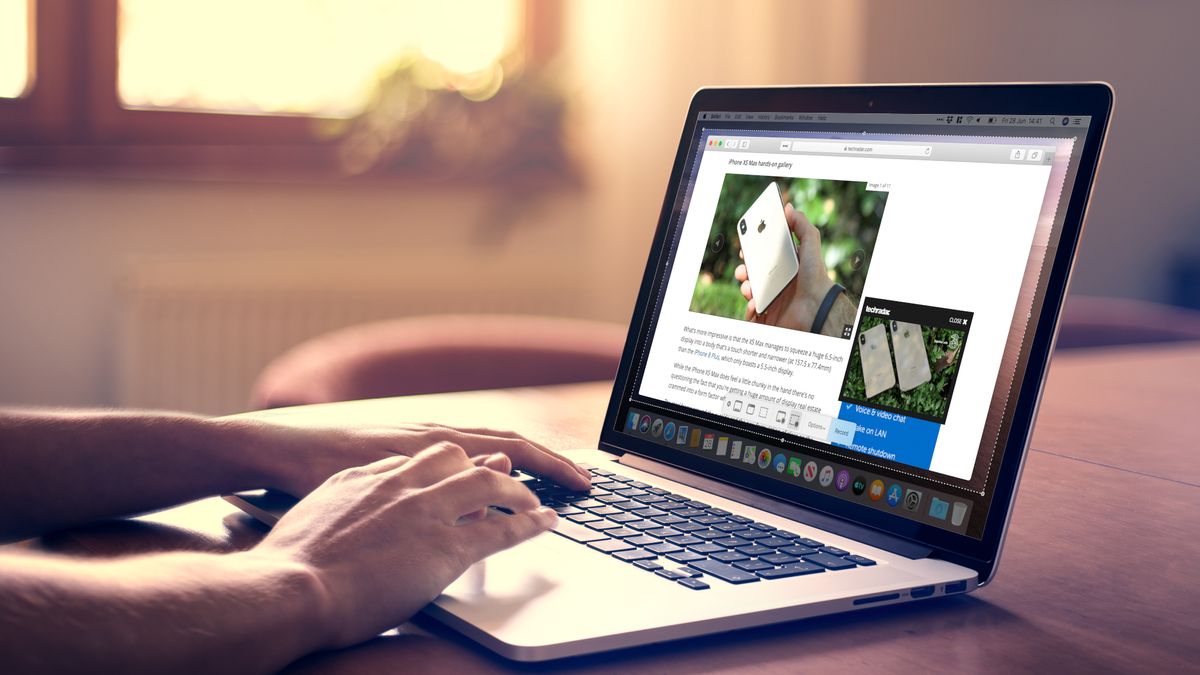
The usage of the screen recorder in mac os x. the screen recorder characteristic is protected with quicktime player in mac os x 10. 6 10. nine and later. here’s a way to use it to capture a video of the mac display in motion: launch quicktime participant (positioned in /packages/) pull down the document menu and pick “new screen recording”. See greater movies for how to report display screen on mac. Here’s how to use it to capture a video of the mac screen in movement: launch quicktime participant (located in /packages/) pull down the file menu and pick “new screen recording” press the red button to start recording the screen pastime.
Step 2. pick whether or not you want to document your whole display screen or just a part of it and click on the respective button.. step three. click options, in case you want to set timer or choose in which you need to save the recordings.. step 4. click on at the file button that appears beside options.. step 5. to prevent recording, click on the forestall button in the menu bar.. as part of this model of macos, while a. Step 1. download and install our display recorder. down load download the installation file, double-click it, and follow the instructions at the display.. step 2. alter video and audio settings. on the display recorder manage panel at the right, click on the screen recording button. pick out the recording vicinity: body it the use of your cursor, click on the window to border it, or click on out of doors all home windows.


Komentar
Posting Komentar