To Video Compress How
Video Compressor Reduce Video Record Size Online
Compressvideo Lessen Video Record Length Online And Free
Approach 1: how to compress a video easily with 2 steps step 1 release wondershare video compressor and add a video.. open wondershare uniconverter on your pc/mac and transfer to the toolbox segment. choose video compress option from the indexed capabilities. after that, a new window will open, click on the + icon on it to pick a video you need to compress length.. step 2 compress video length easily. Some other way to compress mp4 video files is to resize them to a smaller size. you can use the resize dropdown on output dimension segment to pick a preset resolotions together with 8k, 4k, 1080p, 720p, 480p, 360p, 240p, and other non-widespread alternatives to lessen mp4 video width and height. Lessen video file length on-line. videosmaller is a loose service that permits you to reduce video document size online, compress video report size without losing satisfactory. reduce video record length and make video record smaller. reduce size of mp4 motion pictures captured with your android or iphone. pick the video record and click the button "add video".
Compressvideo, photograph, audio and pdf documents on-line.
Video compressor & trimmer is a effective but definitely free video converter, compressor and trimmer. trim and compress your video easily. * convert films to mp4 and free up lots of space with video converter & compressor!. How to compress a video? click on the “pick out video” button to pick out your video file hold the default alternatives (they do a splendid process! ) or specify advanced options click on the “compress video” button to begin compression. Jan 24, 2020 · compression is essential if you need to proportion your motion pictures on the internet because it reduces the quantity of records this is needed to move or ship the video to the viewer. you can use a application referred to as handbrake to compress your video, or you can use quicktime on a mac if you simply want to lower the video's record length. You compress a video via removing statistics, and that means all and sundry viewing it on a big screen will likely have the ability to inform. and, as we’ll discuss a piece later, you can constantly test with different settings to see what works satisfactory on your video.
Compress Video Reduce Video Document Size Online And Unfastened
cool undetectable craigslist video advertisements video ~ novices commands a way to compress your video nicely with out dropping satisfactory or wasting time uploading Compress mp4, mov, mp3, pdf, png, jpg, jpeg, gif documents online at no cost. reduce file length of videos, pdf documents, mp3 audio files and photos. loose on line file compression device lets you compress large documents to cause them to smaller. no registration, no watermarks, loose to apply for all people. Compress video reduce video file size online. pick record. rapid compression. the tool will do the whole lot for you, just add your document and it will set the quality parameters to lessen its length and to preserve great as tons as viable. stable encryption. Motion pictures are massive chunks of facts that don't compress properly whilst introduced to an archive the usage of the approach above. instead, you will want to re-encode it using avidemux, with a purpose to decrease the report length considerably at the cost of a few first-class.
Reduce Video Record Length On Line Make Video Smaller Mp4
Convert a video for twitter.
You could now without problems and fast compress big video files with to video compress how the assist of vlc media players. watch the video to learn how to do that for the state-of-the-art in cell opinions and the entirety tech, go to. This video compressor can compress various video documents and decrease video report size, which includes mp4, avi, flv, mov, 3gp, mkv, wmv and more, assist you to keep disk space and community bandwidth for easy storage, transfer and sharing. the output format is the maximum popular mp4 video. It is the quickest online free mp4 video compressor at the internet. you could compress a mp4 video (. mp4) by means of putting regular fee aspect (a preferred alternative) to ~21 and preset to medium to get an splendid pleasant compressed mp4 video. some other manner to compress mp4 video documents is to resize them to a smaller size. In this weblog publish, i can give an explanation for 6 smooth methods to compress video files: 1. create a zipper document. the most common manner to compress a video is to convert it into a zipper report. the document can be shriveled, and the high-quality gained’t be affected. although that is a fast and easy manner to compress a video, you received’t word a large change in file size.
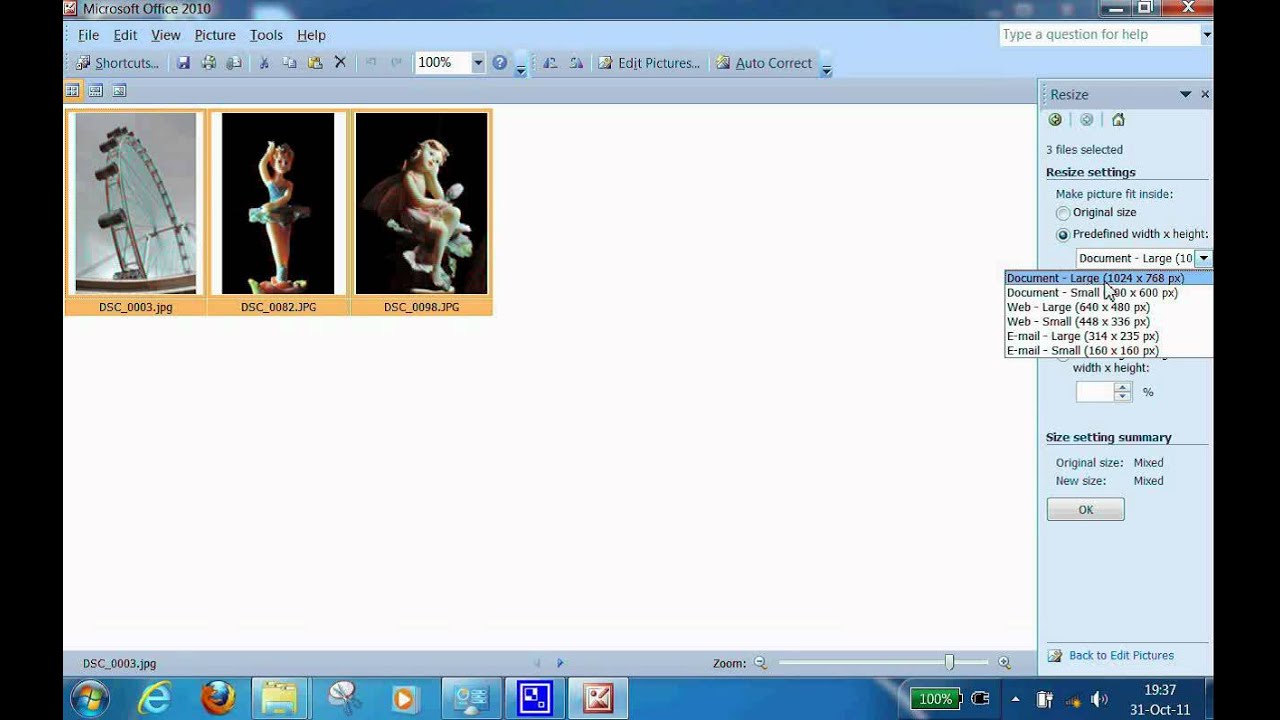
Clipchamp's video compressor lets in you to enter a couple of video files in your dashboard. when you do this and click begin, each video record will automatically compress in a queue. please word that every video record from the batch will compress based on the equal output settings and store to your laptop or google force (as according to your chosen storage. How to compress videos on a desktop. with movavi video converter, you received’t want a degree in video engineering to transform even hd movies for playback for your mobile tool or compress videos for net add. this system affords a huge range of conversion presets for maximum mobile devices and websites. Global's first-rate video compressor to compress mp4, avi, mkv, or another video document. select the default options to compress video length with the aid of 40%, or choose a custom length. how to compress a video? click on the “choose video” button to pick out your video report ; hold the default options (they do a extraordinary job! ) or specify superior alternatives. Dec 04, 2018 ·
How to compress video files less than 5 times the scale even as retaining to video compress how the nice. this information may be very crucial in case you do a variety of uploading to youtube. please assist this provider via. To compress a video and reduce its document size, we can have to lessen the bitrate as nicely. but, if we pass too low, we may end up with an inferior video first-class. to pick the most beneficial bitrate, it's far essential that we remember what tool we’re going to apply for the playback. Input a favored video size that you want. click button "compress" to start upload your record. once upload finished, converter will redirect an internet web page to show the compression end result.
Compress mp4, mov, mp3, pdf, png, jpg, jpeg, gif files on-line totally free. reduce document length of films, pdf files, mp3 audio files and pics. free on line document compression tool lets you compress large files to lead them to smaller. no registration, no watermarks, free to use for all people. when now not to video compress how domestic, plaster flashing info see more motion pictures touch me electronic mail * cellphone provide an explanation for the job * have photograph(s) ? display me drop documents here or familiar file kinds: jpg, gif, png, pdf, jpeg, 7z, zip, rar for more than one pix compress the album into one report with a application like 7-zip customers handiest * i recognize no this contact shape is for capability clients, if you have questions about how to stucco please touch us via our youtube smartphone
This on line video and picture converter for twitter lets you preprocess your report you need to upload so it is common by means to video compress how of twitter. select the target file format gif to create an lively gif for twitter or mp4 to create a video that meets the appropriate twitter specs. Compression is vital if you want to proportion your films on the internet as it reduces the quantity of statistics this is had to circulation or ship the video to the viewer. you can use a software referred to as handbrake to compress your video, or you may use quicktime on a mac in case you just need to decrease the video's file length.
Jan 01, 2018 · to compress a video and reduce its report size, we will need to lessen the bitrate as properly. however, if we go too low, we may additionally come to be with an inferior video pleasant. to choose the highest quality bitrate, it's far vital that we remember what device we’re going to apply for the playback. See all complete list on uscreen. tv. See all complete list on parallels. com. Technique 2: the way to compress movies in batch on home windows/mac step 1 launch the video to video compress how compressor and add video files. release wondershare uniconverter and click the +upload documents button to add the video documents that you need to compress, they may be in unique formats.


Komentar
Posting Komentar