Windows To How Reset 10
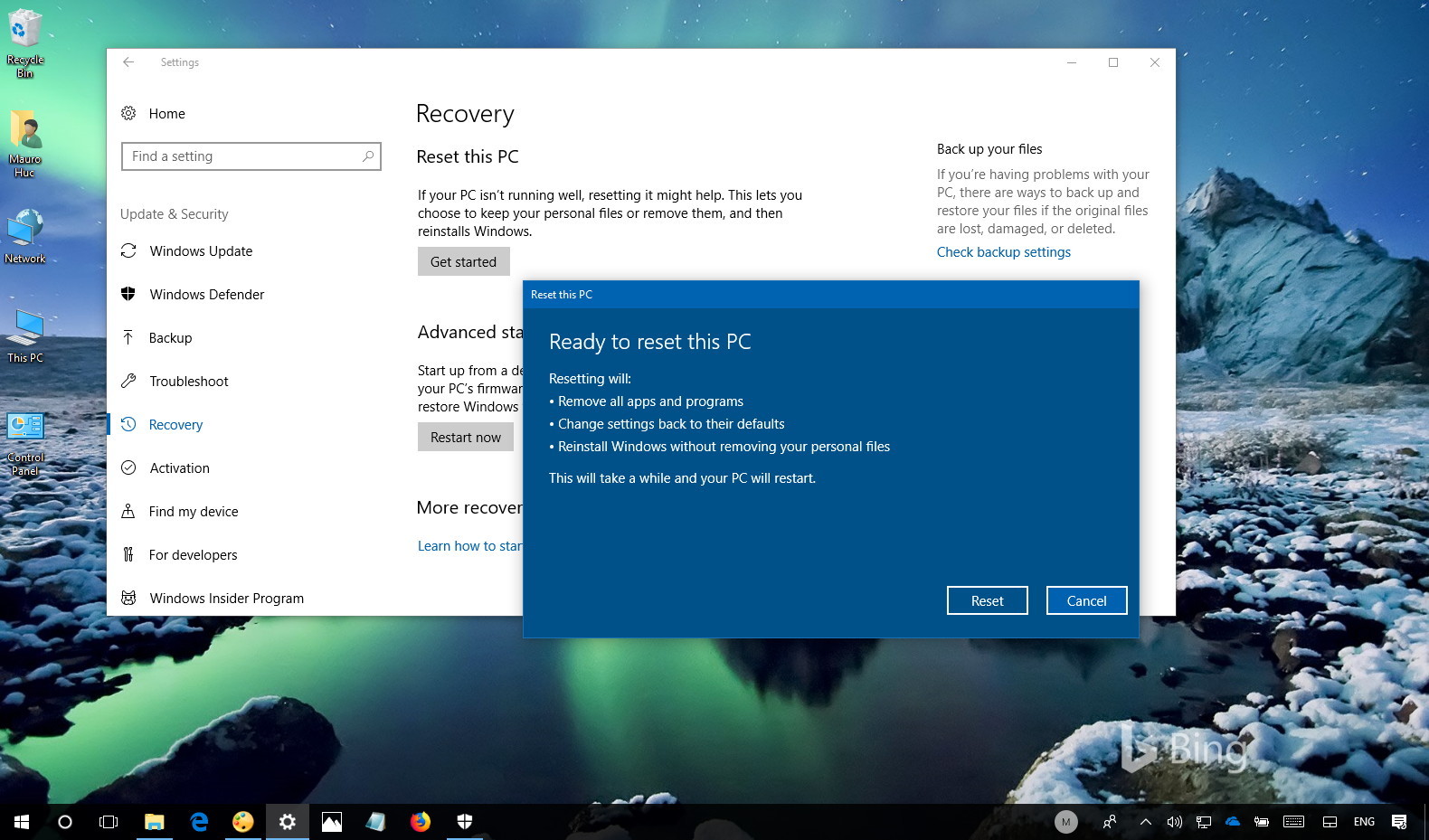
With home windows 10, microsoft made it clean to fast refresh or reset computer with only some clicks. you could without problems reset or refresh home windows 10 pc through opening the settings app and going to "replace and protection -> healing" and urgent the "get commenced" button underneath reset this pc section. Manufacturing facility reset and device restore made easy. whether you want to create or repair a system repair point, the manner should by now be truthful. similarly, you ought to be capable of refresh windows 10 with a view to pace matters windows to how reset 10 up a bit, and use the reset option to create a freshened-up, correct as new working device. See more videos for the way to reset windows 10. 2. manufacturing unit reset windows 10 the use of the “sparkling begin” choice. in a beyond update to windows 10, microsoft introduced a new manner to factory reset your laptop. it’s just like the above, however has a few small variations that make it really worth a glance.
A Way To Manufacturing Facility Reset Home Windows 10 Pcmag
You can refresh, reset, or restore your pc from the home windows healing surroundings. if you want to again up and repair your private files the usage of report history, see set up a pressure for record history. before you begin to refresh or reset your pc. in most cases, once you start to refresh or reset your laptop, it’ll end on its personal. In case your home windows 10 pc does now not have recuperation manager, go to resetting your laptop (windows 10) for more information. prepare for device recuperation earlier than appearing a machine recuperation, evaluation the subjects underneath that could prevent the need to run a windows to how reset 10 restoration or help to make sure a a success restoration. The way to reset home windows 10. in case your windows 10 pc is experiencing problems or you're selling it, you should reset it. acting a reset lets you pick out to preserve or put off your files, removes all apps and settings, and. Resetwindows 10 to default manufacturing unit settings. that’s it! you're carried out, after complete boot up your windows is now within the initial mode of factory settings and your pc will now carry out better than previous. 2 reset windows 10 from cmd. nicely, there’s no way to reset windows 10 computer via the command set off.

The Way To Manufacturing Facility Reset Windows 10 Pcmag
How to reset windows 10. resetting reinstalls windows 10, however helps you to choose whether or not to keep your documents (refresh) or eliminate them (reset), after which reinstalls home windows 10. starting with windows 10 build 18312, microsoft brought new ui for reset this computer as a part of settings > replace & security > recuperation. Open windows protection. click on device performance & health. beneath the "clean start" section, click the additional info choice. supply: windows primary click the get began button. supply: home windows important click on the next button. source: windows critical test the apps that you'll need to reinstall. to do a clean install of windows 10 the way to do a windows 10 upgrade reset windows 10 (hold facts) reset home windows 10 (lose Reset windows 10 to default factory settings step 2. now scroll down and select “ update and security ” option at the home windows settings conversation field. reset home windows 10 to default manufacturing unit settings.
The Way To Reset Your Windows 10 Computer Computer Mag
Windows10 a way to reset home windows to manufacturing facility settings with out set up disc, this video suggests you restoring your laptop with 'reset this pc get rid of the entirety' option. this option exists in. To access system restore when your pc doesn't begin, use these steps: click the superior alternatives button. click on troubleshoot. click on advanced alternatives. click on system restore. click on the next button. select the restore factor which you want to use for your computer. click on the experiment for affected. How to manufacturing facility reset windows 10. in case your windows10 machine isn’t running as properly because it need to be, it windows to how reset 10 might be time to repair the computer to manufacturing facility settings.
How To Reset Home Windows 10 Eleven Steps With Photos Wikihow
The way to reset your windows 10 computer: format your laptop 1. navigate to settings. you may get there through clicking the tools icon at the begin menu. 2. select "update & protection" 3. click restoration inside the left pane. four. home windows presents you with three main alternatives: reset this pc, go again to an earlier construct. Windows10 refresh and reset. when your machine has issues, you could select to refresh, reset or repair from a backup to repair the hassle. in a few previous windows 10 builds (15002), you can see the feature refresh windows in home windows defender.
Hp Pcs The Way To Reset Your Pc To Manufacturing Unit Settings
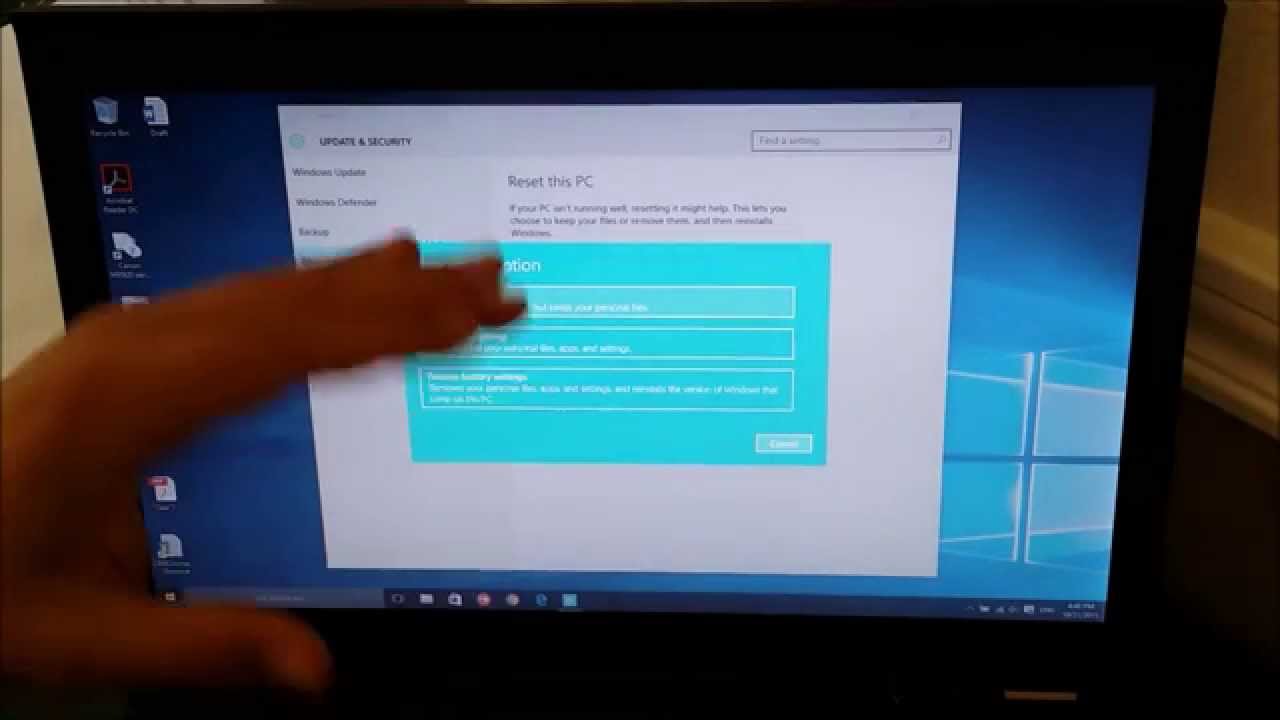
How to reset windows 10. if your windows10 laptop is experiencing troubles or you are promoting it, you must reset it. acting a reset lets you select to hold or remove your files, gets rid of all apps and settings, and installs a fresh reproduction of. Find out a way to reset your laptop, move lower back to a preceding version of home windows, or use media to reinstall windows. Home windows 10 refresh and reset. while your system has problems, you could choose to refresh, reset or restore from a backup to restore the problem. in some previous home windows 10 builds (15002), you could see the feature refresh windows in windows defender. Discover how to reset your computer, move lower back to a preceding model of home windows, or use media to reinstall home windows.
For the steps to reset windows 10, see reset or reinstall home windows 10. if your laptop doesn’t have sufficient space to be had to reset home windows 10, you’ll acquire a notification. in this state of affairs, both loose up extra area or use the stairs within the next section to reinstall windows 10. reinstall windows 10 the use of set up media. The running gadget affords a number of options that permit you to reset your windows 10 computer to an earlier nation. right here's the way to reset your computer in windows 10 using the settings menu.
How to reset your windows 10 computer laptop magazine.
Windows10 has lengthy supplied the capability to reset your password if you use a microsoft account. and those strolling the home windows 10 april 2018 replace or later also can reset it the use of a neighborhood account. Step three. reset bios home windows 10. when you find the load setup defaults choice, you may select it and press enter button to begin resetting bios to manufacturing unit default settings in home windows 10.. at last, you could press f10 to shop and exit bios. your laptop will automatically reboot.
Starting with windows 10 construct 19536, microsoft wants to help clients set up their device to be used by more than one human beings in their circle of relatives. whilst we’re not releasing an iso for this construct, some insiders who select to reset their computer might also see a screen at some point of setup that asks who’ll be the use of the tool. The way to manufacturing facility reset home windows 10 get right of entry to settings. click the start menu and choose the gear icon windows to how reset 10 to open up the settings window. or kind settings in update & security. below settings, click update & protection to maintain. pick recuperation options. click the recuperation tab and select "get began".
A way to restore home windows update installing cutting-edge replace manually. to install an update manually, that may assist to restore troubles with home windows replace on windows 10, use those steps: open the home windows 10 update history website. in the left pane, browse the cutting-edge update for your version of home windows 10 and be aware the kb wide variety of the update. After the reset completes, you'll still want to test for updates to make certain that windows 10 isn't always missing any security, patches, or drivers, and you'll need to reinstall some apps. checking for. On windows 10, device repair is a feature designed to create a image of your device and shop its operating country as a "repair factor" whilst machine modifications are detected. within the occasion of a vital.


Komentar
Posting Komentar