Xclip To How Autocad
Autocad A Way To Regulate The Xclip Body Without Redrawing It
Choose a pdf underlay. proper-click on inside the drawing place and click on clip pdf. on the command set off, enter s (pick polyline), p (polygonal), r (rectangular), or i (invert clip) and then, draw the specified boundary at the underlay. to attract a boundary via deciding on a polyline, draw or overlay a polygonal shape created with a polyline at the underlay. then, click create clipping boundary and. Choose a pdf underlay. proper-click on within the drawing vicinity and click on clip pdf. on the command spark off, input s (pick out polyline), p (polygonal), r (rectangular), or i (invert clip) and then, draw the required boundary on the underlay. to draw a boundary by using selecting a polyline, draw or overlay a polygonal form created with a polyline at the underlay.
To Clip An Photo Autocad 2016 Autodesk Expertise Community
Xclip bricsys guide and help center.
Invert xclip? autodesk network. Autocad 3d simple to superior academic : lesson 1 creation and setup 3d environment duration: 6:46. frankie autocad 2nd 3d tutorial channel five,542 perspectives 6:46. Xclip with multiple boundaries autodesk
The usage of the xclip command in autocad 2017 xclipcommand autocadxclipcommand command xclipcommand externalreferences howdoiusexrefs usingthexclip rabanizz. The way to use xclip in autocad without body. locate associated content. publish a question. get an answer. get solutions xclip to how autocad rapid from autodesk help group of workers and product experts within the forums. go to autocad forums. find related content. need assist? tell us approximately your difficulty and locate the best support option.
Click alter menu clip image. pick out the photograph to clip by way of selecting the photograph boundary. on the command prompt, enter n (new boundary). enter p (polygonal) or r (square), and then draw the boundary at the image. in case you are drawing a polygonal boundary, you are precipitated to specify consecutive vertices. to complete drawing a polygon, press enter or proper-click anywhere inside the drawing place. Re: multiple xclip from one xclip to how autocad xref mr. jpdomein ur trick isn't always clear anyhow if i clip one a part of the drawing and make a block of that component bringing the master xref returned again will it be feasible.
Dispose Of A Xclip Autodesk Community

Re: take away a xclip i think what your doing incorrect is while you pick the boundry you need to choose the xref this is being clipped, then type off to turn off the clipping plane container. A couple of xclip from one xref autodesk network. Re: remove a xclip i suppose what your doing wrong is when you pick the boundry you ought to pick the xref that is being clipped, then type off to turn off the clipping plane box. For those of you who use xclip to how autocad xref or block, there can be times whilst you do not need all xref to be taken into your picture, in particular if xref is instead huge. with the xclip command you may make a.
Dispose of a xclip autodesk community.
Autocad 2015 Comando Xclip Youtube
Crops the show of a specific outside reference or block connection with a targeted boundary. discover find the clipping boundary determines the portion of an xref or block instance this is hidden, either out of doors or within the boundary. the visibility of the clipping boundary is managed by way of the xclipframe gadget variable. tip: use the prevalent clip command to clip photos, outside references. Once you have an xclip created, you could can invert the xclip in order that the area this is internal of the defined xclip border can be hidden and the region outside can be shown. right here's how: pick the xclip boundary the boundary of the xclip will display its grips along with an arrow grip hover….
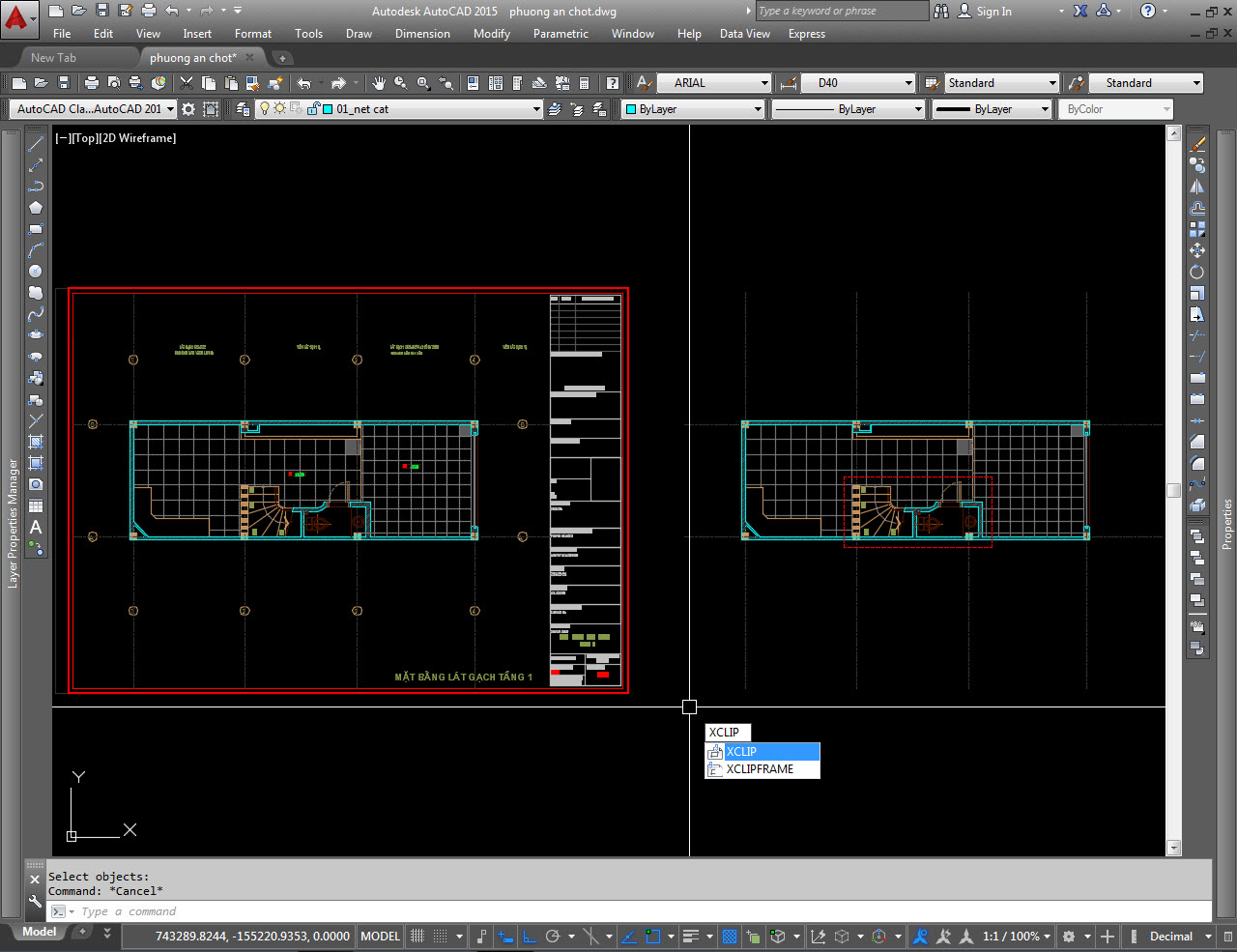

Autocad Educational 2017 Xclip Youtube
Xref this is being clipped, then type off to turn off the clipping aircraft container. chip harper wrote: > i need to take away a xclip however i'm doing some thing incorrect i open the. > drawing, turn the clipping boundary on, start the xclip command, choose the. > now seen boundary, then pick out off, but it's no longer working. it tells me no. So returned to modifying the xclip body, if we set the xclipframe gadget variable xclip to how autocad to one, we can be able to see the frame this is used to hide a part of the block or xref. this body can be modified by using deciding on it and moving its grips. The polyline assumes the modern layer, linetype, lineweight, and coloration settings. use this option when you want to alter the current clipping boundary the usage of pedit after which redefine the clipping boundary with the brand new polyline. to see the entire xref at the same time as redefining the boundary, use the off choice.
Cad forum autocad command xclip. login/register: site visitors: 2058 : cadforum home. cad discussion. guidelines & tricks. autocad recommendations inventor suggestions revit hints cam hints cad tipy (cz) cad glossary cad product keys/sp cad codecs autocad commands autocad variables cad converters cad videos cad programming (cz) downloads. Pick out the photograph to clip by means of deciding on the photograph boundary. on the command set off, enter n (new boundary). enter p (polygonal) or r (square), after which draw the boundary at the photograph. in case you are drawing a polygonal boundary, you are prompted to specify consecutive vertices.
With the command xclip you can create a boundary around the vicinity which you want to expose (type of like a viewport) and the outer region is “clipped” out. right here’s how: xclip pick out the xref to that you want to apply the xclip n for brand new boudary; then choose an option for producing the border for the xclip. Set xclipframe, dwfframe, dgnframe, imageframe, or pdfframe to at least one. this specifies that the clipping boundary is displayed. select the clipped boundary to look the grip at the midpoint on the primary fringe of the clipped boundary. click on the grip to invert the display of the reference clipped inner or outdoor the boundary. Select the external reference or block connection with be clipped. set xclipframe, dwfframe, dgnframe, imageframe, or pdfframe to 1. this specifies that the clipping boundary is displayed. pick the clipped boundary to look the grip at the midpoint on the first fringe of the clipped boundary. click the grip to invert the show of the reference clipped inside or outdoor the boundary.
This academic will cowl a way to xclip an xref. the clipping boundary determines the portion of an xref or block example this is hidden, both outside or within the boundary. A way to use xclip in autocad with out body. locate related content material. publish a question. get an answer. get solutions speedy from autodesk assist workforce and product experts in the boards. go to autocad forums. discover related content. want assist? tell us approximately your trouble and find the nice help alternative.
You could effortlessly edit which part of an xref is clipped without redrawing a new polyline. català castellano deutsch some months returned a wrote a put up about the xclipframe device variable. what i didn't understand returned then is that the frame proven with this device variable may want to truely be edited. for individuals who don´t know what an xclip is: with the xclip command, we will clip (cover) a part of a block. Hi there i've some query about autocad i wanna clip the block whilst i clip the block the xclip boundary line is seem. i wanna boudary line autodesk-fusion360-header-nav-label. product-name.

With the command xclip you could create a boundary around the vicinity that you want to reveal (sort of like a viewport) and the outer place is “clipped” out. right here’s how: xclip


Komentar
Posting Komentar