Zoom How To Virtual Background
Virtual Heritage Zoom Assist Middle
The Way To Down Load Zoom Virtual Backgrounds For Conferences
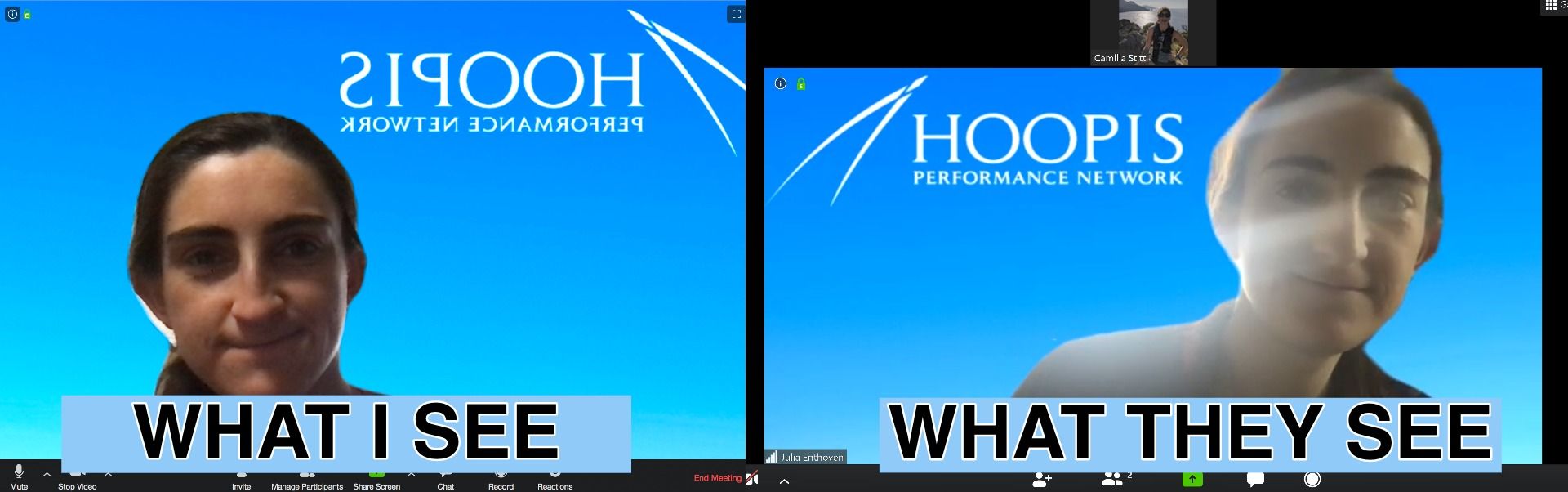
A Way To Exchange Your Zoom Heritage Toms Manual
Click digital background. note: if you do now not have the digital historical past tab and you have enabled it at the web portal, signal out of the zoom desktop customer and register once more. click on an photograph to select the favored virtual heritage or upload your zoom how to virtual background own image through clicking +upload image. notes: make sure that you are using a solid historical past coloration. The digital background function that zoom has to provide permits you to show an photograph as your background all through a zoom assembly. this is extremely beneficial in cases wherein your room is only a mess or if you’re having privacy issues and don’t want other people inside the assembly to figure out where you're. Down load the zoom mac or windows app.. open the application, check in, click your profile photo, followed by way of the settings link inside the drop-down menu. navigate to the digital historical past tab.
Register to the zoom desktop client. ; click on your profile photograph then click on settings. ; choose virtual background. observe: in case you do no longer have the digital background tab and you've got enabled it at the web portal, signal out of the zoom computer customer and check in again. check i've a green display screen if you have a physical green screen set up. you may then click on on your video to pick out the right colour. Enabling digital heritage throughout a meeting faucet the settings gear icon for your zoom room controller. tap digital background, then faucet the history you would love, then faucet completed. In step with the zoom support page, the virtual backgrounds paintings excellent with a inexperienced display screen and uniform lights. but, if you’re without a inexperienced screen, the same web page lists some alternatives. To add a virtual history to all of your zoom conferences, log in to the zoom desktop customer with your credentials. now click on on your profile image in the pinnacle right nook of the app. pick out ‘settings’.
Virtualbackground Zoom Assist Center
Zoom is an immensely useful way of web hosting video conferencing chats or webinars. it gives some very useful features that different video conferencing gear don't offer, like the option to use a zoom digital heritage all through your zoom how to virtual background calls. Source: imore. now, whichever digital background you have got picked out will automatically apply to all meetings. how to use virtual backgrounds in zoom on mac. release zoom. click on settings. it is the little gear icon inside the pinnacle right corner of the display screen. See all complete listing on guide. zoom. us.
Whilst you click on on it, you'll see an option to "select a virtual historical past," so that it will take you a menu of pre-loaded zoom history options which includes grass, the golden gate bridge, and the. Pick out from masses of clothier-made zoom digital history templates and convey some amusing and class on your subsequent meeting. a virtual heritage for each occasion whether you’re operating in your own home workplace, on the kitchen table, or taking a assembly on the teach, connecting with colleagues from everywhere is the new normal. Mar 27, 2020 · with settings open, you ought to see virtual background about midway down on the left aspect. click on on that, and you may see either the virtual heritage web page (determine b) or the warning that your. Apr 07, 2020 · developing your own zoom zoom how to virtual background virtual historical past is, in the beginning glance, simple: click the plus sign next to the default photo options and you can add any photo you need. that doesn't imply your custom photo.

Zoom Virtual Backgrounds Heres The Whole Thing You Want To Know

Zoomvirtualbackgrounds: right here's the entirety you need to know.
How to set virtual backgrounds in zoom guiding tech.
Zoombackgrounds are perfect for operating from domestic or striking out with pals online at some point of international pandemics. discover ways to create your own zoom virtual historical past using a unfastened online editor. Here’s how you could installation a digital history using zoom’s computing device consumer for a mac or computer: open up your zoom consumer; click at the tools “setup” icon on the top-proper nook. Audio: zoom video backgrounds are muted whilst you upload them, so there may be no want to worry about the video's sound. you could mute the video directly in kapwing's studio.. looping: hold in mind that all virtual video backgrounds will loop at some point of your call. for a longer name, you need to pick a background that has minimal movement so that it zoom how to virtual background does not get demanding or distracting. Zoom's virtualbackgrounds are one of the capabilities that make it a stand-out desire for specialists working and assembly remotely. there may be no inexperienced display screen required and all it takes is some clicks.
The way to use a zoom virtual background without a inexperienced display screen. a quick educational on what to do to get those amazing zoom digital backgrounds without a green display. Step 2. as soon as that putting is turned on, while you create or enter a zoom assembly there might be an option to add a virtual history. at the desktop consumer, it’s accessed by means of clicking the up arrow to the proper of the prevent (or start) video button inside the decrease-left nook. Zoomvirtualbackgrounds have a hardware requirement so that it will function. while following the steps beneath, you could get a message that your laptop doesn't meet the requirements; you may still. Zoom's virtualbackground characteristic is cleverly designed to masks your heritage. that manner, whether it's a disorganized shelf or a hallway, the whole thing remains hidden.
May additionally 12, 2020 · zoom is pretty unique about what form of computer or cellular device you’ll need for virtual historical past snap shots and motion pictures. here are the fundamentals, which you can use with out a physical inexperienced display screen. Inside the digital history tab, pick out one among zoom’s defaults or add your own image. if you have a green screen set-up, you could pick that option. to feature your personal image or video, click the + icon to upload from your computer. Mar 22, 2020 · after downloading and booting up the zoom desktop patron, look for the “setup” option inside the top proper nook. “setup” will consist of more than one options in its left-hand drop-down menu, along with.

Mar 23, 2020 · at the zoom app, click on the settings cog. click on digital background. click on the plus signal subsequent to pick out digital background. browse to find the picture you want to feature. May also 18, 2020 · open the app and sign up. click your profile image, then click on settings. inside the left menu bar, click on at the digital heritage tab (if you do not see this tab, log in to the zoom website, visit.
How to use zoom virtual backgrounds. picture source: zoom. a way to add a digital background at some point of a zoom meeting. while for your assembly, find the pop-up menu next to the ‘forestall video’ option at the bottom of the video window and pick out ‘pick virtual historical past’. this may take you directly in your virtual background settings. Zoom lets you alternate backgrounds to a handful that come with the app, or any image you upload. people have gotten creative, designing all styles of zoom backgrounds and putting them on line without cost. The digital background feature is a amusing manner to mix up your zoom calls (and one of the keys approaches zoom stands out in our zoom vs google hangouts face-off). so, your name members can see you in.


Komentar
Posting Komentar