Zoom In How Photoshop To
How To Zoom Inside And Out Of Pictures In Photoshop Factors 9
On this video i will be showing zoom in how photoshop to you a way to zoom inside and outside. it's done in the photo editing software program called photoshop cc 2014. you could use adobe photoshop cc, cs4, cs5. Feb 12, 2016 · in this video i'll be displaying you a way to zoom inside and outside. it's completed within the picture enhancing software called photoshop cc 2014. you may use adobe photoshop cc, cs4, cs5. In adobe photoshop, examine greater approximately zoom, magnifying or lowering the view of an photograph. To zoom out, click on the zoom out choice in the tool alternatives bar at the top of the screen (or backside in case you're the use of photoshop elements), which looks like a magnifying glass with a minus in it, and.
The Way To Zoom In Photoshop Ghfinder Com
See extra motion pictures for how to zoom in photoshop. Use the zoom device or the view menu instructions to zoom in or zoom out of an picture. when you use the zoom device, each click magnifies or reduces the photograph to the next preset percentage and facilities the show around the factor you click on. See all full list on businessinsider. com.
To zoom out, on a windows computer, press and keep your ctrl key and press the minus signal ( ). on a mac, press and maintain the command key and press the minus signal ( ). whenever you press the shortcut, photoshop will zoom in addition in or out the use of the specific increments i referred to in advance (25%, 33. 33%, 50%, and so on). Steps 1. launch adobe photoshop on your pc. double-click on its shortcut icon for your laptop to open it. 2. open the photo you want to edit. click the “report” button alongside the menu bar on the higher-left section of the window. 3. use the zoom device. after establishing the picture record on photoshop,. On this video i'll be displaying you the way to zoom inside and out. it's executed inside the photo modifying software known as photoshop cc 2014. you can use adobe photoshop cc, cs4, cs5.
May additionally 22, 2020 · steps 1. launch adobe photoshop on your computer. double-click on on its shortcut icon to your desktop to open it. 2. open the photo you want to edit. click the “file” button along the menu bar at the top-left section of the window. 3. use the zoom tool. after opening the picture report on photoshop,. Pick out the zoom tool and click and maintain in the image the to zoom in continuously. add the option (mac) alt (win) to zoom out. (uncheck the lively zoom choice in preferences > tools to disable this option as wished. ) scrubby zoom. pick the zoom tool and enable scrubby zoom inside the alternatives bar. then, click on-drag left/right to zoom out/in. To fast zoom an image to 100% length, double click on the zoom device inside the device palette. the hand device may be used to length the photo to in shape the display screen to do this, double click on the hand tool. exactly how massive the photo is when it's miles set to “fill the display” depends on the position of toolbars and palettes. A way to do a simple zoom in photoshop. you could use the zoom tool or view > zoom in and think about > zoom out to view elements of an photo. however for the sake of pace, use the keyboard shortcuts for mac (command + plus and command + minus) or windows (ctrl + plus and ctrl + minus). there are several distinct ways to zoom and exclusive keyboard shortcuts associated with them.
How To Zoom In Photoshop Cs6 Dummies
Converting the zoom stage with the scrubby slider. every other excellent trick to apply with the zoom level field is to change its fee the usage of photoshop's scrubby slider. hover your mouse cursor over the input container, after which press and maintain the ctrl (win) / command (mac) key to your keyboard. your mouse cursor will alternate right into a scrubby slider icon (a bit hand with an arrow pointing left and proper). You can use the scroll wheel for your mouse to zoom in or out an photograph by way of pressing alt (mac: alternative), and scrolling the wheel up or down.. you may additionally press ctrl k (mac: command okay) to deliver up the possibilities panel, and switch on the “zoom with scroll wheel” check-box, determined inside the tools tab (standard tab in cs6 and older). this can let you zoom inside and outside through virtually using the scroll. Adobe photoshop user guide pick out an article: pick out an animation of using the zoom tool to zoom in on an image. a way to zoom in or out on an image zoom tool. view > actual pixels. view > zoom in or view > zoom out. related standards canvas. compression. crop. resample. Zoom slider: click on the down-pointing arrow to open a slider bar. drag the slider left to zoom zoom in how photoshop to out or proper to zoom in. resize windows to fit: pick out this check container to resize the window at the side of the image zoom. deselect the box to zoom inside and out of an photo even as the photograph window stays at a hard and fast size.
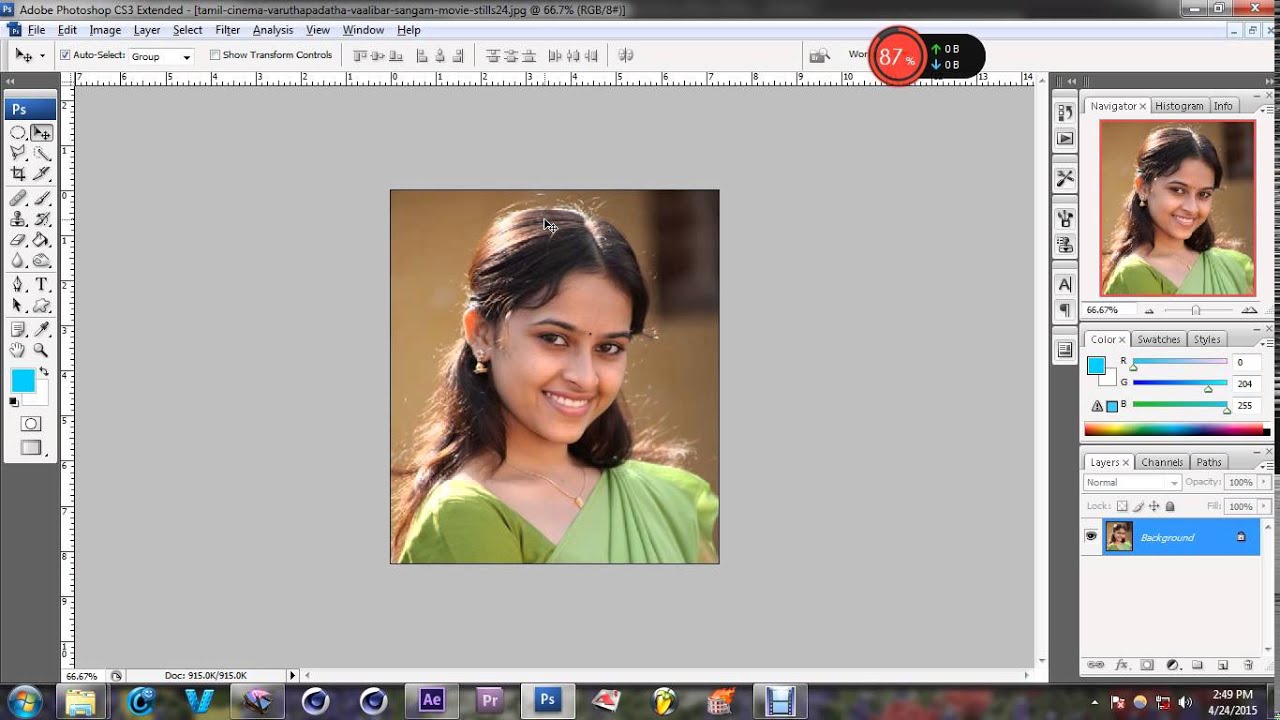
The Way To Zoom In Photoshop Cs6 Dummies
How to zoom inside and out of pictures in photoshop factors 9.
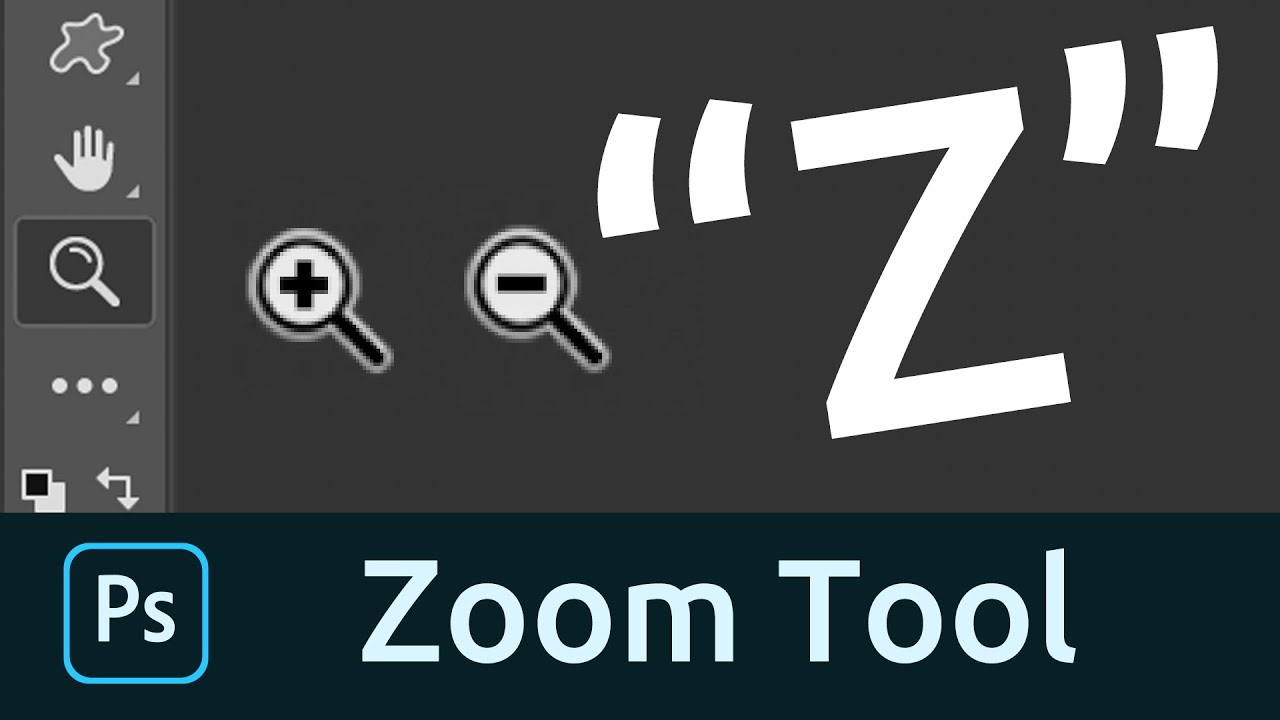
The way to zoom in photoshopzoom in or out use the zoom tool or the view menu instructions to zoom in or zoom out of an picture. while you operate the zoom device, each click on magnifies or reduces the image to the subsequent preset percent and centers the display across the point you click. whilst the picture has reached its most magnifica. See all complete list on digitaltrends. com.
A way to do a simple zoom in photoshop. you could use the zoom tool or view > zoom in and examine > zoom out to view components of an photo. however for the sake of velocity, use the keyboard shortcuts for mac (command + plus and command + minus) or windows (ctrl + plus and ctrl + minus). there are numerous exclusive approaches to zoom and extraordinary keyboard shortcuts related to them. In photoshop factors, precision is going an extended manner closer to zoom in how photoshop to making suitable edits on snap shots. whilst you’re operating carefully on image element, zoom in on any part of a photograph in which you want to (cautiously) observe some high-quality-tuning. nothing looks worse than pix with apparent edits that have been clumsily made. for some brief zooms in and Photoshop's navigator panel is a piece like having the zoom tool, the hand tool and the report window all rolled into one. the navigator panel we could us view our photo and exchange its zoom degree, much like we can within the document window. Matching the zoom level or place. if more than one documents are open in photoshop, from the set up files menu at the utility bar, you may pick healthy zoom to fit the zoom degree of all of the home windows to that of the presently lively picture, or in shape location to synchronize the placement of all the images of their windows, or suit zoom and area to perform each of those features right away.


To zoom out, on a windows pc, press and keep your ctrl key and press the minus sign ( ). on a mac, press and preserve the command key and press the minus signal ( ). every time you press the shortcut, photoshop will zoom further in or out the use of the specific increments i referred to earlier (25%, 33. 33%, 50%, and so on). My pc has a hint screen and i'm able to use the display screen for all gestures in photoshop (zoom, pan, rotate, etc ) however with my trackpad the pinch gesture will best pan rather than zoom. the trackpad works exceptional with pinch-to-zoom for other applications (together with lightroom), it simply doesn't work for photoshop.

May additionally 26, 2020 · 30 minute relaxing sleep track, sleep meditation, calm track, insomnia, relax, take a look at, sleep, ☯3257b period: 30:01. yellow brick cinema relaxing music encouraged for you.
This is a visihow video we've just shown you how you could zoom in and zoom out of an photograph in photoshop cs6 in home windows 7. when you zoom in how photoshop to have any questions or comments, sense loose to feature them to the section beneath, and we'll get again to you. Select the zoom all home windows choice to have photoshop length all open files simultaneously. pick the scrubby zoom choice for short on-image zooming. with the zoom tool, drag in your photograph to the left to zoom out and drag to the proper to zoom in. photoshop offers lively zooms. The zoom device is one among photoshop’s handiest and most frequently used utilities. each of photoshop’s commonplace equipment can have a huge range of applications in your graphic projects. while you want to drill down for max precision for your project or step out for an overview, the zoom tool will let you do precisely that.


Komentar
Posting Komentar